How to discard old devices safely
Internet and Network

How to discard old devices safely

Old phones, broken chargers, unwanted cables, and other e-waste accumulate quickly in homes. They clutter drawers and shelves, taking up a lot of space without one even realizing it. While disposing of electronics is not difficult, it generally requires following a few basic steps to protect the environment and ensure one’s own safety. These include wiping personal data from devices, properly sealing them, and considering reuse and recycling options. Why proper disposal matters Electronic devices contain tiny amounts of chemicals, such as lead and mercury, which can contaminate the soil in the landfills. That’s why, instead of tossing them into regular trash bins, disposing of them through other, safer channels is best.  A large part of the e-waste can also be recycled to make new products. This is a good way to support local facilities and create jobs in collection, sorting, and repair roles. Considering that households produce millions of tons of e-waste each year, recycling old electronics can help generate significant local revenue. Proper disposal is also important for one’s own safety. Many small businesses refurbish and resell electronics. That’s why, when disposing of things like smartphones, laptops, and storage devices, one should wipe off all their data to keep it out of reach of the next person who uses the device.

Small business phone plans – Types, features, and pricing
Internet and Network

Small business phone plans – Types, features, and pricing

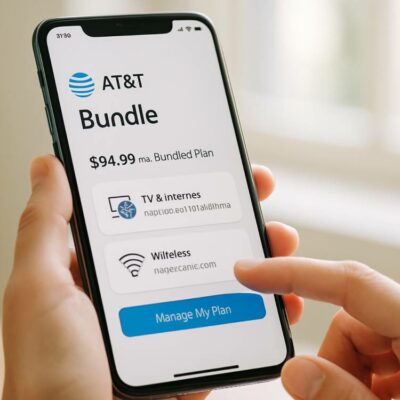
Small business phone plans are now an essential tool for enterprises to stay connected in a world that is always online. With these, small teams can handle customer calls, support remote work, and stay connected with field teams. But with too many mobile plans available, it can be confusing to find the right one for a small business. To make the decision easier, it helps to compare the top providers with their features and prices. Types of business phone plans Small business phone plans are usually of two types: traditional carrier wireless plans and VoIP (virtual phone) services. Traditional carrier plans are offered by some of the top providers, such as T‑Mobile, AT&T, and Verizon. These run on cellular networks and offer talk, text, and mobile data for all employees of the business. Meanwhile, VoIP and virtual services from providers such as Quo, CloudTalk, Ooma, Google Voice, RingCentral, and Grasshopper are quite popular. These work over the internet through apps on phones and computers. They often include shared numbers, extensions, and call routing, which are needed by companies and remote teams with high-speed, stable internet connectivity.  So, if a contractor has field staff at different job sites, they may want traditional wireless plans to stay reachable and connected.
Top 6 AT&T bundles to consider
Internet and Network

Top 6 AT&T bundles to consider

AT&T’s DIRECTV + Internet 300 bundles are a good choice for those with varied entertainment preferences. Additionally, their internet speeds are reliable, and each package comes with a diverse yet tailored TV lineup. What’s more, some options also include unlimited home phone service for added convenience. Each AT&T TV and internet bundle is affordable and offers something unique to its viewers. Knowing the popular options available in the market can help buyers choose the one that best fits their requirements. DIRECTV ENTERTAINMENT + INTERNET 300 bundle This entry-level AT&T cable and broadband bundle is designed keeping affordability and leisure consumption in mind. It pairs AT&T’s Internet 300 speeds with a streamlined TV lineup featuring 90+ channels, including news, kids’ programs, and lifestyle networks. This plan costs about $145 per month, plus fees, with a 2-year lock-in period on the TV bundle. This scheme is suitable for those who prefer staggered payments. The DIRECTV ENTERTAINMENT + INTERNET 300 package is a good option for those who require basic entertainment, reliable internet, and a simple, no-frills setup. DIRECTV CHOICE™ Package + INTERNET 300 This is a mid-tier option that is affordable yet offers a rich channel mix. That said, it does primarily focus on live events and sports.
iPhone 17 lineup breakdown – Design, display, and performance
Internet and Network

iPhone 17 lineup breakdown – Design, display, and performance

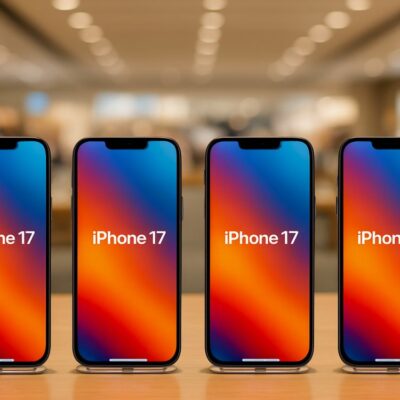
With multiple options now in the lineup, choosing a new iPhone is no longer as straightforward as it once was – and the same holds true for the latest iPhone 17 series. The lineup includes 4 distinct models, each thoughtfully designed to cater to different user preferences and usage patterns. By carefully comparing iPhone 17 models based on performance, visual appeal, and features, users can select the right option that best fits their daily needs. Design Among all the features of the iPhone 17 lineup models, the one that clearly sets all of them apart is their design. The standard iPhone 17 retains a familiar look similar to previous iPhone models. It has a clean back with a compact dual-camera layout that sits within an oval island. The iPhone 17 Air, on the other hand, takes a bolder route. This model features a wide horizontal camera strip running across the back, which Apple fondly labelled as ‘plateau’. This plateau only has a single camera on its left side. The Pro and Pro Max models are the most distinguishable in this line, thanks to their larger plateaus on the back that house three cameras. Not only that, but they also have a glass inset below the plateau.
7 warning signs that a device needs antivirus protection
Internet and Network

7 warning signs that a device needs antivirus protection

Mobile phones are considered the epicenter of social connections, work updates, and banking tasks. This means that if anything goes wrong with these devices, it can be quite a headache. Malicious software, such as malware and viruses, can affect both iPhones and Android devices. This can degrade device performance and compromise personal and financial data. To mitigate these risks and protect digital privacy, it is important to follow established security protocols. There are several signs that indicate the user’s device needs antivirus protection. Most of these signs are closely linked to their performance issues.  Unfamiliar apps If one finds apps on the device that weren’t intentionally downloaded, it is not normal. It is a warning sign that the device is infected with a virus. The malware can install programs on the device to steal, monitor activity, or send personal data to malicious servers. If this occurs, it needs to be addressed promptly, as it could indicate that the virus is progressing toward targeting the device and the user’s security.  Adware The internet these days is packed with marketing pop-ups and ads; they’re just part of the online experience. But if someone’s device is infected with malware, they are likely to see more ads than usual.
Malware detection software – Key features and popular options
Internet and Network

Malware detection software – Key features and popular options

With cyber threats becoming more frequent and more sophisticated, installing malware detection software on computers is no longer optional. Without this software, threats like spyware, Trojans, and phishing attacks can not only damage files but also steal data and pose financial risks. That said, installing any random malware scanning program is not a good idea. Knowing about the software’s features and finding out what it can and cannot do is recommended. Features to look for in malware detection software Almost all spyware and malware removal tools offer a demo or free trial. Use that time to assess the tool and determine how well it performs in real-world conditions before committing to it. High detection rate A malware scanning program’s ability to detect threats is most important. First and foremost, the tool should offer real-time protection. This means it should scan files the moment they enter the system via downloads, email attachments, or external storage devices. Next, it should have a high detection rate, meaning it should not miss any threats. A tool’s detection rate can be verified through results published by independent testing labs, such as AV-TEST, AV-Comparatives, or Virus Bulletin. Low impact on system performance The next thing to check is the program’s impact on the device.
Key things to know before buying a printer
Internet and Network

Key things to know before buying a printer

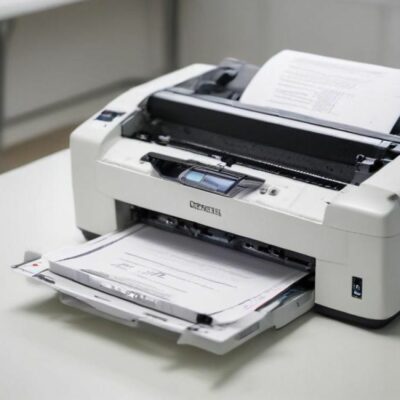
A printer is required for various purposes, whether for home or office use. From school assignments and remote work tasks to printing photos, labels, and shipping documents to meet everyday tasks, different needs require different types of printers. When planning to buy a printer, it helps to choose one with features that align with specific requirements. One can simplify the decision by comparing several printer types, key features, and price ranges.  Determine printing needs Before choosing a particular printer, first consider the print volume. Most households have light printing needs, meaning they print just a few pages a week. But others may require heavier use, especially when they have to regularly print school worksheets, reports, business documents, or frequent labels. Also, the type of content to be printed matters. Some users stick to mostly text pages, while others need a mix of charts and graphics. Additionally, if one is dealing with photo-heavy projects, the printer must provide features that are mostly available only in select models.  Make sure to look out for space and noise levels as well. For tight spaces like small desks, compact models are a better fit. In office environments, quieter printers are generally preferred to maintain a peaceful workspace.  Check popular printer types Several types of printers are available, each catering to different printing requirements and budgets.  Inkjet printers Inkjet printers are versatile devices that can handle text and color graphics, making them suitable for home projects and photo printing.
5 popular VPNs to consider
Internet and Network

5 popular VPNs to consider

For many, everyday life involves being online for shopping, streaming, banking, and social media. This means there is a consistent flow of data through several networks. Now, VPN services provide encrypted channels so that internet providers, public Wi-Fi snoops, and ad trackers cannot see much of a user’s activity. Many VPN service providers offer a mix of privacy tools, reliable speeds, and easy apps. To make the right choice among these, understanding their features, pricing ranges, and other aspects helps. How VPNs are trustworthy Most top VPN service providers have clear privacy policies and independent audits that help build trust. These audits are publicly available, so users can verify that a network’s safety is sufficient. Many VPN service providers also publish their company details, with some sharing their ownership and server information. This adds to the trust value. In addition, these services offer strong encryption and leak protection to keep data safe. Other key features that enable secure internet browsing include kill switches, DNS protection, and strong protocols. How to choose a VPN When picking a VPN service, matching the features with what is needed can help. This is because there is no single service that fits everyone’s requirements; some are better suited to specific features.
Popular HP laptops to consider buying in 2026
Internet and Network

Popular HP laptops to consider buying in 2026

Many users choose HP laptops for their reliability and solid performance. HP’s laptop lineup offers a broad range of options to meet nearly every buyer’s need, from budget-friendly systems for students to high-performance delivery for graphic designers and professional gamers. Before selecting an option, users should prioritize balancing performance, portability, primary use, and budget. Other vital factors to consider before purchasing include display brightness, RAM size, processor speed, and battery life. OmniBook Flip X 14  The Omnibook scores well across all ownership and performance parameters for laptops. That makes it a reliable and safe choice to pick from HP’s lineup. The OmniBook Flip X 14 is a convertible Windows 11 device with strong performance and productivity numbers. Users can find it with AMD Ryzen AI 7 350 series processors and integrated graphics. The computer is available with 16-32GB of RAM and up to 1TB of SSD storage. The 14-inch display supports full HD resolution in touch/flip form. Whether users need to watch movies or deliver PowerPoint presentations, this laptop’s display is vibrant and fluid enough to make things look aesthetic. The build quality of this device is solid with a metal chassis and sturdy hinge. This laptop offers multiple port options, including USB-C/Thunderbolt and USB-A ports.
Key details about SSI
Internet and Network

Key details about SSI

Supplemental Security Income (SSI) is a federal program that provides financial support to seniors and low-income individuals. It provides monthly financial assistance to individuals aged 65 or older or with physical challenges who have limited income and resources. The Social Security Administration regulates and administers this aid to help cover basic needs, such as food, shelter, and clothing. Benefits tend to vary from state to state because of optional state supplements, and eligibility for SSI is based on current financial need rather than work history. Social Security SSI eligibility requirements The SSI is designed to support those with limited income and resources through authorized payments. The federal government makes payments to the recipient’s account on a selected date each month. Eligibility is limited to those who are 65 and older, with visual impairment, or with other physical limitations. Applicants must be U.S. citizens, U.S. nationals, or certain qualified noncitizens. Eligible individuals must live in one of the 50 U.S. states, Washington DC, or the Northern Mariana Islands. Being outside these areas for 30 consecutive days or more affects applicants’ eligibility. Individuals seeking benefits must apply for SSI and authorize the Social Security Administration, the federal agency that administers the program, to verify their financial information.

Top Articles

Top features of the latest iPhone 17
Internet and Network

Top features of the latest iPhone 17

Every time a new iPhone is launched, tech and phone enthusiasts eagerly wait to know what features and upgrades Apple has in store. And for good reason. With each upgrade, the iPhone continues to get better in terms of performance and convenience. The iPhone 17 is no different. This lineup has some solid features that give it better processing speed, improve its battery life, and provide stronger data security. Upgraded Bionic chip One of the most significant updates the new iPhone has received is with its performance, thanks to the new and upgraded Apple A19 Bionic chip. This chip is built with a six-core processor, of which two cores run at a speed of up to 4.26 GHz and the other 4, i.e., efficiency cores, run at up to 2.6 GHz. So, what does this mean for the user? It means faster app launches, smoother multitasking, and better handling of heavy tasks such as gaming or video editing. Improved display Next comes the upgrade to the display specs of this new Apple phone. This update comes in the form of the ProMotion screen, which has the ability to automatically adjust the phone’s refresh rate in the range of 1Hz to 120Hz.
Popular Samsung phones and deals in 2026
Internet and Network

Popular Samsung phones and deals in 2026

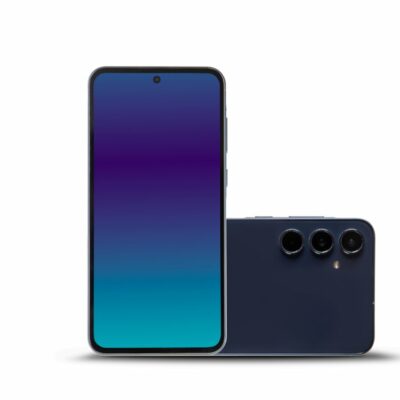
Samsung sells a wide range of Android phones across multiple price segments. The sheer variety on offer makes finding an option tailored to one’s budget and requirements easy. Whether one needs simple calling and texting features, a clear camera for photography, or a powerful processor for gaming, they will find that the brand has phones for all these requirements. The most exciting feature, though, is Samsung’s One UI, which offers better customization and control over the user interface. Popular Samsung smartphones If one is looking to buy a Samsung phone in 2026 but can’t decide what to pick, going through a few trending models can help. Samsung Galaxy S25 Ultra This is a flagship device from Samsung with a large, crystal-clear 6.9-inch screen, a high-end Snapdragon 8-series chipset, and a multi-lens camera setup led by a 200MP main sensor. It’s packed with AI features to improve camera functionality, boost video call quality, make writing more intuitive, and make web surfing smoother. The S25 Ultra is perhaps Samsung’s most premium phone right now, recommended for anyone who wants nothing but the best. Samsung Galaxy S25 Plus The S25 Plus is an affordable alternative to the S25 Ultra, which means one has to make a few compromises when buying it.
Samsung Galaxy Watch 2026 – Top Features To Expect
Internet and Network

Samsung Galaxy Watch 2026 – Top Features To Expect

Over the last several years, smartwatches have become an essential device for many people. From checking the time to tracking fitness goals and receiving notifications for emails and messages, smartwatches have made daily life more convenient. Samsung is taking smartwatch usability to the next level with the launch of the new Samsung smartwatch 2026, also known as the Galaxy Watch Ultra 2. This new lineup is expected to improve health tracking, battery life, and AI features for Android smartwatch users, enabling better, more active, connected lifestyles. Galaxy Watch 2026 lineup: What to expect The 2026 Samsung smartwatch range is expected to include the Galaxy Watch 9 (the flagship model), the Galaxy Watch 9 Classic, and the rugged Galaxy Watch Ultra 2. The latest models are expected to feature the same core hardware and software. This will offer a more consistent and seamless experience across Samsung’s Android wearable range. Key upgrades Design and display The Galaxy Watch Ultra 2, also known internally as the Galaxy Watch 9 Ultra, is expected to retain the 47 mm titanium case and 1.5‑inch circular Super AMOLED display from the previous Ultra smartwatch model. But there might be a few design changes to the bezel, lugs, and button layout.
Popular phone trade in options in 2026
Internet and Network

Popular phone trade in options in 2026

Phone trade-in is a process where a buyer gives their used device in exchange for a specific value. The value they get depends on the model of the phone and its current condition. Many use phone trade-ins to help pay for a new phone or to get a bill credit from their service provider. These programs are usually available through wireless carriers, phone manufacturers, and various popular retail stores.  Why buyers trade in phones Many choose to trade in their phones to pay less for the initial cost of a new device. This also helps them keep monthly expenses in control. Also, it becomes easier and more affordable to access the latest technology and updated hardware features, without paying the full retail price of the device. Additionally, phone trade-ins help support environmental and sustainability efforts. Some programs keep older electronics out of landfills and reuse and recycle them for different purposes. Besides that, trading offers a simple way to declutter a home by getting rid of old gadgets that are no longer useful. Types of phone trade-in programs Carrier trade-in programs Carrier trade-in programs are a popular choice for those who use a major wireless provider and want to stay with the same company.
Key benefits of AI tools in education
Internet and Network

Key benefits of AI tools in education

Artificial intelligence is steadily becoming a part of everyday living. Its growing presence in education is largely driven by the demand for flexible learning models. AI helps teachers streamline tasks, personalize lesson plans, and enhance student engagement in the classroom. Rather than altering the educators’ roles, AI supports teaching by improving efficiency, engagement, and access to learning resources. The advantages of AI in classrooms are extended across all grade levels and contribute to long-term learning outcomes. Improve personalized learning A clear benefit of AI in education is its ability to tailor instructions for individual learners. This personalized learning enables AI to adjust the content and pace based on a student’s performance. Several platforms provide students with additional learning exercises when they need more practice. Similarly, AI platforms accelerate content progression when a student appears to know the material well, presenting them with alternative options or more challenging concepts to master. This adaptive approach to education can keep students in the class engaged despite differences in their learning levels. For students who need repetition, the system offers several practice tasks, and for those ready for advanced levels, there are opportunities for expert or professional learning. Reduce workload for teachers AI tools can be helpful for teachers in many ways, as they can be used to automate several time-consuming tasks.
7 things to expect from the Samsung Z TriFold in 2026
Internet and Network

7 things to expect from the Samsung Z TriFold in 2026

Samsung Electronics has announced the launch of a new device in the Samsung Z Fold lineup for 2026. The Galaxy Z TriFold, as it’s also known, marks a major step forward for the brand in the field of innovative smartphones. This Galaxy device has cutting-edge foldable specs. Despite its many specifications and features, it still maintains a slim, portable design that delivers flagship-level performance and comfort. The foldable phone has many features for all interested buyers. Smart folding design  The Samsung Galaxy Trifold measures 3.9mm when unfolded and 12.9mm folded. It is also smartly designed to ensure practicality at all times. When closed, it opens by unfolding the rear panel first, followed by the inner panel. Both hinges feel exceptionally smooth and sturdy, reflecting years of refinement and expertise in hinge engineering. When it’s time to close the device, the left panel folds first, then the right. If the right one is folded first, built-in sensors detect the mistake and trigger a vibration alert. The alert then guides the user to fold the device correctly. The slim folded form makes it easy to slip into a pocket when closed. Top performance The Snapdragon 8 Elite powers the Samsung Galaxy Z TriFold, the same Galaxy processor found in the Z Fold 7.