
The Tradeoffs of Free vs. Paid Tiers in Productivity Apps
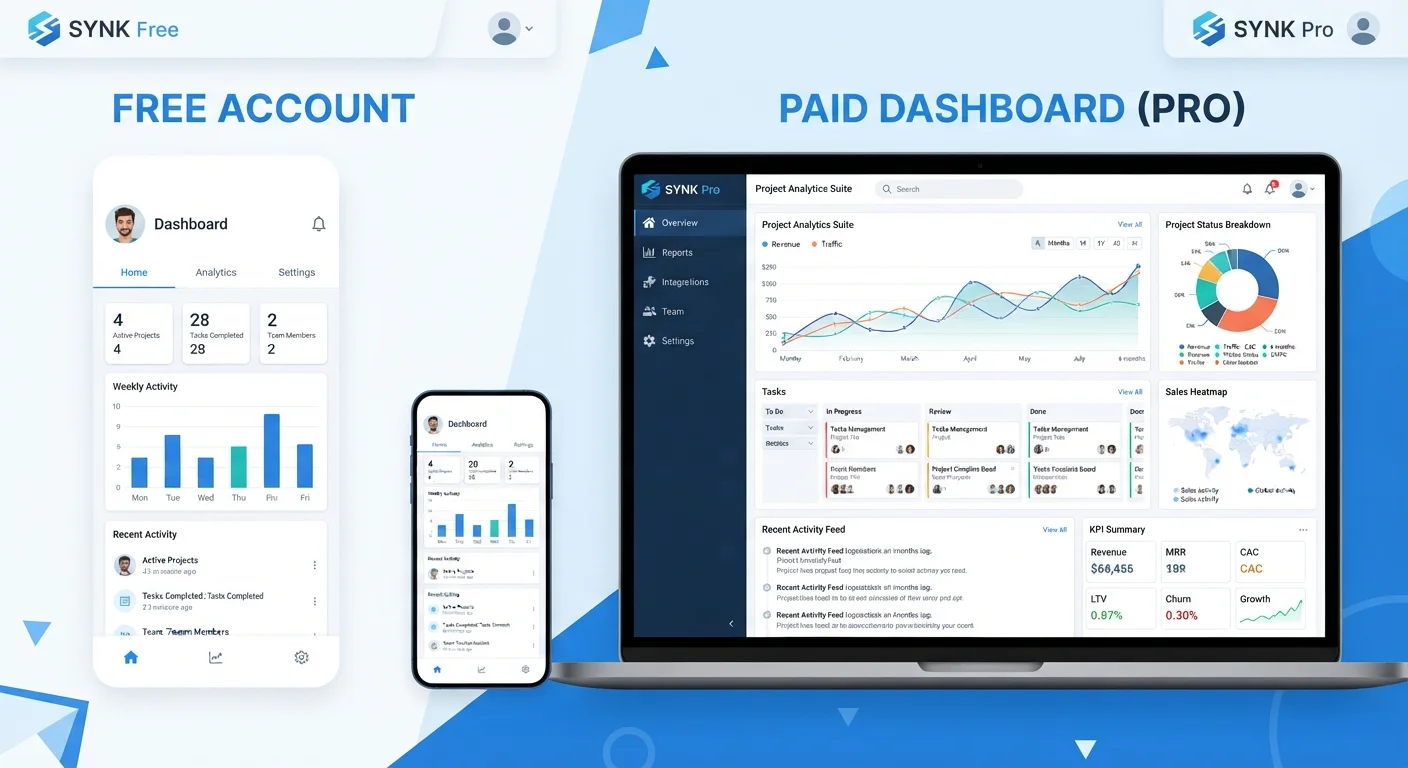
Photo credit: Telecom360.net | Connecting You To The Latest In Telecom
In this article
Free plans limit storage, collaboration, or automation. Paid tiers add overhead. A clear-eyed look at what you actually gain and give up with each.
Key Takeaways
- Free tiers are viable for solo users with light workloads but typically cap storage, seats, or automation.
- Paid plans shift the cost from features to budget overhead, which has real implications for small teams.
- The most important limitations in free tiers are often collaboration and integration constraints, not storage.
- Upgrading mid-project can create data migration friction that free trials rarely reveal upfront.
- Matching the tier to your actual workflow - not aspirational use - avoids overpaying or hitting walls.
Zero financial risk to start using the tool
Free tiers let you validate whether an app genuinely fits your workflow before any budget commitment, reducing the cost of a wrong choice.
Core functionality often fully intact
Many productivity apps - particularly note-taking and task management tools - deliver their primary value proposition on the free plan, with premium features concentrated in edge cases.
Paid tiers unlock meaningful collaboration depth
Real-time co-editing, granular permissions, and shared workspaces are typically gated at paid tiers, making upgrades worthwhile the moment team size grows.
Automation and integration access scales with paid plans
Connecting a productivity app to CRM, communication, or data tools usually requires a paid API tier, which can eliminate substantial manual work for teams.
Priority support reduces downtime risk
Paid subscribers typically receive faster response times and dedicated support channels, which matters when the app is embedded in critical workflows.
Free tier limits can appear without warning
Storage caps, seat restrictions, and automation quotas are sometimes only encountered mid-project, creating disruptive upgrade pressure at the worst time.
Paid subscriptions accumulate across tool stacks
Teams running five or six productivity apps on paid plans can face aggregate subscription costs that rival full enterprise software suites.
Vendor lock-in intensifies at higher tiers
The more automation and integration work built on premium features, the more painful and costly migration becomes if the product changes or pricing rises.
Free plans may exclude data export or portability
Some vendors restrict bulk export or API data access to paid plans, making it harder to leave or audit your own data on the free tier.
Seat-based pricing penalizes team growth nonlinearly
Per-seat pricing models mean costs can jump significantly when adding even a few collaborators, disproportionately affecting small but growing teams.
What Free Tiers Are Actually Designed to Do
Productivity app free tiers exist for two reasons: user acquisition and genuine utility demonstration. Vendors want you inside their ecosystem before you pay, which means free plans are carefully scoped - useful enough to create dependency, limited enough to eventually push you toward a subscription. Understanding this dynamic helps you evaluate limits without treating them as accidental.
Most free plans restrict along three axes: storage (file or data caps), collaboration (seat limits or read-only sharing), and automation (restricted triggers, integrations, or API access). Storage caps are the most visible, but collaboration and automation limits are usually where solo-to-team transitions break down. A note-taking app that works perfectly for one person may become functionally unusable the moment a second person needs to co-edit in real time.
For individuals with stable, lightweight workflows, free tiers frequently deliver everything required. The ceiling only becomes a problem when your actual usage patterns bump against it - and that collision is often how users discover what they genuinely need.
Free Tiers Are Not Trials
A free tier and a free trial are structurally different. Trials give full access for a limited time; free tiers give permanent but scoped access. Many users conflate the two, then feel surprised when free-tier limits appear after weeks of use. Checking which model an app uses before building workflows around it avoids that friction. Vendor pricing pages typically distinguish these clearly under terms like 'Free Plan' versus 'Free Trial.'
The Real Costs of Upgrading to Paid
Paid tiers reframe the question from feature access to budget overhead. A monthly subscription that looks modest per seat compounds quickly across a team. For productivity tool stacks that span task management, document editing, and communication, the aggregate spend can rival a full software license from an earlier era.
Beyond the financial dimension, paid plans introduce vendor lock-in risk. The more workflows you build on premium automation or exclusive integrations, the harder it is to migrate if pricing changes or the product direction shifts. This is particularly relevant when evaluating all-in-one platforms versus best-of-breed apps - consolidated platforms tend to make leaving more painful.
Zero financial risk to start using the tool
Free tiers let you validate whether an app genuinely fits your workflow before any budget commitment, reducing the cost of a wrong choice.
Core functionality often fully intact
Many productivity apps - particularly note-taking and task management tools - deliver their primary value proposition on the free plan, with premium features concentrated in edge cases.
Paid tiers unlock meaningful collaboration depth
Real-time co-editing, granular permissions, and shared workspaces are typically gated at paid tiers, making upgrades worthwhile the moment team size grows.
Automation and integration access scales with paid plans
Connecting a productivity app to CRM, communication, or data tools usually requires a paid API tier, which can eliminate substantial manual work for teams.
Priority support reduces downtime risk
Paid subscribers typically receive faster response times and dedicated support channels, which matters when the app is embedded in critical workflows.
Paid plans also carry administrative overhead: billing cycles, seat management, permission tiers, and renewal decisions. For small teams, this governance burden can be disproportionate to the actual productivity gain.
Free tier limits can appear without warning
Storage caps, seat restrictions, and automation quotas are sometimes only encountered mid-project, creating disruptive upgrade pressure at the worst time.
Paid subscriptions accumulate across tool stacks
Teams running five or six productivity apps on paid plans can face aggregate subscription costs that rival full enterprise software suites.
Vendor lock-in intensifies at higher tiers
The more automation and integration work built on premium features, the more painful and costly migration becomes if the product changes or pricing rises.
Free plans may exclude data export or portability
Some vendors restrict bulk export or API data access to paid plans, making it harder to leave or audit your own data on the free tier.
Seat-based pricing penalizes team growth nonlinearly
Per-seat pricing models mean costs can jump significantly when adding even a few collaborators, disproportionately affecting small but growing teams.
Where the Tier Decision Actually Gets Made
The inflection point between free and paid is rarely about a single missing feature. It's usually triggered by one of three scenarios: a team grows past the free seat limit, an integration with another critical tool requires a paid API tier, or automation that saves meaningful time sits behind a paywall. Identifying which scenario applies to your situation before you upgrade prevents paying for capacity you won't use.
~30%
Free-to-paid conversion rate in SaaS productivity apps
Industry analyses of freemium SaaS models suggest conversion rates from free to paid plans typically range between 2% and 5% for consumer tools and up to 25-30% for B2B productivity software targeting teams.
3-5x
Cost multiplier when scaling from solo to team tiers
Per-seat pricing structures commonly result in a three-to-five-times cost increase when a solo user moves to a team plan, even for equivalent per-person access.
Before committing, it's worth running a structured evaluation of what the paid tier actually unlocks for your specific workflow. The article on evaluating a productivity app before you commit covers the checklist in depth - including data portability and offline access, both of which behave differently across tiers.
The parallel in mobile infrastructure is instructive: just as postpaid versus prepaid phone plan decisions hinge on usage predictability rather than abstract feature lists, the free-vs-paid question in apps resolves fastest when you audit actual usage patterns rather than hypothetical ones. An honest look at how software choices affect device and workflow performance can also surface whether premium features would genuinely change your output.

Author
Apps & Software Editorial Team
Apps & Software Editorial Team is the collective byline for our editorial team and contributor network. Articles published under this byline or an editorial pen name are researched, written, and reviewed according to our editorial standards for clarity, consistency, and independence before publication.
View all articles →