
App Versioning Decoded: What Those Numbers in Update Logs Really Mean
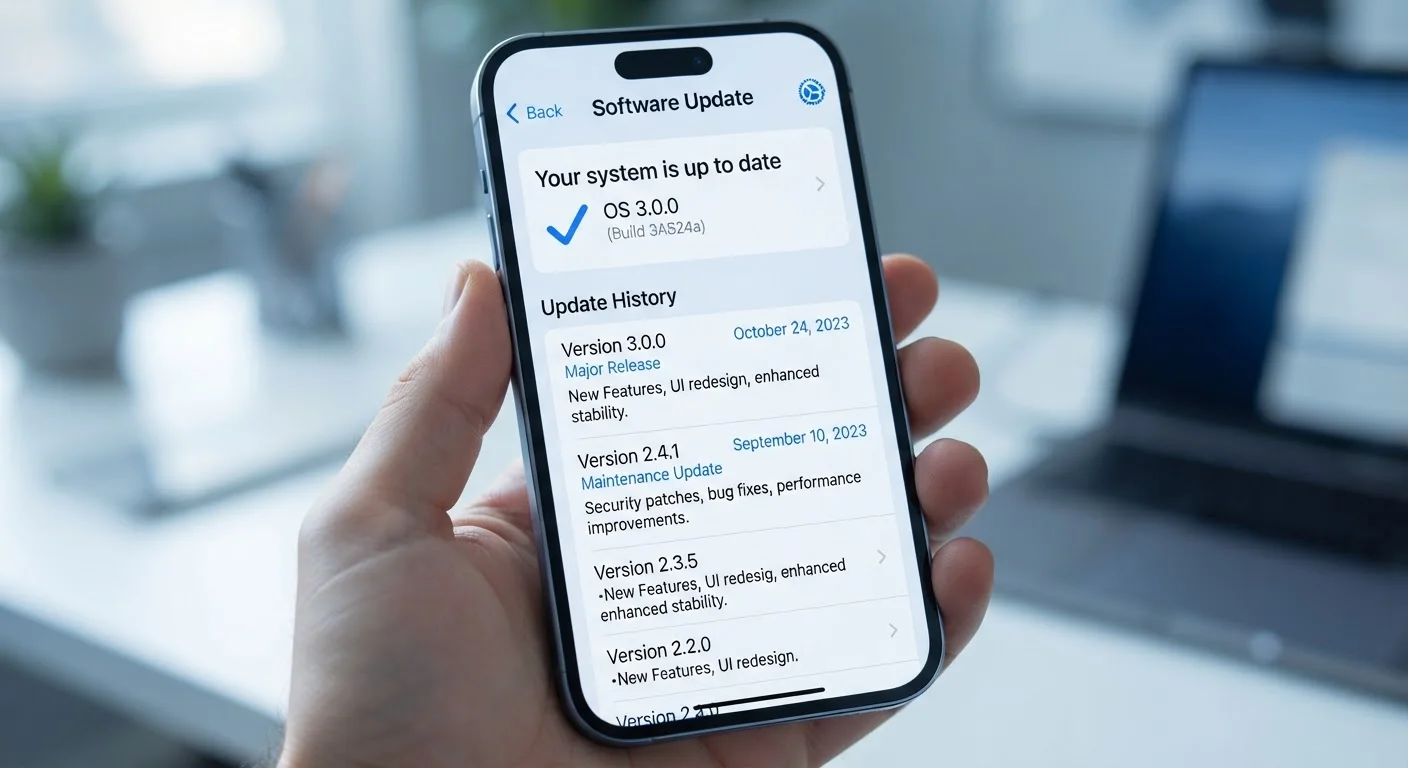
Photo credit: Telecom360.net | Connecting You To The Latest In Telecom
In this article
Version 2.4.1 vs 3.0.0 — learn what semantic versioning means and why the difference between a major and minor update matters.
Key Takeaways
- Version numbers follow a MAJOR.MINOR.PATCH structure, each part signaling a different type of change.
- A major version bump (e.g., 2.0 to 3.0) often means breaking changes or a significant redesign.
- Minor updates add new features while remaining backward compatible with previous versions.
- Patch updates are typically limited to bug fixes and security patches - safe to apply immediately.
- Not every developer follows semantic versioning strictly, so release notes always deserve a read.
The Three Numbers and What They Each Signal
Every app version number you see in an update log is structured - not arbitrary. The dominant convention is MAJOR.MINOR.PATCH, formalized in the Semantic Versioning specification. Breaking down version 3.2.1: the 3 is the major version, the 2 is the minor version, and the 1 is the patch number.
Patch updates (the rightmost digit) address bugs, crashes, or security vulnerabilities without changing how the app behaves overall. If you were using version 3.2.0 without problems, 3.2.1 should feel identical - just more stable. Minor updates introduce new features or improvements while remaining backward compatible. Existing workflows shouldn't break. Major updates indicate significant changes - often a redesign, a new architecture, or the removal of deprecated features. Moving from version 2.x to 3.0 can mean a meaningfully different product.
3-part
Structure of a semantic version number
The MAJOR.MINOR.PATCH format is the basis of the Semantic Versioning 2.0.0 specification, published at semver.org.
PATCH
Lowest-risk update type to apply
Patch increments are defined in the SemVer specification as backward-compatible bug fixes only - no new features or breaking changes.
Understanding this hierarchy helps you decide how much attention an update warrants. A patch to a navigation app? Apply it without a second thought. A major version jump to your note-taking app? Read the release notes before updating on a busy workday.
Why Major Updates Can Break Your Workflow
A jump in the major version number is the developer's formal signal that something fundamental has changed. In practice, this can mean the app's interface has been restructured, a previously supported file format is no longer compatible, or a feature you relied on has been replaced or removed entirely.
This is especially relevant for productivity apps and tools that sync data across devices. A major update to a note-syncing or document-editing app, for instance, might change its underlying data model in ways that require all devices to update simultaneously - creating temporary incompatibilities if you update on one device but not another. App breakage after major updates isn't limited to OS changes; internal version jumps carry similar risks.
Check Release Notes Before Major Updates
Before installing a major version update on a device you use for work or daily tasks, spend 30 seconds reading the release notes in the app store. Look specifically for mentions of removed features, changed permissions, or known issues. A brief pause before a major update is far less disruptive than troubleshooting unexpected behavior afterward.
For business users or anyone dependent on specific app features, a practical approach is to delay major updates by a day or two, monitor user forums for reported regressions, and only then proceed - especially on devices used for critical tasks.
When Versioning Doesn't Follow the Rules
Semantic versioning is a convention, not a technical requirement. Consumer-facing apps from large platforms frequently deviate from it. Social media apps, streaming clients, and mobile games often use sequential build numbers, date-based versions, or marketing integers that signal product milestones rather than technical change scope.
This means a version number alone can't always tell you whether an update is significant. A consumer app jumping from version 140 to 141 reveals nothing about the nature of the change. In these cases, the release notes - however brief - become the only reliable signal. How app updates are delivered also affects what you see: staged rollouts mean your neighbor might be on a newer version of the same app without either of you noticing.
Semantic Versioning in Developer Contexts
In developer-facing tools - APIs, SDKs, open-source packages - semantic versioning carries formal obligations. A major version bump signals that existing integrations may break; minor and patch increments guarantee they won't. This makes version numbers a form of documented contract between the software author and anyone building on top of it.
Semantic versioning is most strictly followed in developer-facing software: SDKs, APIs, open-source libraries, and command-line tools. If you work with any of these, version numbers carry precise contractual weight about what is and isn't guaranteed to keep working.
The broader context of how update schedules are managed across platforms is covered in depth in our piece on software update cycles and why they matter. Understanding update frequency alongside version numbering gives a more complete picture of an app's overall health and long-term reliability.
Frequently Asked Questions

Author
Apps & Software Editorial Team
Apps & Software Editorial Team is the collective byline for our editorial team and contributor network. Articles published under this byline or an editorial pen name are researched, written, and reviewed according to our editorial standards for clarity, consistency, and independence before publication.
View all articles →