
Refresh Rate on Mobile Displays: 60Hz, 90Hz, and 120Hz Explained
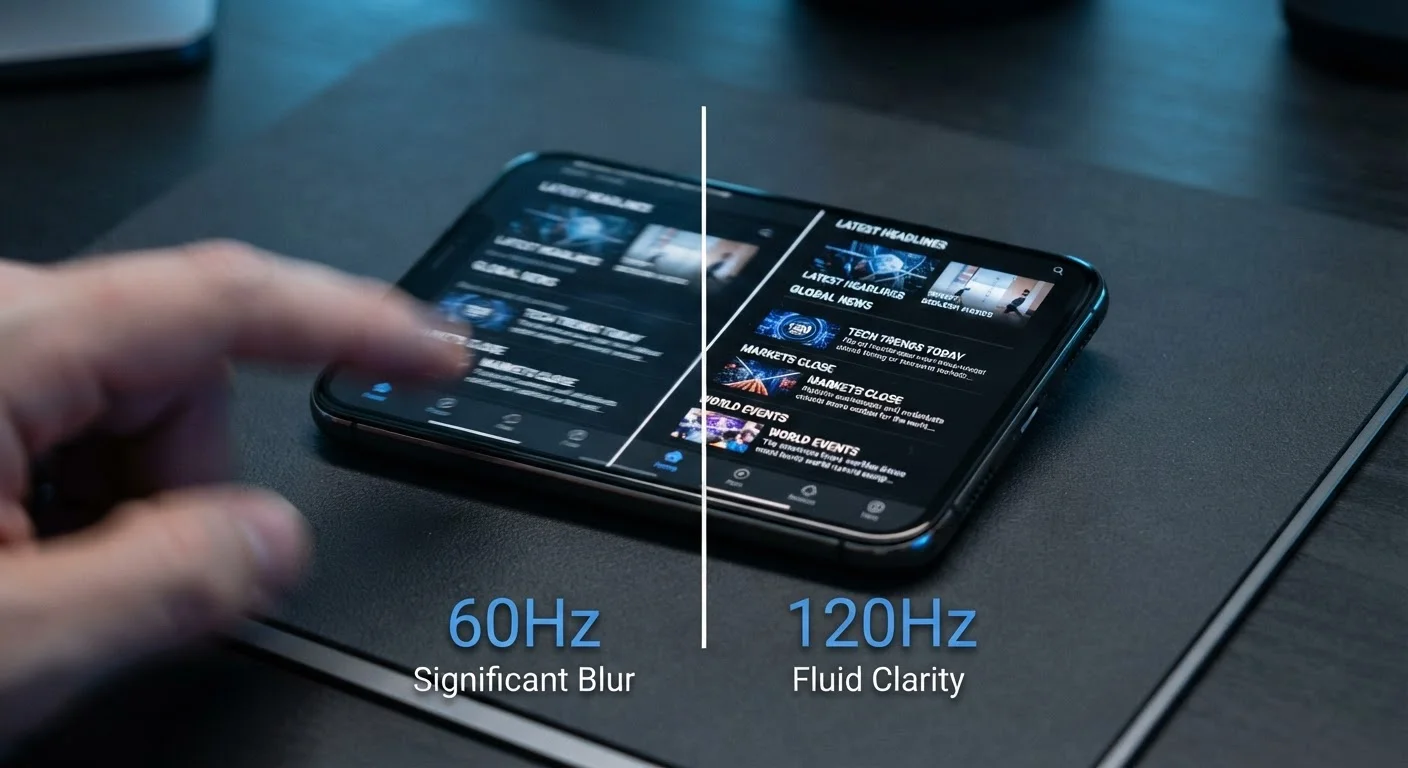
Photo credit: Telecom360.net | Connecting You To The Latest In Telecom
In this article
What refresh rate actually controls on a phone screen, how it affects scrolling and gaming, and when the battery trade-off is worth it.
Key Takeaways
- 60Hz is the baseline standard - adequate for everyday tasks like reading and messaging.
- 90Hz and 120Hz displays make scrolling and animations visibly smoother, especially on OLED panels.
- Higher refresh rates consume more power; adaptive refresh technology reduces this trade-off.
- Gaming benefits depend on whether both the game and the GPU can sustain a matching frame rate.
- For most users, the perceptible difference between 90Hz and 120Hz is smaller than 60Hz vs. 90Hz.
What Refresh Rate Actually Controls
Every frame you see on a phone display is drawn by the screen hardware at a fixed or variable interval. Refresh rate - expressed in hertz - defines how many of those redraws happen each second. At 60Hz, the screen presents 60 distinct images per second; at 120Hz, it presents 120. The visual result is that higher-Hz displays render motion with less blur and more fluidity.
It helps to separate refresh rate from two related but distinct figures: frame rate (how many frames the processor renders per second) and touch sampling rate (how frequently the screen polls for touch input). All three interact, but they are independently controlled. A 120Hz display paired with a game locked at 30fps will not look smoother than a 60Hz screen running the same game - the panel can only show what the GPU delivers.
For a broader look at how display hardware shapes what you see, understanding display specs together clarifies how refresh rate fits alongside resolution and brightness.
16.7ms
Time between frames at 60Hz
At 60Hz, each frame is displayed for approximately 16.7 milliseconds; at 120Hz that drops to 8.3ms, reducing perceived motion lag.
1Hz-120Hz
Range of adaptive LTPO displays
Advanced LTPO panels can vary refresh rate across this full range dynamically, minimizing battery draw during low-motion content.
~20%
Typical display power increase at 120Hz vs. 60Hz
Independent display testing suggests fixed 120Hz operation can increase screen power draw by roughly 15-25% compared to 60Hz, depending on panel design.
60Hz, 90Hz, and 120Hz: Real-World Differences
60Hz remains common across mid-range and budget devices. It is sufficient for reading, browsing static pages, and watching video - most streaming content is mastered at 24, 30, or 60fps, so the display keeps up without issue. The limitation becomes apparent during fast scrolling or UI transitions, where motion can appear slightly choppy compared to higher-rate panels.
90Hz is a meaningful step up. The additional 30 redraws per second perceptibly smooth out scrolling on long web pages, social feeds, and app navigation. The improvement is most visible on OLED panels, where high contrast ratios make motion artifacts easier to detect. Battery impact is moderate and often manageable with adaptive implementations.
120Hz is now common on flagship-tier devices. The benefit over 90Hz is real but narrower - most noticeable in gaming and rapid touch interactions. For users whose daily habits center on messaging or reading, the jump from 90Hz to 120Hz may be imperceptible in practice. How the panel technology itself works is equally important, since refresh rate interacts directly with the display type.
“The perceptual threshold for smoother motion is not fixed - it varies by task, viewing distance, and individual sensitivity. What's consistent is that the transition from 60Hz to 90Hz is more broadly noticed than subsequent increments.”
— Display Measurement Specialists Committee, Industry standards body for display performance evaluation
The Battery Trade-Off and Adaptive Refresh
A higher refresh rate requires the display controller to work harder. On a fixed 120Hz setting, the screen refreshes twice as often as at 60Hz, which translates to meaningfully higher power consumption - estimates vary by panel and workload, but display hardware is typically one of the largest battery draws on any smartphone.
Adaptive refresh rate technology (marketed under various names, based on LTPO panel designs) addresses this by varying the refresh rate dynamically. A phone showing a still e-reader page might drop to 1Hz; swiping through a social feed triggers a jump to 90Hz or 120Hz automatically. This makes high refresh rates far more practical from a battery standpoint.
Not all implementations are equal, however. Some lower-cost 90Hz or 120Hz displays use simpler switching - toggling between two fixed rates rather than a continuous range - which recovers less battery savings. Checking whether a device offers true variable refresh or a two-step toggle is worth confirming before drawing conclusions about battery life. For more context on how display and software features affect power, separating battery drain myths from reality is a useful companion read.
Check Adaptive Refresh Before Judging Battery Life
Before concluding a high-refresh-rate phone drains battery too quickly, confirm whether the device's adaptive refresh is enabled in display settings. Many phones default to a lower fixed rate out of the box and require manual activation of the dynamic mode, which can recover a significant portion of the power overhead.
When a Higher Refresh Rate Actually Matters
The use cases where refresh rate delivers the most tangible benefit are: scrolling-heavy apps (news feeds, long documents, browser pages), mobile gaming when the game engine and GPU support higher frame rates, and general UI fluidity - the cumulative feel of swiping between apps and navigating menus. In each scenario, the display must be able to deliver frames from the processor at the corresponding rate for the improvement to be visible.
Where higher refresh rates matter least: watching standard video content (locked at 24-60fps by the source), reading static text, or using productivity apps with minimal animation. In those cases, an adaptive display will quietly reduce its refresh rate anyway.
Understanding how refresh rate fits into the full picture of smartphone hardware is part of reading spec sheets accurately. Decoding what smartphone specs actually mean puts refresh rate alongside the other figures that shape real-world performance.
Frequently Asked Questions

Author
Consumer Electronics Editorial Team
Consumer Electronics Editorial Team is the collective byline for our editorial team and contributor network. Articles published under this byline or an editorial pen name are researched, written, and reviewed according to our editorial standards for clarity, consistency, and independence before publication.
View all articles →