
Smartphone Processors: What the Numbers on a Chip Actually Mean
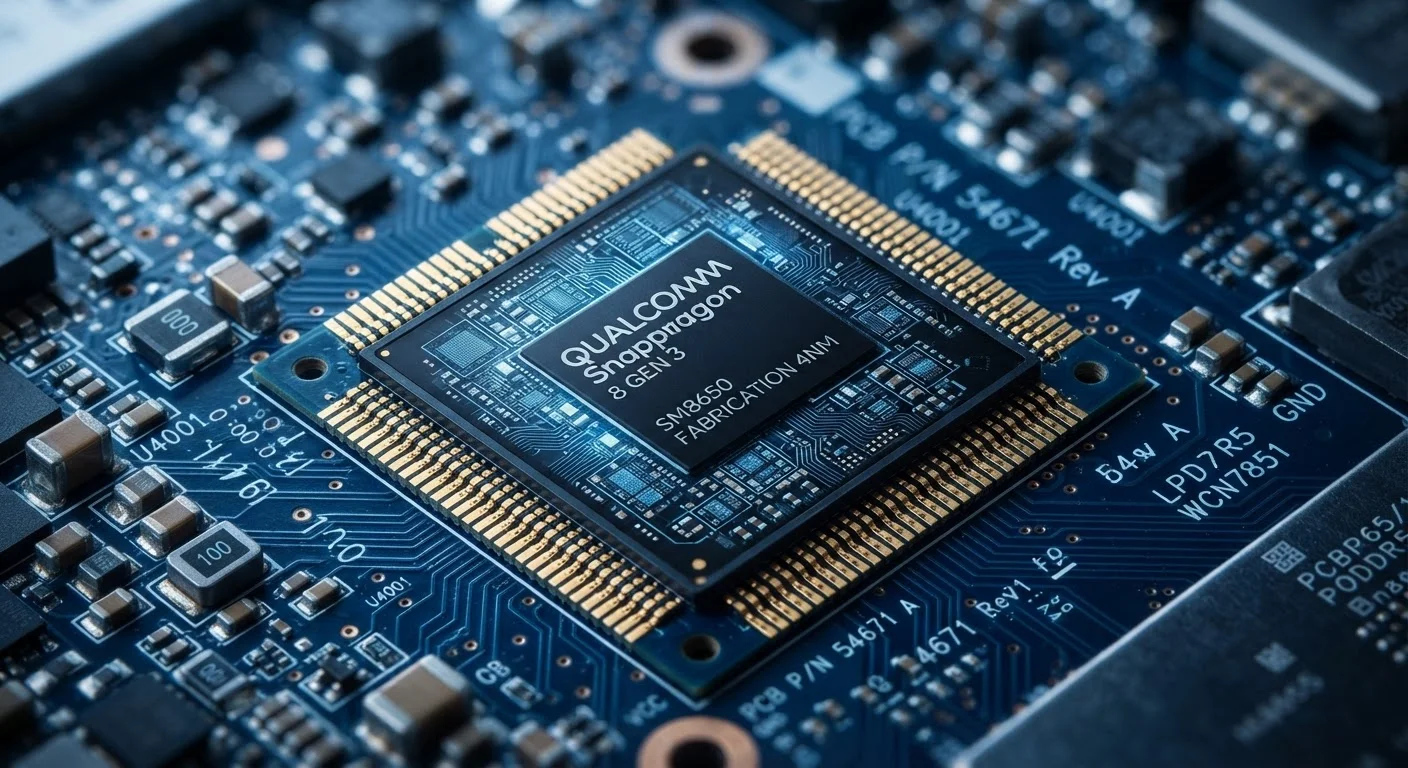
Photo credit: Telecom360.net | Connecting You To The Latest In Telecom
In this article
Clock speeds, core counts, nanometer nodes — decoded. Learn what processor specs genuinely affect day-to-day smartphone performance.
Key Takeaways
- Clock speed (GHz) indicates how many cycles a CPU completes per second, but raw frequency alone doesn't determine performance.
- Core count matters primarily for multi-threaded workloads; everyday tasks often rely on just one or two efficient cores.
- The nanometer node reflects transistor size - smaller nodes generally mean better energy efficiency, not just faster speeds.
- Integrated GPUs, neural engines, and ISPs are equally important parts of an SoC that spec sheets often underemphasize.
- Software optimization by the OS and app developers can offset hardware differences between chip generations.
Clock Speed: Why GHz Is Only Part of the Story
Clock speed - measured in gigahertz (GHz) - tells you how many processing cycles a CPU completes each second. A core running at 3.2 GHz completes 3.2 billion cycles per second. That sounds definitive, but frequency is only one variable in a more complex equation.
The other critical variable is instructions per cycle (IPC) - how much useful work the CPU accomplishes in each of those cycles. A chip with a lower clock speed but a more efficient architecture can process more instructions per second than a faster-clocked but older design. This is why comparing GHz figures across different chip generations, or different manufacturers, often produces misleading conclusions.
Thermal behavior compounds this further. A chip may advertise a peak clock speed it can only sustain for seconds before heat forces it to throttle down. Sustained performance under realistic workloads - gaming for thirty minutes, processing a lengthy video export - reveals more about a chip's practical ceiling than its peak specification. See how these figures appear on spec sheets for additional context on interpreting marketed numbers.
Test Under Sustained Load, Not Just Benchmarks
Benchmark scores capture peak performance in a controlled burst, not what happens after ten minutes of gaming or video editing. When evaluating a processor's real-world suitability, look for reviews that report performance under sustained thermal load - this reveals whether the chip can maintain its advertised speeds or throttles significantly under pressure.
Core Count and the Heterogeneous Core Model
Modern mobile SoCs don't use a bank of identical cores. Instead, they employ a heterogeneous or big.LITTLE architecture, combining high-performance cores (designed for demanding workloads) with high-efficiency cores (optimized for background tasks and light usage). The operating system's scheduler dynamically assigns work to the appropriate cores based on demand.
This design matters practically: when you're reading an email, the phone is almost certainly running on efficiency cores, conserving battery. When you launch a graphics-intensive game, the performance cores engage. An octa-core chip isn't deploying all eight cores simultaneously for most tasks - the scheduler is constantly making tradeoffs between speed and power draw.
Core count versus clock speed is a trade-off that deserves its own analysis, but the key takeaway is that more cores don't automatically translate to a faster experience for typical single-threaded apps like browsers or messaging clients.
~10B+
Transistors in a flagship mobile SoC
Leading mobile chip generations have incorporated over ten billion transistors on a single die, enabling complex heterogeneous designs that were impossible a decade ago.
30-50%
Typical efficiency gain per process node generation
Semiconductor industry analyses have generally found that moving to a smaller fabrication node can yield roughly 30-50% improvement in power efficiency at comparable performance levels, though gains vary by design.
Nanometer Nodes: Efficiency, Not Just Speed
The nanometer (nm) figure you see alongside a chip name - such as a 4nm or 3nm process - describes the approximate scale of the transistors etched onto the silicon. Smaller transistors allow chip designers to pack more of them into the same die area, and they switch states using less energy and generating less heat.
The practical consequence is power efficiency. A chip built on a smaller node can deliver equivalent performance to its predecessor while consuming less power, which extends battery life and reduces heat buildup. It can also offer greater peak performance within the same thermal envelope. However, the marketing number doesn't represent a literal physical dimension; different foundries use their own naming conventions, so a "4nm" chip from one manufacturer is not directly equivalent to another's "4nm" label.
Nanometer Labels Are Not Standardized Across Foundries
The nm figure in a chip's name is a marketing designation as much as a technical measurement. Different semiconductor foundries - such as TSMC, Samsung, and Intel Foundry - use their own naming schemes, meaning a "4nm" chip from one fab is not directly comparable to a "4nm" chip from another. Focus on real-world efficiency and performance data rather than treating node numbers as universal benchmarks.
For a broader understanding of how the chip's node sits within the full hardware picture, the guide to reading smartphone spec sheets without being misled covers how to contextualize these numbers alongside other specifications.
Beyond the CPU: GPU, Neural Engine, and ISP
The CPU is only one functional block inside a modern SoC. Three others have significant impact on the experience most users actually have:
- GPU (Graphics Processing Unit): Handles all visual rendering - from UI animations to game frames. A capable integrated GPU is what separates smooth, stutter-free gameplay from dropped frames, and its performance doesn't track linearly with CPU clock speed.
- Neural Engine / NPU: A dedicated accelerator for machine-learning inference tasks. On-device voice processing, computational photography, and real-time language features all lean on this block. Offloading these tasks from the CPU improves both responsiveness and battery life.
- ISP (Image Signal Processor): Processes raw sensor data from the camera before it becomes the image you see. The ISP's capabilities - noise reduction, HDR merging, autofocus algorithms - often matter more to photo quality than the camera sensor's megapixel count alone.
Spec sheets rarely give these components headline placement, but they are why two phones with similar CPU scores can produce dramatically different camera results or gaming experiences. The relationship between software and these hardware blocks is explored further in what a mobile operating system actually does.
Frequently Asked Questions

Author
Consumer Electronics Editorial Team
Consumer Electronics Editorial Team is the collective byline for our editorial team and contributor network. Articles published under this byline or an editorial pen name are researched, written, and reviewed according to our editorial standards for clarity, consistency, and independence before publication.
View all articles →