
Tablet Operating Systems: iPadOS, Android, and Windows on ARM
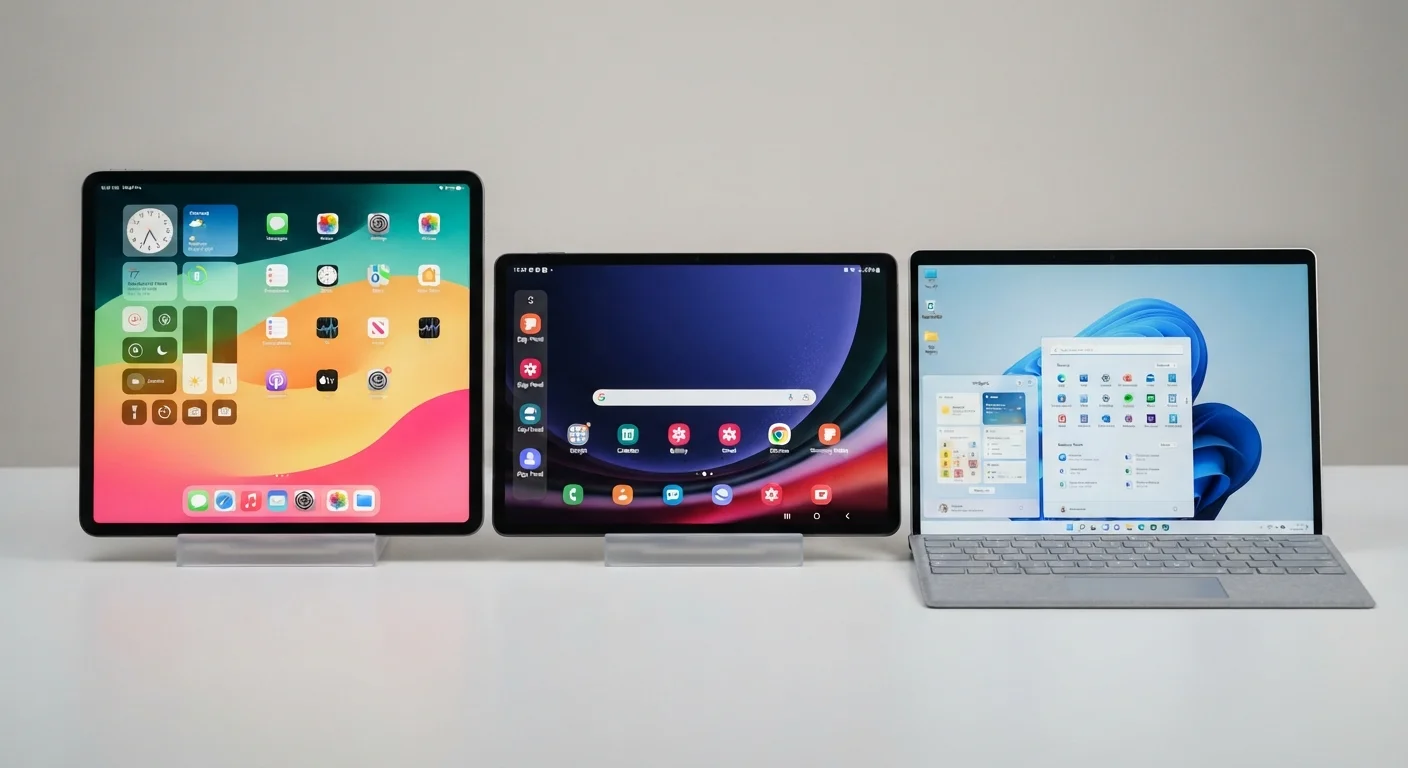
Photo credit: Telecom360.net | Connecting You To The Latest In Telecom
In this article
A structured look at how iPadOS, Android, and Windows on ARM approach multitasking, peripheral support, and app ecosystems on tablet hardware.
Key Takeaways
- iPadOS offers the most cohesive touch-first experience with tight hardware-software integration.
- Android tablets vary widely in quality depending on manufacturer optimization and software support commitments.
- Windows on ARM provides full desktop application compatibility but trades away touch-native design consistency.
- Multitasking capabilities, peripheral support, and app ecosystem depth differ meaningfully across all three platforms.
- Choosing a tablet OS involves trade-offs between portability, productivity, and software availability.
How Each Platform Approaches the Tablet Form Factor
Tablet operating systems share a common challenge: adapting software originally designed for either smartphones or desktop PCs to a medium-sized touchscreen used in unpredictable contexts. Each of the three major platforms resolves this differently, with real consequences for everyday use.
iPadOS began as a fork of iOS and has grown into a distinct platform with its own multitasking model, pointer support, and developer guidelines. Apple controls both the silicon and the software, enabling tight optimization. Android for tablets - shaped primarily by Google but implemented by dozens of manufacturers - has historically lagged on large-screen adaptation, though Google's push since Android 12L added dedicated tablet UI guidelines. Windows on ARM runs a full Windows environment on ARM-based processors, meaning it inherits Windows' enormous desktop application library but also its assumptions about keyboard-and-mouse input. Understanding what a mobile OS actually does at the system level helps clarify why these differences aren't superficial.
Multitasking and Window Management
Multitasking is where the three platforms diverge most visibly.
iPadOS uses Stage Manager - a windowed multitasking mode available on supported hardware - alongside its older Split View and Slide Over models. Stage Manager allows floating, resizable windows and external display support, though the implementation is more constrained than a desktop OS. It works well for switching between a handful of apps but isn't equivalent to full windowing.
Android's large-screen multitasking varies by manufacturer. Samsung's DeX mode and Google's own Pixel Tablet implementation differ substantially from what a mid-range Android tablet offers. Google's 12L update introduced a taskbar and better split-screen handling, but consistency across the ecosystem remains uneven.
Windows on ARM offers the most complete windowing system - true resizable windows, virtual desktops, snap layouts - because it inherits the full Windows shell. The trade-off is that touch targets and gesture navigation feel less intuitive than on touch-first platforms. This reflects a broader tension in how mobile and desktop architectures differ at a fundamental level.
| iPadOS | Android (Tablet) | Windows on ARM | |
|---|---|---|---|
| Touch-first design | Fully optimized | Varies by device/OEM | Partial - desktop-first roots |
| Windowed multitasking | Stage Manager (limited) | Split-screen, varies by OEM | Full desktop windowing |
| Peripheral compatibility | Strong, curated | Moderate, inconsistent | Broadest, near-PC level |
| App ecosystem quality | High, many tablet-optimized | Uneven, improving | Full Windows library + emulation |
| OS update support | 5+ years typically | 2-4 years, varies | Per Microsoft schedule |
| Stylus/drawing support | Excellent (Apple Pencil) | Good on flagship devices | Good with supported pens |
Peripheral Support and Hardware Integration
All three platforms support Bluetooth keyboards and mice, but the depth of that support varies considerably.
iPadOS has a refined keyboard and trackpad integration story, with cursor behavior specifically designed for touch contexts - the pointer morphs to highlight interactive elements rather than behaving like a traditional desktop cursor. USB-C accessories, external displays, and drawing peripherals like the Apple Pencil are tightly integrated through first-party APIs.
Android peripheral support depends on the device. High-end tablets from major manufacturers support keyboard folios, styluses, and HDMI output, but the experience is inconsistent across the ecosystem. Driver support for specialized USB devices is stronger than on iPadOS but weaker than on Windows.
Windows on ARM has the broadest peripheral compatibility by a significant margin - it is, after all, a Windows PC. Most USB peripherals, printers, and productivity accessories that work on Windows generally work here. The caveat is driver availability for ARM-native builds, which historically has caused compatibility gaps with older hardware, though this has improved as the ARM ecosystem has matured.
Test Peripheral Compatibility Before Committing
If you rely on specific USB accessories, styluses, or external displays, verify compatibility with your intended platform before purchasing. Windows on ARM has the broadest hardware support, but ARM-native drivers are not universal. Android peripheral support is highly dependent on the specific device and manufacturer. iPadOS offers a curated but well-tested peripheral experience centered on Apple's own accessory line.
App Ecosystems and Software Availability
App quality and availability directly determine what a tablet can realistically accomplish.
The App Store for iPadOS includes a substantial library of apps explicitly designed for the larger screen - with iPad-specific layouts, keyboard shortcuts, and drag-and-drop support. Professional creative apps in particular have strong iPadOS presences. However, the platform does not run macOS applications, which limits certain professional workflows.
Android's Google Play Store is vast, but tablet-optimized apps represent a smaller fraction of the catalog. Many Android phone apps simply scale up to fill a larger screen without meaningful UI adaptation. This is improving, but readers who rely on specific productivity software should verify tablet-specific support before committing. For more on why the same app can behave differently across platforms, see how app ecosystems shape the software experience.
Windows on ARM runs the full Windows application library, including x86 apps via emulation - though emulated x86 apps carry a performance overhead and some legacy software still encounters compatibility issues. For users who need Microsoft Office desktop applications, full browsers, or specialized industry software, Windows on ARM is the only tablet platform that provides access without compromise.
~90%
iPad app catalog with tablet-specific layouts
Apple has consistently reported that the vast majority of its top App Store titles include iPad-specific interface designs, contrasting with Android's historically lower ratio of large-screen-optimized apps.
5+ years
Typical iPadOS software support window
Apple's track record shows most iPad models receiving major OS updates for at least five years, a benchmark that Android OEMs and Windows ARM device makers do not uniformly match.
Performance, Updates, and Long-Term Support
Performance on tablets is shaped by both hardware capability and OS efficiency. iPadOS benefits from Apple designing both the chip and the software, resulting in consistent performance across the supported device range and multi-year OS updates. Apple typically supports devices for five or more years after release.
Android update support has improved significantly but varies by manufacturer. Google's own Pixel tablets commit to longer update windows; third-party devices may receive fewer major OS upgrades. How Android and iOS - and by extension, tablet-adapted versions of each - manage memory and background processes is worth understanding in depth: how each platform manages memory and app lifecycle explains these differences clearly.
Windows on ARM devices are subject to Microsoft's standard Windows update cadence, with security patches delivered consistently. Long-term device support depends on the hardware manufacturer's driver commitments rather than the OS vendor alone, which introduces some variability.

Author
Consumer Electronics Editorial Team
Consumer Electronics Editorial Team is the collective byline for our editorial team and contributor network. Articles published under this byline or an editorial pen name are researched, written, and reviewed according to our editorial standards for clarity, consistency, and independence before publication.
View all articles →