
The App Ecosystem Explained: Why the Same App Can Feel Different on Android and iOS
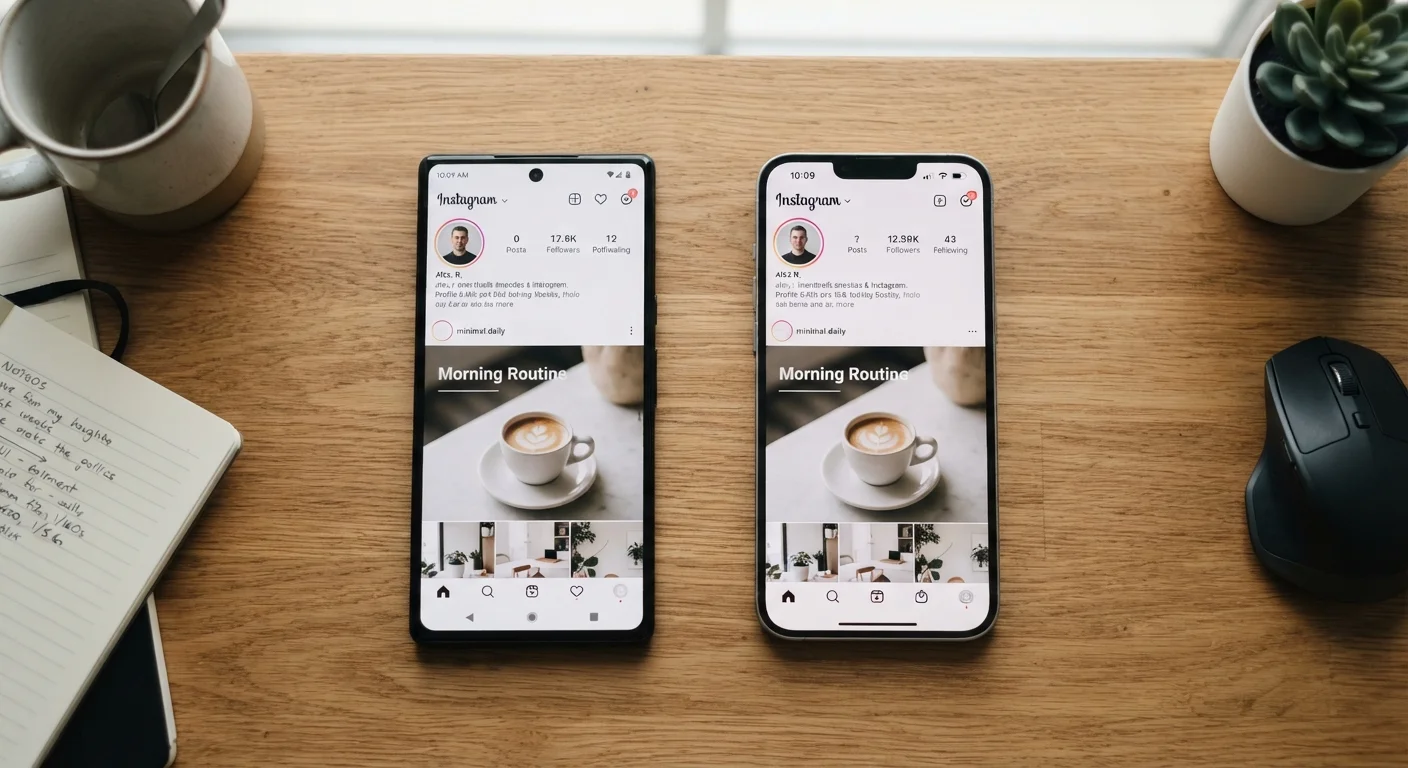
Photo credit: Telecom360.net | Connecting You To The Latest In Telecom
In this article
Discover why apps behave, look, and perform differently across platforms — and what that means for your daily smartphone use.
Key Takeaways
- Android and iOS give developers different levels of access to hardware and system APIs, affecting app behavior.
- Design language differs by platform: iOS follows Apple's Human Interface Guidelines, Android follows Material Design.
- Cross-platform frameworks let developers ship faster but can reduce native performance and polish.
- App store review policies shape which features apps are allowed to offer on each platform.
- Background process rules differ significantly, influencing battery life and real-time notification behavior.
Two Platforms, Two Sets of Rules
When a developer builds an app, they're not building for a single universal device - they're building for an operating system and its rulebook. Android and iOS each define what an app can and cannot do: which system resources it can access, how it must request permissions, and how it should visually present itself to users. Those rules diverge in meaningful ways.
iOS enforces stricter sandboxing - apps operate in isolated containers with limited access to other apps or system-level functions. Android is comparatively open, allowing apps to set themselves as defaults for core functions like calling or messaging, access shared file directories, and in some regions, install software from outside the Play Store. This foundational difference in philosophy - Apple's controlled ecosystem versus Google's open-platform approach - flows directly into what any given app can actually do on each device.
For a deeper look at how these operating systems diverge at the architecture level, see how Android and iOS handle memory, updates, and hardware access differently.
Platform Openness Is a Spectrum, Not a Binary
Describing Android as 'open' and iOS as 'closed' is an oversimplification. Android itself varies in openness depending on the device manufacturer and region - some OEMs layer additional restrictions on top of Android's defaults. iOS has progressively expanded developer access with each major release. The practical difference between the platforms shifts with every OS update cycle.
Design Language and UI Conventions
Beyond what an app can do, there's the question of how it looks and feels. Apple publishes the Human Interface Guidelines (HIG), a detailed design specification that shapes how navigation, buttons, typography, and gestures should behave on iOS. Google publishes Material Design for Android, which has its own motion principles, component library, and visual hierarchy rules.
A well-maintained app written natively for each platform will follow its respective conventions - meaning the iOS version may use bottom tab bars and swipe-back gestures while the Android version uses a top navigation drawer or back button behavior rooted in the system's own navigation model. These aren't arbitrary stylistic choices; they're deliberate alignments with how each platform trains users to move through software.
The gap widens when developers use cross-platform frameworks to build a single codebase that runs on both platforms. Tools like Flutter or React Native allow faster development cycles but often produce apps that look slightly off on one or both platforms - components that don't quite match native styling, animations that feel marginally out of sync. Native, web, and hybrid app architectures each carry distinct performance and fidelity trade-offs worth understanding.
3M+
Apps available across major app stores
Both the Google Play Store and Apple App Store each host over three million apps, though availability and feature sets often vary between platforms.
~70%
Cross-platform apps using shared codebases
Industry estimates suggest the majority of consumer-facing apps are now built using cross-platform frameworks rather than fully separate native codebases.
48hrs
Typical Google Play review window
Google Play's automated review process often completes within 48 hours, while Apple's manual App Store review historically averages one to three days.
Background Behavior, Permissions, and Platform Constraints
One of the most user-visible differences between platforms is how apps behave when you're not actively using them. iOS aggressively suspends background processes to protect battery life and privacy - a design choice that can delay push notifications or require an app to reload its state when you return to it. Android permits more sustained background activity, which gives developers more flexibility but shifts the optimization burden onto them.
Permission models also differ in scope and granularity. Both platforms now support location precision controls and one-time permissions, but Android has historically allowed broader permission categories, while iOS has moved toward narrower, more specific grants. What app permissions actually mean on each platform is worth reviewing if you want to understand what you're granting at install time.
App store policies add another layer. Apple's review process has historically been more restrictive - certain categories of apps, features, or monetization models have faced rejection or modification requirements that don't apply on Google Play. This means an app's feature set on iOS may genuinely be narrower, not because developers chose to build less, but because the platform required it. How the app store approval process works explains the review logic behind those decisions.
Check the app version number on each platform
If you use the same app across Android and iOS, compare the version numbers in each store. A significant version gap - say, 3.0 on iOS versus 2.7 on Android - often signals that one platform received features or fixes that haven't yet been ported. Release notes in each store's listing will tell you exactly what changed and when.
What This Means for Everyday Users
For most people, ecosystem differences surface as subtle friction: an app that feels slightly clunkier on one platform, a feature that's missing from the iPhone version, or a notification that reliably arrives on Android but sometimes lags on iOS. These aren't bugs in the traditional sense - they're often predictable outcomes of how each platform manages resources and enforces its policies.
If you're considering switching platforms, it's worth auditing which apps are central to your workflow and whether parity exists across versions. What carries over when switching from Android to iOS is a practical starting point, particularly for users who rely on apps with platform-exclusive features or data formats.
Understanding these dynamics also reframes complaints. When an app performs differently across platforms, the cause is rarely simple negligence - it's usually the result of developers navigating genuinely different technical and policy environments. Recognizing this makes it easier to set realistic expectations and choose the platform whose trade-offs align with how you actually use your phone. For a broader look at how these platforms differ philosophically and technically, Android vs iOS: how two operating systems take fundamentally different approaches offers useful grounding.
Frequently Asked Questions

Author
Smartphones Editorial Team
Smartphones Editorial Team is the collective byline for our editorial team and contributor network. Articles published under this byline or an editorial pen name are researched, written, and reviewed according to our editorial standards for clarity, consistency, and independence before publication.
View all articles →