
App Permissions on Android and iOS: What You're Actually Granting
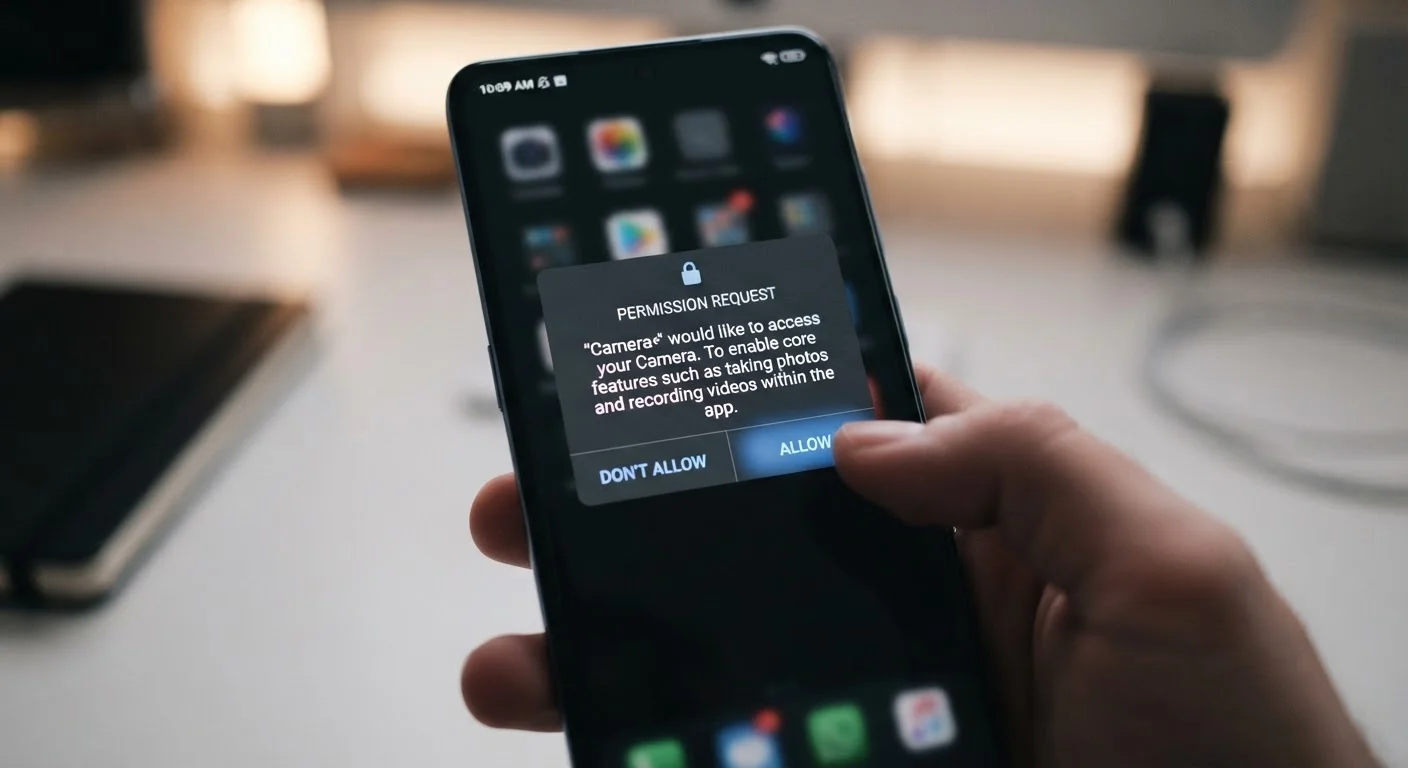
Photo credit: Telecom360.net | Connecting You To The Latest In Telecom
In this article
Location, microphone, contacts — a clear breakdown of what app permissions mean, how they differ by platform, and how to audit them.
What App Permissions Actually Control
When an app requests a permission, it is asking the operating system to expose a specific hardware resource or data store that would otherwise be inaccessible. The permission system exists precisely because apps run in isolated sandboxes - they cannot reach outside that sandbox without an explicit grant from you.
Both Android and iOS categorize permissions into two broad tiers. Normal permissions cover low-risk actions (setting an alarm, using the internet) and are granted automatically at install. Dangerous permissions - those touching personal data or device hardware - require a runtime prompt that you must accept or deny. The distinction matters because many users assume every dialog they see carries equal weight; it does not.
| Normal vs. dangerous permissions | Normal permissions are auto-granted; dangerous ones require a user prompt (Android developer documentation) |
| One-time permissions available on Android from | Android 11 (Google Android 11 release notes) |
| Granular location (precise vs. approximate) on iOS from | iOS 14 (Apple iOS 14 release notes) |
| Granular media permissions (images/video/audio split) on Android from | Android 13 (Google Android 13 release notes) |
| Auto-reset of unused app permissions on Android from | Android 11 (Google Android 11 release notes) |
| Bluetooth classified as dangerous permission from | Android 12 / iOS 13 (Android and Apple platform documentation) |
For a detailed plain-language breakdown of each permission type, see the App Permissions Glossary.
Android vs. iOS: Where the Models Diverge
The two platforms share the same high-level goal - user consent before sensitive access - but implement it differently in ways that affect everyday control.
Granularity of Location Access
Both platforms now offer approximate and precise location as separate choices. iOS introduced this split in iOS 14; Android followed with Android 12. Approximate location shares a rough area (roughly 3 km radius) rather than GPS coordinates, which is sufficient for weather apps but inadequate for turn-by-turn navigation. Users can grant the coarser option to limit exposure.
Background Access
On Android, a separate "Allow all the time" option permits location access even when the app is closed. iOS uses the same language but adds a safeguard: it periodically surfaces a notification showing how often an app accessed location in the background, giving you a concrete usage record rather than an abstract permission state.
One-Time Permissions
Android 11 introduced one-time permissions for location, microphone, and camera. iOS 17 extended one-time camera and microphone grants as well. A one-time grant expires when the app is backgrounded, forcing a new request next session - useful for apps you use infrequently.
Dangerous permission
A permission category, defined by both Android and iOS, that grants access to sensitive user data or device hardware. These require an explicit runtime prompt before the app can use them.
Sandbox
An OS-enforced isolation boundary that prevents an app from accessing resources outside its own storage and processes without explicit permission grants.
One-time permission
A temporary grant that allows an app to access a resource (such as location or microphone) only for the current session. The permission expires when the app is backgrounded.
Approximate location
A location access tier available on Android 12+ and iOS 14+ that shares a rough geographic area (~3 km radius) instead of precise GPS coordinates.
EXIF metadata
Embedded data stored within image files that can include GPS coordinates, device model, and timestamp. An app with camera or storage access can read this data even without a separate location permission.
Permission manager
A built-in OS tool that displays which apps hold which permissions, organized by category. Available in Android Settings and iOS Privacy & Security settings.
Understanding how the two ecosystems compare more broadly can also help - see why the same app feels different across platforms.
High-Risk Permissions: What Each One Exposes
Certain permissions open wider data pipelines than their single-word labels imply.
- Contacts: Grants read (and often write) access to your entire address book, including names, phone numbers, emails, and relationship labels. Some apps upload this data to map social graphs.
- Microphone: Enables audio capture from the device microphone. This is required for voice calls and voice search, but an app with this permission running in the background can technically record ambient audio on Android unless restricted to foreground-only use.
- Camera: Opens the image sensor for photo or video capture. Combined with location metadata embedded in EXIF data, camera access can reveal precise whereabouts even without a location permission grant - provided the app reads image metadata.
- Storage / Photos: On Android, "Read external storage" can expose the entire file system depending on API level. Android 13 introduced granular media permissions (images, video, audio separately). iOS has always scoped this to the Photos library, with options to share selected photos only rather than full library access.
- Bluetooth: From Android 12 and iOS 13 onward, Bluetooth is a separate dangerous permission because it can be used for proximity tracking via beacon scanning - independent of location services.
Camera + Location: A Combined Risk
Granting camera access without location permission does not necessarily prevent an app from inferring your whereabouts. EXIF metadata embedded in photos often includes GPS coordinates captured at the moment the image was taken. On iOS, the system strips location metadata from images shared via the standard share sheet unless you explicitly opt to include it - but apps with direct photo library access may read the original file with metadata intact.
Auditing and Revoking Permissions
Both platforms provide a permission manager that shows every app mapped to every permission it holds - accessible without downloading any third-party tool.
On Android, navigate to Settings → Privacy → Permission Manager. Tapping any permission category (e.g., Microphone) lists every app that has been granted that permission and at what level (always, only while in use, denied). On iOS, the equivalent path is Settings → Privacy & Security, where the same category-first layout applies.
A useful auditing habit: filter by permissions you consider high-risk and look for apps you no longer actively use. Dormant apps retain their grants until manually revoked - the OS does not automatically rescind them on inactivity, though Android 11 and later does auto-reset permissions for apps unused for several months.
Before installing a new app, the permission scope it declares in the App Store or Google Play listing is visible before download. Reviewing declared permissions at that stage - rather than reacting to runtime dialogs - gives you a cleaner decision point. The pre-install permission checklist walks through exactly that process.
For a broader security framing, the guide to when to say no to app permissions covers the decision logic in more depth.

Author
Smartphones Editorial Team
Smartphones Editorial Team is the collective byline for our editorial team and contributor network. Articles published under this byline or an editorial pen name are researched, written, and reviewed according to our editorial standards for clarity, consistency, and independence before publication.
View all articles →