
The Anatomy of a Tech Support Scam
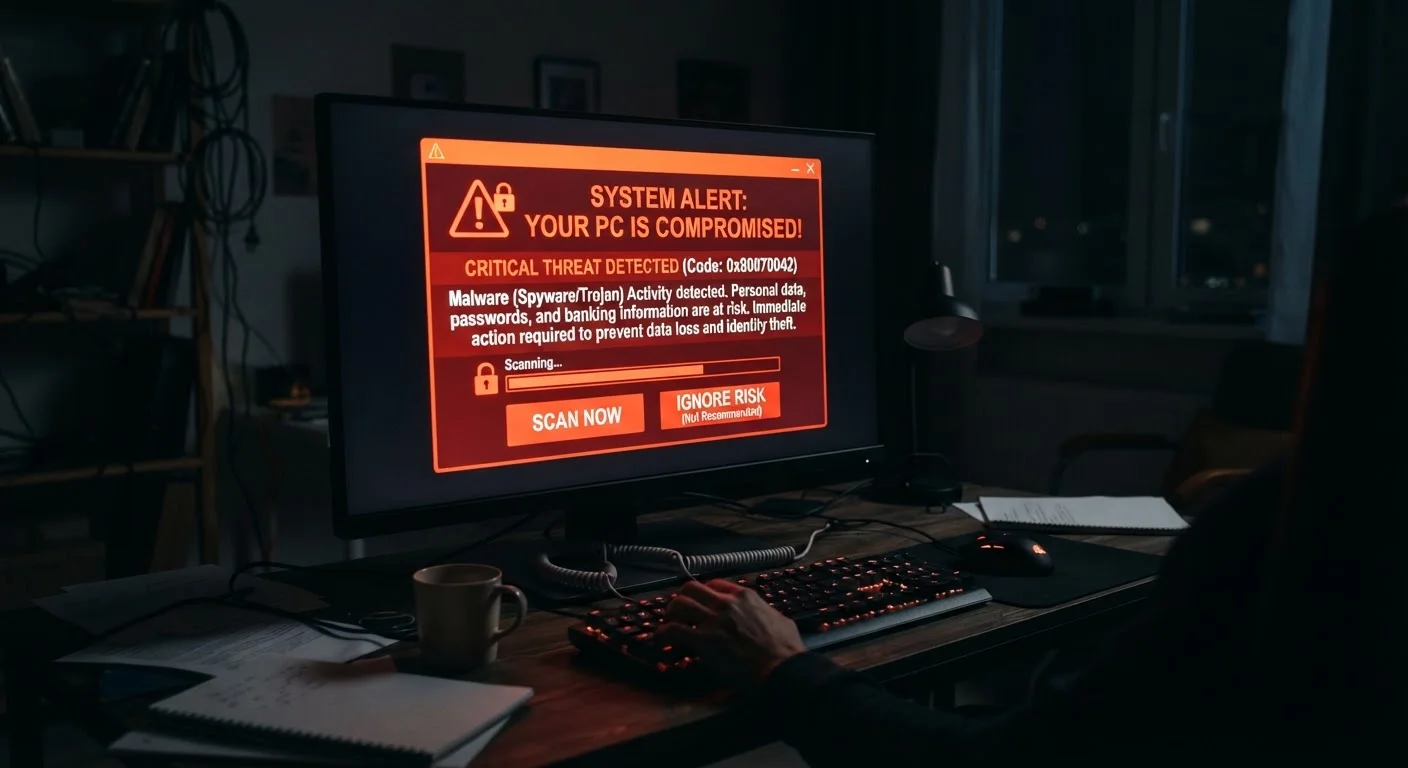
Photo credit: Telecom360.net | Connecting You To The Latest In Telecom
In this article
Pop-ups, cold calls, fake refund offers — tech support scams follow recognisable scripts. Learn how each stage works so you can shut them down early.
Key Takeaways
- Tech support scams follow a predictable script: alarm, authority, access, and payment.
- Legitimate tech companies do not make unsolicited calls about device problems.
- Granting remote access is the point of no return - it hands scammers full control.
- Fake refund offers are a second wave of the same scam targeting previous victims.
- You can safely close browser pop-ups by force-quitting your browser - no number to call.
How the Scam Begins: Triggering the Alarm
Tech support scams are engineered to manufacture panic before you have time to think critically. The entry point varies, but the mechanics are consistent. A browser tab suddenly fills with a full-screen alert claiming your computer has been locked, infected, or compromised. Loud audio warnings may accompany the visual. The message typically impersonates a well-known technology brand and displays a phone number to call immediately.
These alerts are not system notifications - they are ordinary web pages styled to look like operating system dialogs. They often use JavaScript to make the browser window difficult to close, which deepens the sense of urgency. Other scams begin with an unsolicited phone call, a deceptive search advertisement, or a fake invoice email designed to provoke a callback.
Close the Browser, Not the Pop-Up
If you encounter a suspicious full-screen alert in your browser, do not interact with any button inside the window - including buttons labeled "Close" or "X." Use Task Manager (Windows) or Force Quit (macOS) to shut down the browser entirely. When you reopen it, choose not to restore your previous session.
Whatever the entry point, the scam's first objective is identical: make you believe something is seriously wrong so you act without pausing to verify.
Establishing Authority and Trust
Once contact is made, the scammer's next task is to appear credible. Callers typically claim to work for a recognizable technology company's support division. They speak with professional language, reference plausible-sounding internal tools, and may even provide a fake employee ID number. Some use spoofed caller ID to display a legitimate company name on your screen.
To reinforce the illusion, they will often walk you through real system utilities - Windows Event Viewer, for instance, routinely shows harmless warning logs that scammers present as evidence of infection. This technique, sometimes called "proof by confusion," exploits the fact that most users are unfamiliar with what normal system output looks like.
“The most effective scams don't rely on technical exploits - they exploit human psychology. Urgency, authority, and fear do most of the work long before any software is involved.”
— Cybersecurity Editorial Team, Technology Publication, Threats & Scams Desk
This approach is structurally similar to other impersonation-based attacks. The differences between phishing, smishing, and vishing show how the same authority-faking logic plays out across email, SMS, and voice channels.
The Remote Access Request
After establishing trust, the scammer requests remote access to your device - framed as necessary to "fix" the problem they've described. They direct victims to download a legitimate remote desktop tool, which in itself raises no automatic security flags. Once connected, the scammer has full visibility of your screen and can navigate your files, browser history, and saved credentials.
This is the critical inflection point. Scammers use the remote session to plant files they later call malware, screenshot financial data, or quietly install actual malicious software. Even if you terminate the call before paying anything, an active remote session may have already exposed sensitive information.
Remote Tools Are Not Inherently Malicious
The remote desktop applications scammers use - such as AnyDesk or TeamViewer - are legitimate tools used by real IT professionals. Their presence on your device is not itself suspicious. The red flag is being directed to install them by an unsolicited caller or pop-up, and being asked to grant access to a stranger.
Protecting your device security holistically - including keeping software up to date and reviewing which apps have system-level permissions - reduces the damage that can be done even if access is briefly granted.
Extracting Payment - and the Fake Refund Follow-Up
With access established, the scammer presents a bill for the repair service - often several hundred dollars. Payment methods are chosen specifically because they are difficult to reverse: gift cards, wire transfers, and cryptocurrency are all common. If you pay by gift card, you will be asked to read the card numbers aloud, allowing the scammer to redeem them instantly.
Victims who have paid once are frequently re-targeted weeks or months later with a "refund offer" - a caller claims you were overcharged and they need your bank details to return the money. This second-stage scam is sometimes more damaging than the original, because victims lower their guard when they believe they are receiving money rather than losing it.
$924M
Reported losses to tech support scams in the US
According to the FBI's Internet Crime Complaint Center (IC3) 2023 Internet Crime Report, tech support fraud accounted for approximately $924 million in reported losses.
17,000+
Tech support fraud complaints filed annually
The FTC regularly ranks tech support scams among the top fraud categories by volume, with tens of thousands of reports filed each year across all age groups.
60%+
Victims aged 60 or older
The IC3's 2023 report found that the majority of financial losses from tech support scams were reported by victims aged 60 and above.
If you suspect you've already been targeted, acting quickly matters. The steps to take after a scam - from contacting your bank to filing a report with the FTC - can limit the financial and account-level damage.
Frequently Asked Questions

Author
Cybersecurity Editorial Team
Cybersecurity Editorial Team is the collective byline for our editorial team and contributor network. Articles published under this byline or an editorial pen name are researched, written, and reviewed according to our editorial standards for clarity, consistency, and independence before publication.
View all articles →