
Native Apps vs Third-Party Alternatives: Performance Trade-Offs Worth Knowing
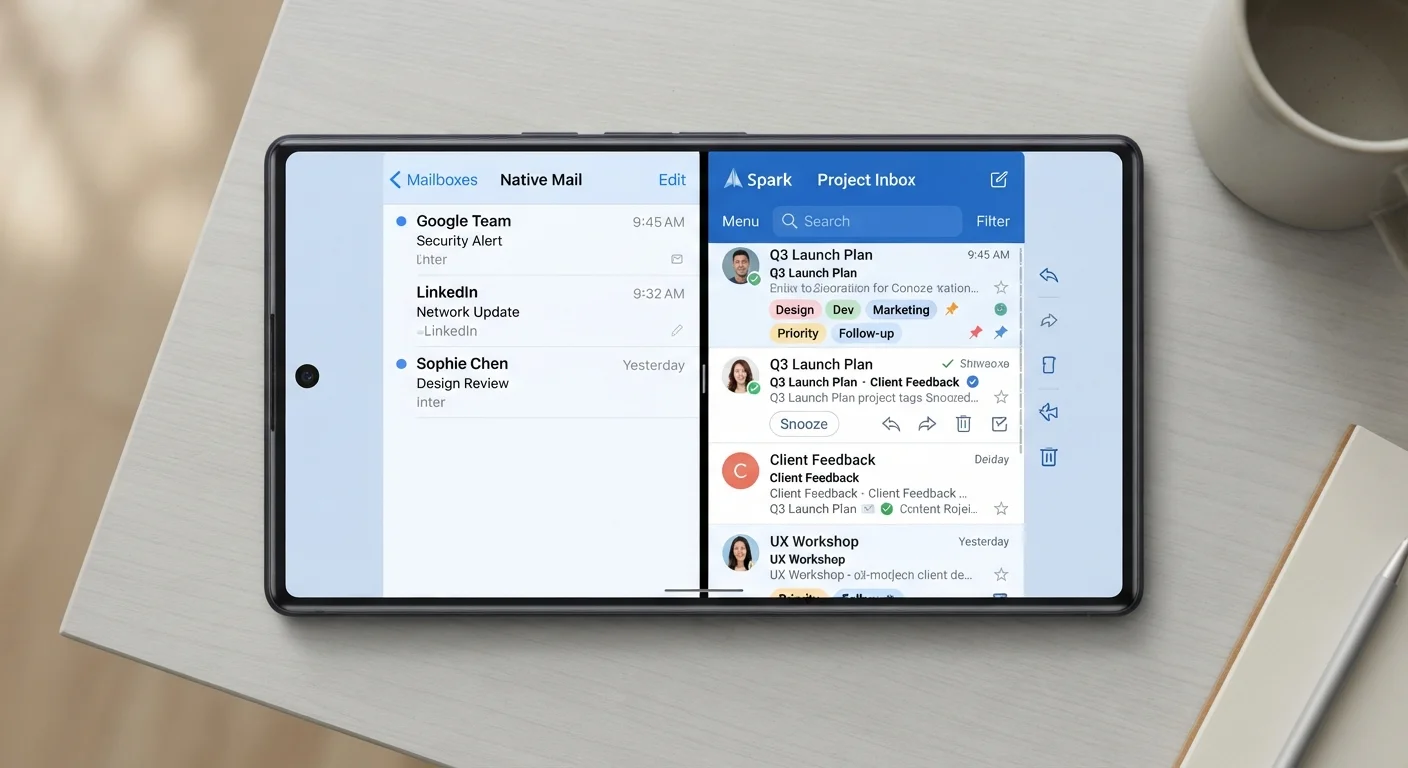
Photo credit: Telecom360.net | Connecting You To The Latest In Telecom
In this article
Built-in apps are optimised for your OS, but third-party tools offer more features. Here's what each choice means for speed and battery life.
Key Takeaways
- Native apps are deeply integrated with the OS, giving them consistent speed and battery efficiency advantages.
- Third-party apps often offer richer features but may consume more RAM and drain battery faster.
- Bloat and background activity - not just feature count - are the primary performance culprits in third-party tools.
- For business-critical tasks, the reliability of native apps can outweigh the convenience of alternatives.
- Privacy implications differ significantly between native and third-party apps, affecting more than just performance.
Why the Native vs. Third-Party Distinction Matters
Every smartphone ships with a suite of built-in applications - a camera, calendar, browser, mail client - and for many users, those defaults go untouched. Others install alternatives almost immediately. The choice carries real consequences for how a device performs day to day.
Native apps are developed by the OS manufacturer (Apple, Google, or the device OEM) and compiled specifically for the platform. They access system APIs directly, receive memory priority from the OS scheduler, and are tested against the exact hardware configuration shipped with the device. Third-party apps, by contrast, must operate within sandboxed environments, work across a broader range of device configurations, and often layer additional frameworks on top of what the OS already provides. For a deeper look at how these architecture differences play out, see how native, web, and hybrid apps differ.
None of this makes third-party apps inherently inferior - but it does mean they carry structural overhead that native apps avoid.
Speed and Responsiveness: What the Architecture Delivers
Launch time is the most immediately perceptible performance metric. Native apps typically load faster because they're pre-cached by the OS, their assets are optimised for the device's display resolution and processor architecture, and they don't need to initialise third-party runtime environments. A stock email client on iOS or Android will almost always open faster than a full-featured third-party mail app on the same device.
That gap narrows significantly with well-maintained third-party apps that are compiled natively - not wrapped in cross-platform frameworks. The programming language an app is written in shapes this directly: a third-party app written in Swift or Kotlin and compiled ahead-of-time will outperform one built on an interpreted or just-in-time-compiled stack.
Where third-party apps most frequently fall short is sustained performance under load. Feature-heavy apps request more compute resources simultaneously, and on mid-range hardware this creates measurable lag. The RAM and CPU limits of mid-range devices become especially relevant here.
| Native Apps | Third-Party Alternatives | |
|---|---|---|
| Launch speed | Consistently fast, OS-cached | Variable; depends on framework and size |
| Battery efficiency | Higher; tighter OS-enforced limits | Lower; more background activity common |
| RAM usage | Lighter; prioritised by OS scheduler | Heavier; additional frameworks add overhead |
| Feature depth | Covers typical use cases | Often broader and more configurable |
| Update reliability | Tied to OS updates; highly stable | Independent release cycles; variable quality |
| Privacy control | Set by OS vendor policy | Varies by developer; review permissions carefully |
Battery Life and Background Activity
Battery drain from apps comes from two sources: active use and background processes. Native apps are generally granted tighter background activity budgets by the OS - iOS's App Refresh and Android's Doze mode enforce these constraints more aggressively on third-party apps precisely because the OS cannot fully predict their behavior.
Third-party apps designed for broad functionality - particularly social platforms, messaging tools with real-time sync, or productivity suites pulling from multiple cloud services - tend to maintain persistent background connections. Each connection involves radio activity, which is among the highest battery costs on a smartphone. Understanding how software connects to battery performance provides a useful foundation for evaluating these trade-offs.
Background Sync Can Drain Batteries Silently
Third-party apps that maintain constant cloud sync or push notification pipelines can consume significant battery without obvious signs during active use. Check per-app battery usage in your device's settings regularly. If an app you rarely open is consuming disproportionate power, its background activity is likely the cause - restrict it or consider whether you need it installed at all.
It's worth noting that not all third-party apps behave this way. Lightweight, focused utilities can match or approach native efficiency. The variable is design philosophy, not origin alone.
When Third-Party Tools Justify the Trade-Off
Native apps optimize for the average use case. If your workflow pushes beyond that - advanced email filtering, multi-account calendar management, cross-platform file sync - third-party alternatives often deliver capabilities the built-in tools simply don't offer.
For professionals, this becomes a practical calculation: does the productivity gain from a richer feature set outweigh the performance cost? Software decisions for business phone performance addresses this directly, noting that disciplined app selection - rather than wholesale replacement of native tools - tends to produce the best outcomes.
Privacy is another dimension worth factoring in. Native apps from OS vendors operate under those companies' data practices, while third-party apps introduce their own. Neither is categorically safer, but the trade-offs are different. The convenience-versus-privacy trade-off in modern apps examines this in detail.
Audit Before You Replace
Before swapping a native app for a third-party alternative, spend a week logging what the built-in tool can't do for you. Many performance costs come from replacing apps you didn't actually need to replace. Targeted additions - rather than wholesale substitutions - keep device overhead low while still expanding capability where it matters.
Explore productivity apps if you're evaluating third-party tools for work tasks - understanding your actual workflow requirements before switching prevents unnecessary performance costs.

Author
Apps & Software Editorial Team
Apps & Software Editorial Team is the collective byline for our editorial team and contributor network. Articles published under this byline or an editorial pen name are researched, written, and reviewed according to our editorial standards for clarity, consistency, and independence before publication.
View all articles →