
The Relationship Between Storage Capacity and App Performance
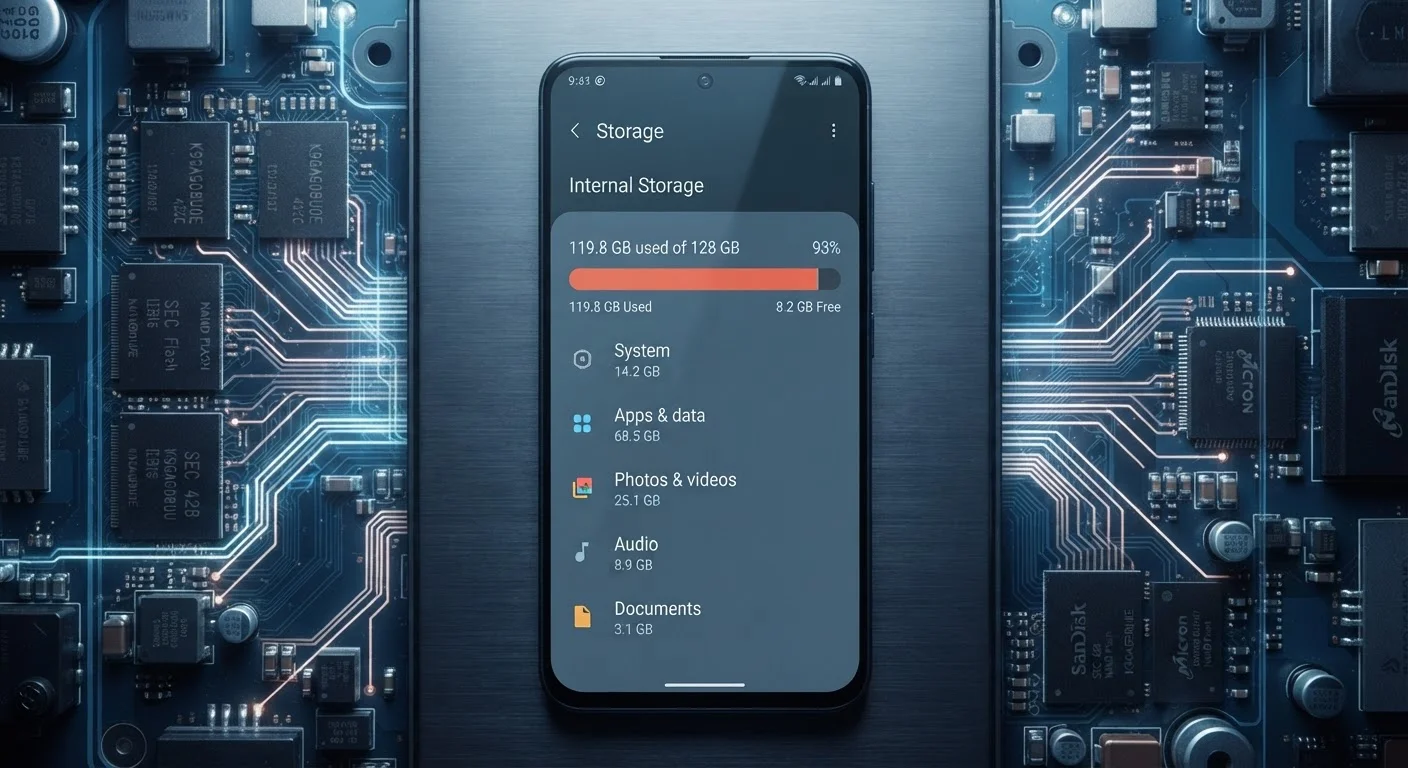
Photo credit: Telecom360.net | Connecting You To The Latest In Telecom
In this article
Learn why a nearly full device slows down, how storage thresholds affect read/write speeds, and what headroom your apps actually need.
Key Takeaways
- Keeping at least 10-15% of storage free helps maintain normal read/write speeds.
- A nearly full device forces the OS to constantly shuffle data, increasing app launch times.
- Cached files and app bloat consume storage silently, often without user awareness.
- Both Android and iOS use available storage as a buffer for memory management tasks.
- Clearing storage doesn't always require deleting apps - offloading cached data is often sufficient.
Why Free Space Is a Performance Resource
Most users think of storage as a filing cabinet - either you have room for more files or you don't. In reality, free storage space is an active resource the operating system consumes continuously. Both Android and iOS use a portion of available local storage as a staging area for temporary files, app caches, and virtual memory overflow when RAM runs short.
When that free space shrinks, the OS can't write temporary data cleanly. It's forced to locate and overwrite existing blocks, triggering a cycle of read-erase-write operations that takes longer and stresses the flash chip. The result: sluggish app launches, stuttery scrolling, and longer save times - even on hardware that was fast when new.
For a deeper look at how storage hardware speed factors into this equation, see how UFS, eMMC, and NVMe differ in real smartphone use.
10-15%
Minimum free storage for stable performance
Storage engineers and mobile OS documentation consistently reference this range as the point below which flash write efficiency degrades meaningfully.
~6x
Typical app size growth after 12 months of use
App analytics researchers have observed that cache and database growth can expand an app's on-device footprint several times beyond its initial install size over a year of active use.
Up to 40%
Reduction in write speed on critically full storage
Independent benchmark testing of NAND flash behavior shows sequential write speeds can drop substantially when free space is critically constrained, though exact figures vary by chip and controller.
The 10-15% Threshold Explained
Flash memory - the technology inside every smartphone storage chip - relies on wear-leveling, a process that spreads write operations across memory cells to prevent any single cell from degrading too quickly. This process requires headroom: free blocks the controller can shift data into as it balances wear across the chip.
When available space falls below roughly 10-15% of total capacity, wear-leveling becomes constrained. The controller has fewer free blocks to work with, so write operations slow down. On a 64 GB device, that threshold sits around 6-10 GB of free space - a margin that fills faster than most users expect once app updates, system logs, and media accumulate.
This threshold isn't a hard rule set by manufacturers; it's an emergent behavior of how NAND flash storage operates. The exact point where slowdowns become noticeable varies by chip quality, OS version, and workload type. Storage chip generation matters too - newer UFS 4.0 controllers handle constrained headroom better than older eMMC designs.
Check Storage Breakdown Before Deleting Apps
Before removing apps to reclaim space, check the per-app storage breakdown in your device's Settings. You may find that a single app's cache accounts for hundreds of megabytes - clearing it alone can restore meaningful headroom without uninstalling anything. On Android, go to Settings > Apps > [App Name] > Storage. On iOS, check Settings > General > iPhone Storage.
App Bloat, Cache Buildup, and Silent Storage Drain
Apps grow over time. Updates add features, expand asset libraries, and accumulate database entries. Social media apps in particular are known for aggressive local caching - storing images, video thumbnails, and user data to speed up future loads. This is useful behavior, but it compounds silently. An app that installed at 80 MB may occupy 500 MB or more after a year of regular use.
Operating systems handle this differently. iOS offers an offload feature that removes the app binary but retains its data, while Android gives users per-app storage breakdowns under Settings so cached data can be cleared individually. Neither platform clears caches automatically in most scenarios - that responsibility falls on the user or, occasionally, a low-storage alert from the OS.
Understanding how these dynamics interact with overall software performance is worth exploring in our complete introduction to smartphone software performance.
Practical Headroom: What Your Apps Actually Need
Maintaining performance isn't about chasing a specific gigabyte number - it's about preserving the margin your OS needs to operate efficiently. A few practical benchmarks help frame this:
- System operations: Both Android and iOS reserve several gigabytes for OS functions, swap space, and update staging. This is separate from what apps report using.
- App updates: Updates download to temporary storage before installing. If free space is insufficient, updates fail silently or prompt error messages without explaining why.
- Photos and video: These accumulate faster than almost any other category. Regularly offloading media to cloud storage is one of the most effective ways to maintain headroom.
On mid-range devices, the interplay between limited RAM and constrained storage is especially punishing - the OS leans more heavily on storage as a memory buffer when RAM is scarce. See how RAM and storage limits interact on mid-range phones for a fuller picture of where those devices hit their ceiling.
Storage Capacity vs. Storage Speed Are Different Issues
A device can have plenty of free space and still have slow storage if the underlying chip is an older eMMC design. Conversely, a fast UFS chip running low on headroom will still degrade. Both the amount of free space and the quality of the storage hardware contribute to real-world performance. Understanding the difference between storage types helps clarify which bottleneck you're actually facing.
Frequently Asked Questions

Author
Apps & Software Editorial Team
Apps & Software Editorial Team is the collective byline for our editorial team and contributor network. Articles published under this byline or an editorial pen name are researched, written, and reviewed according to our editorial standards for clarity, consistency, and independence before publication.
View all articles →