
Evaluating Rugged Laptops for Field and Industrial Workplaces
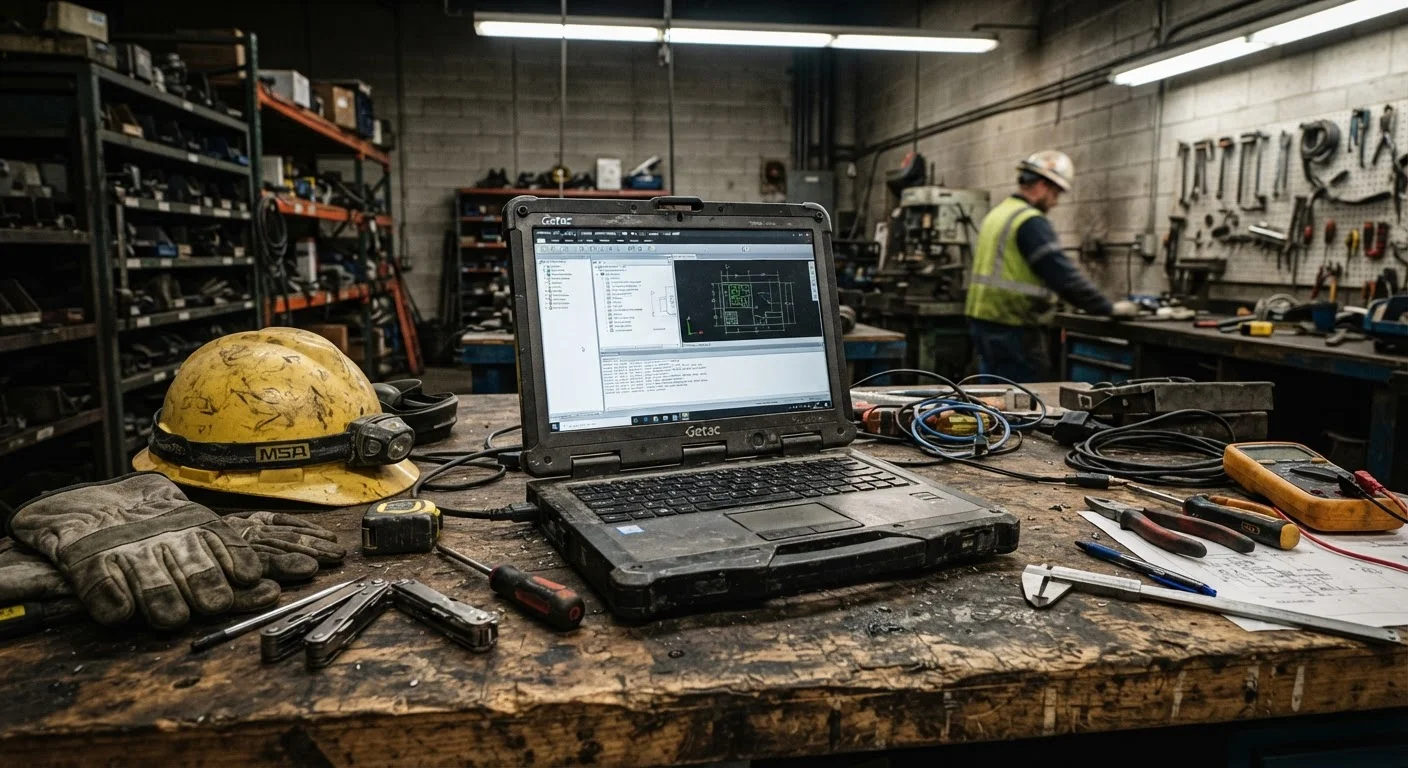
Photo credit: Telecom360.net | Connecting You To The Latest In Telecom
In this article
Ruggedisation ratings, thermal tolerances, and drop specs — how to assess whether a rugged laptop genuinely fits your environment.
Key Takeaways
- MIL-STD-810 test compliance varies significantly - always check which specific test methods a device passed.
- IP ratings use a two-digit system; the second digit governs liquid resistance up to defined pressure and depth.
- Operating temperature range is a critical spec for outdoor and industrial deployments, not a secondary consideration.
- Semi-rugged laptops cost less but sacrifice structural protection that fully rugged units provide.
- Connectivity like serial ports and discrete antenna connectors is often essential for industrial software integration.
- Total cost of ownership, including repair cycles and downtime risk, should anchor the procurement decision.
Why Standard Business Laptops Fall Short in Field Environments
Conventional business-grade laptops are engineered for climate-controlled offices. Once deployed to construction sites, manufacturing floors, utility substations, or outdoor logistics operations, their limitations emerge quickly - thermal throttling in high heat, port failure from dust ingestion, and cracked chassis from routine drops. Understanding what separates business-grade hardware from consumer devices is a useful starting point, but rugged environments demand an additional tier of evaluation.
Before committing to a form factor, it's also worth consulting a practical checklist for choosing between a tablet and a laptop - some field roles are better served by rugged tablets with detachable keyboards than by traditional clamshell devices.
What you will need
How to Evaluate a Rugged Laptop for Your Environment
The following steps provide a structured framework for assessing rugged laptops against the specific demands of your deployment environment. Work through each sequentially before shortlisting devices.
Define the Environmental Threat Profile
Document the specific conditions the device will face: ambient temperature range (operating, not storage), humidity levels, airborne particulates (dust, metal shavings, chemicals), exposure to liquids, vibration sources, and typical drop scenarios. This profile becomes your minimum certification baseline and prevents over-specifying - or under-specifying - the hardware.
Verify Ruggedisation Tier: Semi-Rugged vs. Fully Rugged
Semi-rugged laptops add reinforced chassis materials and spill-resistant keyboards to a conventional design. They suit environments with moderate risk - field sales or light outdoor use. Fully rugged laptops are purpose-built with sealed ports, magnesium-alloy or reinforced polymer chassis, and isolated internal components. For manufacturing floors, utility work, or military-adjacent deployments, fully rugged is the appropriate tier. Confirm which category a device genuinely occupies; some vendors use the term loosely.
Cross-Reference MIL-STD-810 Test Methods Against Your Threat Profile
Request the specific MIL-STD-810 test method list from the manufacturer or distributor. Match each method against your threat profile from Step 1. Key methods include: Method 501/502 (high/low temperature), Method 507 (humidity), Method 510 (sand and dust), Method 514 (vibration), and Method 516 (shock/drop). A device that passed only two or three methods may be inadequate for a multi-hazard environment.
Confirm IP Rating Digits for Your Liquid and Dust Exposure
Match the IP rating's first digit (dust) and second digit (liquid) to your documented risk. A fully dust-tight enclosure requires a first digit of 6. Liquid protection requirements vary: IP65 covers directed water jets, IP67 covers short-term immersion, and IP68 indicates sustained immersion testing. Environments with chemical splashes or pressure washing may require additional material compatibility verification beyond the IP standard's scope.
Assess Thermal Operating Range and Display Readability
Check the manufacturer's specified operating temperature range - not just the storage range, which is always broader. Field deployments in cold climates may require a device operable below 0°C; outdoor summer deployments in southern states may see ambient temperatures above 40°C. Separately, evaluate display brightness (measured in nits): outdoor-readable screens typically require 800 nits or above. Touchscreen gloves compatibility and sunlight-readable anti-reflective coatings are additional considerations for outdoor roles.
Audit Connectivity and Port Availability
Industrial and field environments frequently rely on connectivity options absent from standard laptops. Verify whether the device offers RS-232 serial ports (required for many industrial sensors and legacy equipment), dedicated GPS receivers, barcode scanner integration, discrete antenna connectors for extended wireless range, and smart card or CAC readers for secure authentication. Also confirm cellular modem options and supported bands for your coverage areas.
Calculate Total Cost of Ownership Over the Device Lifecycle
Rugged laptops carry a higher upfront cost than their consumer or standard business counterparts. Evaluate this against the cost of downtime caused by device failure, repair or replacement cycles, and data loss risk. Manufacturer warranty terms, field service availability, and parts supply duration all materially affect long-term cost. A device with a three-year bumper-to-bumper warranty and next-business-day on-site service may represent lower total cost than a cheaper unit with depot-only repair and 10-day turnaround.
Pilot Testing Before Fleet Procurement
Before committing to a fleet purchase, deploy two or three units to actual field personnel for four to six weeks. Structured pilot testing surfaces real-world failure modes - port seal degradation, touchscreen calibration drift in heat, battery performance in cold - that specification sheets do not capture. Use pilot feedback to weight your evaluation criteria before finalising the procurement decision.
Interpreting Certification Claims and Avoiding Marketing Gaps
MIL-STD-810 is a US Department of Defense test methodology, not a pass/fail certification issued by an external body. Manufacturers self-declare compliance after internal or third-party testing, and they choose which of the standard's many test methods to apply. A device tested for vibration and altitude may not have been tested for blowing dust or immersion. Always request the full test method list - Method 510 (sand and dust) and Method 516 (shock) are particularly relevant for industrial settings.
For liquid ingress, IP ratings follow a structured two-digit system. The first digit covers solid particulate protection (6 = fully dust-tight); the second covers liquids (5 = water jets, 6 = powerful jets, 7 = temporary immersion to 1 metre, 8 = continuous immersion beyond 1 metre). For a deeper breakdown of what each digit covers and what it excludes, see our guide to IP, MIL-SPEC, and drop protection ratings. Note that IP ratings test for clean water - they do not account for chemicals, oils, or mud common on industrial sites.
Chemical and Fluid Exposure Is Not Covered by IP Ratings
IP ratings are tested with clean fresh water under controlled laboratory conditions. They provide no assurance against oils, hydraulic fluids, cleaning solvents, or acidic compounds common in industrial settings. If chemical splash resistance is a site requirement, request material compatibility documentation from the manufacturer separately.
Drop ratings are expressed as the height from which a device survives an uncontrolled fall onto a specified surface, typically steel or concrete. Ratings from 91 cm (3 ft) to 183 cm (6 ft) are common; verify the surface tested, as plywood and concrete produce very different outcomes. For roles involving vehicular use, check for isolated hard-drive or SSD mounting and MIL-STD-810 Method 514 vibration test compliance.
Once a device clears certification review, procurement teams should factor in endpoint configuration and deployment planning - rugged hardware alone does not simplify distributed rollout.

Author
Business Tech Editorial Team
Business Tech Editorial Team is the collective byline for our editorial team and contributor network. Articles published under this byline or an editorial pen name are researched, written, and reviewed according to our editorial standards for clarity, consistency, and independence before publication.
View all articles →