
Fleet vs. BYOD: Structuring Mobile Access for a Distributed Workforce
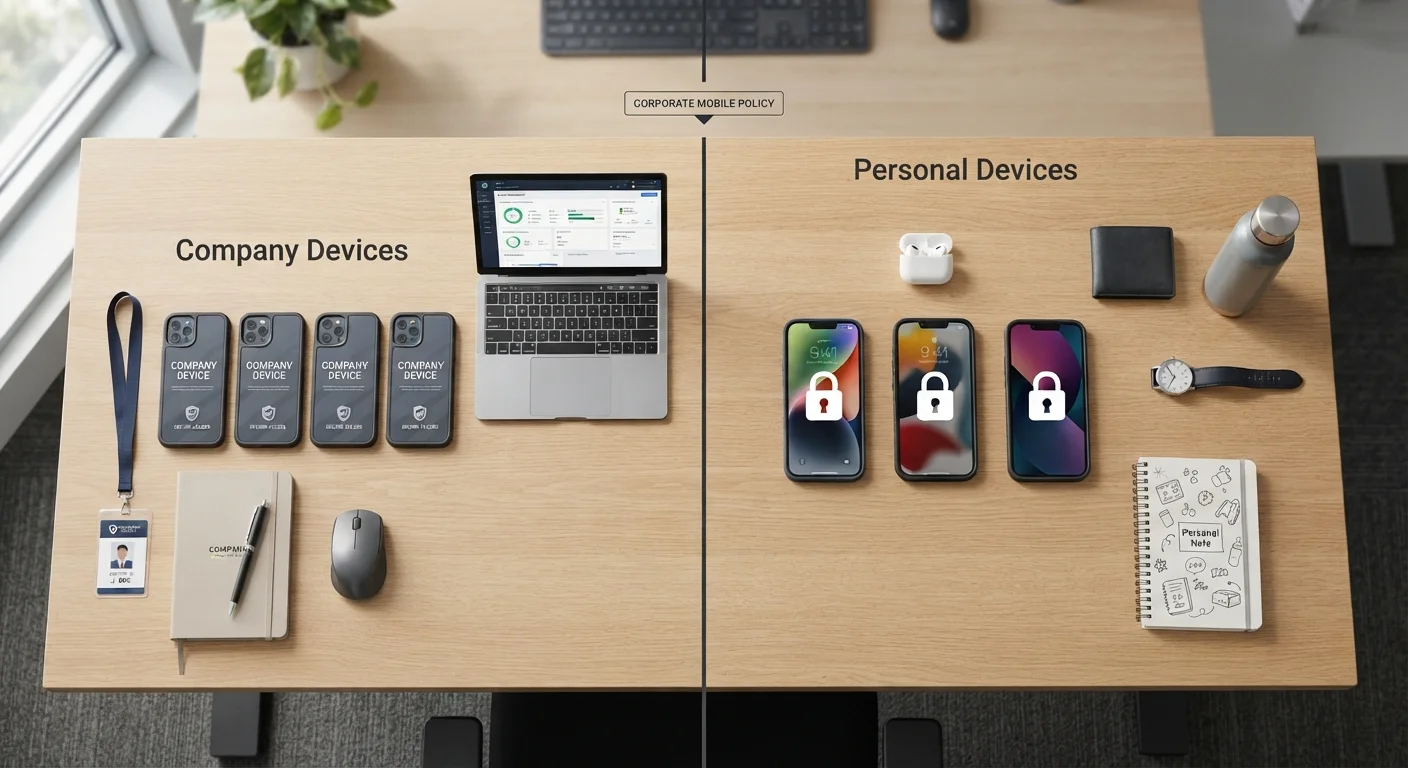
Photo credit: Telecom360.net | Connecting You To The Latest In Telecom
In this article
Weigh the administrative, security, and cost implications of issuing company devices versus supporting employee-owned phones on a business plan.
Key Takeaways
- Fleet programs give IT teams stronger security control but require significant upfront hardware investment.
- BYOD reduces device procurement costs but introduces complex compliance and data-separation challenges.
- Mobile Device Management (MDM) software is essential regardless of which model your organization adopts.
- Distributed workforces with remote employees often face amplified risks under poorly structured BYOD policies.
- The right choice depends on workforce size, industry compliance requirements, and IT capacity.
Uniform security configuration across all devices
IT can enforce encryption, approved apps, and access policies on every handset without negotiating device-by-device exceptions. This consistency is critical for audit trails and incident response.
Simplified support and troubleshooting
A standardized device model and OS version reduces the variables IT must account for when diagnosing issues, cutting mean resolution time for mobile support tickets.
Clear ownership of corporate data
Because the organization owns the device, remote wipe and data recovery actions are legally unambiguous and can be executed without employee dispute over personal content.
Easier onboarding with zero-touch enrollment
Fleet devices can be pre-configured and shipped directly to remote employees, arriving ready to use with no manual IT setup required on the employee's end.
High upfront hardware and refresh costs
Purchasing devices for every employee - and replacing them on a 2-3 year cycle - represents substantial capital expenditure, especially as headcount grows.
Employees may resist carrying two phones
When a company-issued phone supplements an existing personal device, some employees disengage from the work device outside business hours, limiting reachability.
Device logistics add administrative overhead
Procurement, asset tagging, shipping to remote employees, and collecting devices at offboarding all require dedicated workflows that scale with workforce size.
Defining the Two Models
A fleet program means the organization purchases, provisions, and owns every mobile device used for work. Employees receive a company-issued phone configured to corporate standards before their first day. A BYOD (Bring Your Own Device) policy, by contrast, allows employees to use personally owned smartphones to access business systems - email, collaboration tools, internal applications - typically under an acceptable-use agreement and some form of mobile management software.
Both approaches can be paired with enterprise-grade mobile plans. Understanding what separates those plans from consumer offerings is a useful starting point; see what sets enterprise mobile plans apart for a grounded overview before evaluating either model.
Pros and Cons of a Company Fleet
Issuing standardized devices puts IT in full control of the hardware environment. Security configurations, OS versions, and approved app catalogs can be enforced uniformly - a significant advantage when auditors or regulators ask for evidence of policy compliance. Support costs are also more predictable: your team knows the exact device model, OS, and network configuration for every employee.
Uniform security configuration across all devices
IT can enforce encryption, approved apps, and access policies on every handset without negotiating device-by-device exceptions. This consistency is critical for audit trails and incident response.
Simplified support and troubleshooting
A standardized device model and OS version reduces the variables IT must account for when diagnosing issues, cutting mean resolution time for mobile support tickets.
Clear ownership of corporate data
Because the organization owns the device, remote wipe and data recovery actions are legally unambiguous and can be executed without employee dispute over personal content.
Easier onboarding with zero-touch enrollment
Fleet devices can be pre-configured and shipped directly to remote employees, arriving ready to use with no manual IT setup required on the employee's end.
The downsides are real. Procurement, cellular contracts, and device refresh cycles represent meaningful capital expenditure, particularly for organizations scaling rapidly or managing large distributed headcounts. Employees also sometimes resist carrying two phones, which can affect adoption of communication tools outside core hours.
High upfront hardware and refresh costs
Purchasing devices for every employee - and replacing them on a 2-3 year cycle - represents substantial capital expenditure, especially as headcount grows.
Employees may resist carrying two phones
When a company-issued phone supplements an existing personal device, some employees disengage from the work device outside business hours, limiting reachability.
Device logistics add administrative overhead
Procurement, asset tagging, shipping to remote employees, and collecting devices at offboarding all require dedicated workflows that scale with workforce size.
Fleet programs pair naturally with zero-touch enrollment frameworks. For a broader look at configuring employer-owned hardware for remote teams, this guide to setting up business devices for distributed workforces covers the provisioning workflow in detail.
The BYOD Trade-Off in Practice
BYOD's headline appeal is cost reduction: the organization offloads hardware procurement to employees, sometimes compensating them with a monthly stipend. For startups or small teams, this can meaningfully lower the barrier to equipping a mobile workforce. However, the savings calculation changes once you account for the MDM licensing, legal review of acceptable-use policies, and the IT overhead of supporting a heterogeneous device ecosystem.
BYOD Stipends Are Not a Universal Solution
Many organizations offer a monthly device stipend - typically $30-$75 - to compensate employees for using personal phones for work. While this reduces hardware procurement costs, it does not resolve the data-separation or compliance challenge. Stipend programs must still be paired with an MDM policy that enforces containerization and acceptable-use requirements to meet most regulatory standards. Tax treatment of stipends also varies and should be reviewed with your finance or HR team.
Data separation is the central technical challenge. Without a properly configured MDM solution enforcing containerization - where corporate data lives in an encrypted, policy-governed partition isolated from personal apps - a single employee's personal device can become a significant data-leakage vector. This concern intensifies in industries subject to frameworks such as HIPAA, SOC 2, or financial services regulations.
For a balanced examination of how BYOD and fleet policies compare across more dimensions, this clear-eyed comparison of BYOD and company-issued devices is worth reviewing alongside this analysis.
Security and Compliance Considerations
Device ownership determines the scope of IT authority. On a company-owned device, the organization can enforce full-disk encryption, remote wipe, certificate-based authentication, and app allowlisting without employee consent complications. On a personal device, the same remote wipe capability can create legal exposure if it erases personal data - making granular, container-only wipe policies essential.
72%
Enterprises using MDM for BYOD management
According to industry surveys cited in Gartner's mobile security research, a substantial majority of enterprises deploy mobile device management software to govern BYOD programs.
~$1,000
Average cost per company-issued smartphone
Mid-to-high-tier business smartphones commonly used in fleet programs typically carry a retail price in the $800-$1,200 range, before carrier subsidies or leasing arrangements.
Regulated industries should treat compliance requirements as a primary filter. If your organization must demonstrate device-level controls to satisfy an audit - logging access to sensitive data, proving encryption at rest, documenting configuration baselines - a fleet program makes that evidence trail substantially easier to produce. Device security best practices apply to both models but require more deliberate policy design under BYOD.
Making the Decision for Your Organization
Four factors tend to be decisive: regulatory environment (does your industry mandate device-level controls?), IT capacity (can your team manage a heterogeneous device inventory?), workforce profile (are employees comfortable separating work and personal data on one device?), and cost structure (is capital or operational expenditure more manageable right now?).
Small businesses evaluating enterprise-tier mobile plans for the first time will find that plan structure itself - pooled data, admin portals, centralized billing - is largely independent of the fleet-vs-BYOD decision. Enterprise mobile plan options for smaller teams explains how to navigate carrier offerings regardless of device ownership model.
For organizations managing multiple device categories - phones, laptops, tablets - the fleet-vs-BYOD question often plays out differently across device types. The operating system trade-offs for business fleets piece offers a parallel framework for laptop decisions that complements mobile strategy planning.

Author
Business Tech Editorial Team
Business Tech Editorial Team is the collective byline for our editorial team and contributor network. Articles published under this byline or an editorial pen name are researched, written, and reviewed according to our editorial standards for clarity, consistency, and independence before publication.
View all articles →