
BYOD vs. Company-Issued Devices: A Clear-Eyed Look at Both Policies
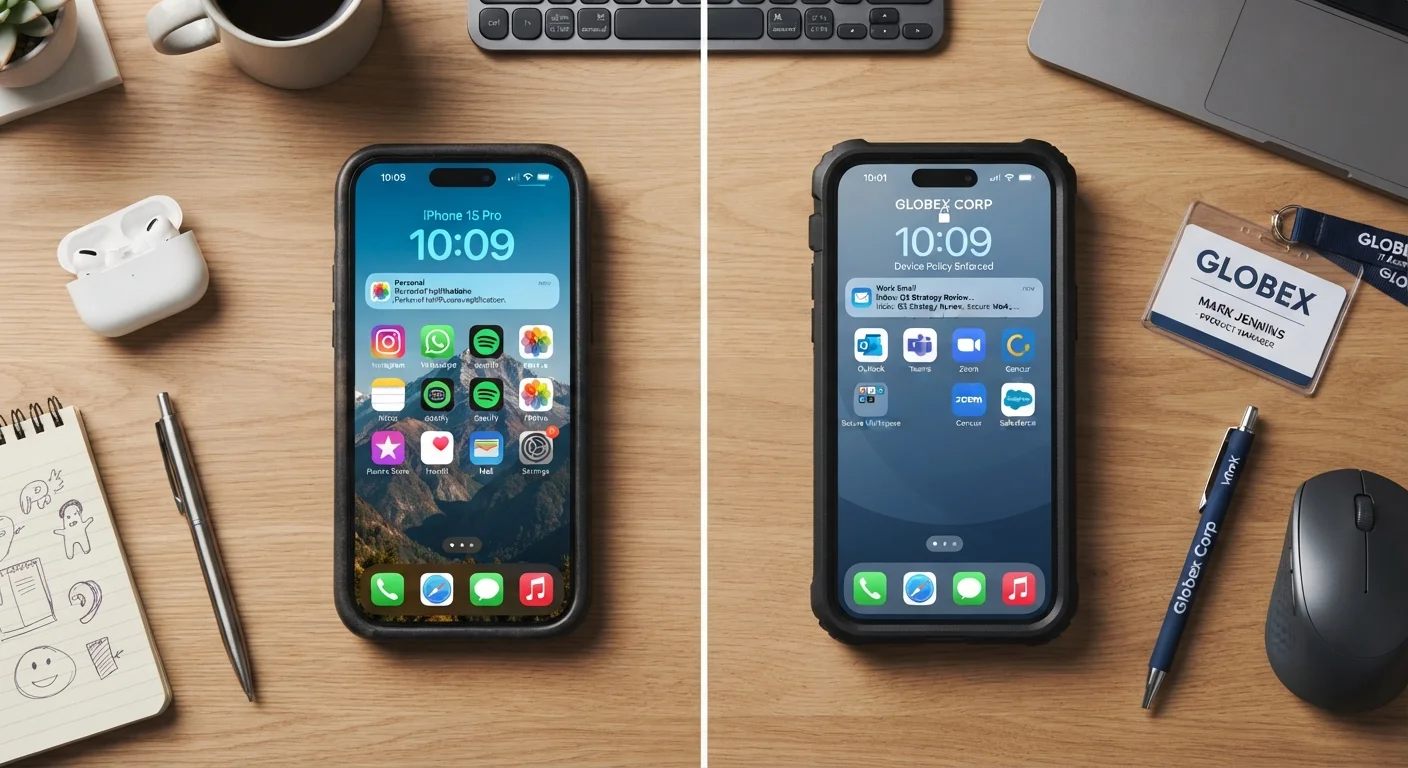
Photo credit: Telecom360.net | Connecting You To The Latest In Telecom
In this article
Bring-your-own-device sounds cost-efficient, but the trade-offs in security and support are significant. Here's a balanced breakdown.
Key Takeaways
- BYOD reduces upfront hardware costs but introduces complex security and compliance challenges.
- Company-issued devices give IT full control over configuration, updates, and remote wipe capabilities.
- Employee privacy concerns are a genuine friction point in BYOD programs that policies must address.
- Mobile Device Management (MDM) software is essential under either model to maintain enterprise security standards.
- The right choice depends heavily on workforce type, regulatory environment, and IT capacity.
Eliminates upfront hardware procurement costs
Organizations avoid purchasing and refreshing a device fleet, which can represent significant capital expenditure, especially at scale.
Employees use familiar, preferred devices
Working on a personally chosen device reduces the learning curve and can improve day-to-day productivity for employees who are deeply familiar with their hardware and apps.
Reduces device logistics and inventory management
Without a fleet to manage, IT teams spend less time on provisioning, shipping, and tracking physical assets - particularly useful for distributed or remote-first teams.
Can improve employee satisfaction and flexibility
Allowing employees to use their own devices can be a meaningful workplace perk in competitive hiring environments, though its weight varies by industry and role.
Security enforcement is fragmented and harder to guarantee
IT cannot enforce uniform encryption, OS update schedules, or application policies across a mix of personally owned devices running different operating systems and firmware versions.
Corporate data comingles with personal data
Personal backups, third-party apps, and consumer cloud services on BYOD devices create pathways for inadvertent data exposure that are difficult to monitor or contain.
Employee privacy concerns complicate MDM deployment
Installing MDM software on personal devices raises legitimate privacy objections; employees may resist policies that allow remote wipe or activity monitoring on hardware they own.
Compliance risk increases in regulated industries
Sectors governed by frameworks such as HIPAA, PCI-DSS, or SOC 2 may find BYOD policies difficult to reconcile with data handling and audit requirements without significant additional controls.
Support complexity grows with device diversity
A heterogeneous mix of device models, OS versions, and configurations increases the time and expertise required to diagnose and resolve technical issues reliably.
What the Debate Actually Comes Down To
The BYOD (Bring Your Own Device) versus company-issued device question is fundamentally a tension between cost efficiency and control. Both models are widely used across U.S. enterprises, and neither is inherently wrong - but each carries trade-offs that vary significantly depending on your industry, workforce, and IT infrastructure.
For decision-makers evaluating mobile strategy, this isn't purely a procurement choice. It shapes how your IT team operates, how your data is protected, and how your employees experience work. For a broader view of how device type affects security posture, see our guide to device security across phones, laptops, and tablets.
MDM Is Not Optional Under Either Model
Regardless of whether your organization adopts BYOD or issues company devices, Mobile Device Management (MDM) software is a baseline requirement for maintaining enterprise-grade security. MDM enables IT teams to enforce encryption, manage applications, and remotely wipe devices if they are lost or an employee departs. Without MDM in place, neither model offers adequate data protection for most business contexts. See our device security hub for more on securing managed and unmanaged devices.
The Case for BYOD
BYOD programs allow employees to use personally owned smartphones, tablets, or laptops for work tasks, often with a stipend to offset costs. From a budget perspective, the appeal is clear: organizations avoid the full capital cost of procuring and refreshing a device fleet.
Eliminates upfront hardware procurement costs
Organizations avoid purchasing and refreshing a device fleet, which can represent significant capital expenditure, especially at scale.
Employees use familiar, preferred devices
Working on a personally chosen device reduces the learning curve and can improve day-to-day productivity for employees who are deeply familiar with their hardware and apps.
Reduces device logistics and inventory management
Without a fleet to manage, IT teams spend less time on provisioning, shipping, and tracking physical assets - particularly useful for distributed or remote-first teams.
Can improve employee satisfaction and flexibility
Allowing employees to use their own devices can be a meaningful workplace perk in competitive hiring environments, though its weight varies by industry and role.
Beyond cost, employees tend to prefer working on devices they already know. Familiarity reduces onboarding friction and can improve productivity. In competitive talent markets, flexibility around personal devices can also factor into workplace satisfaction.
The Risks BYOD Introduces
The cost savings of BYOD are real, but so are the risks - and they tend to be underestimated at the policy design stage.
Security enforcement is fragmented and harder to guarantee
IT cannot enforce uniform encryption, OS update schedules, or application policies across a mix of personally owned devices running different operating systems and firmware versions.
Corporate data comingles with personal data
Personal backups, third-party apps, and consumer cloud services on BYOD devices create pathways for inadvertent data exposure that are difficult to monitor or contain.
Employee privacy concerns complicate MDM deployment
Installing MDM software on personal devices raises legitimate privacy objections; employees may resist policies that allow remote wipe or activity monitoring on hardware they own.
Compliance risk increases in regulated industries
Sectors governed by frameworks such as HIPAA, PCI-DSS, or SOC 2 may find BYOD policies difficult to reconcile with data handling and audit requirements without significant additional controls.
Support complexity grows with device diversity
A heterogeneous mix of device models, OS versions, and configurations increases the time and expertise required to diagnose and resolve technical issues reliably.
Security is the most significant concern. Personal devices mix corporate data with personal apps, personal cloud backups, and varying update behaviors that IT cannot fully govern. Enforcing encryption, remote wipe, and application controls becomes substantially harder. This matters especially in regulated sectors such as healthcare, finance, or legal services, where data handling requirements are defined by law. For organizations thinking about how to structure mobile access across a distributed workforce, our fleet vs. BYOD analysis covers the administrative and compliance dimensions in detail.
The Case for Company-Issued Devices
Issuing devices gives IT departments a level of control that BYOD simply cannot replicate. Every device can be configured to the same baseline - encryption enforced, approved applications pre-loaded, and MDM (Mobile Device Management) software installed before the device ever reaches the employee.
72%
Enterprises using MDM for issued devices
According to Statista research on enterprise mobility management, a large majority of organizations deploying company-owned devices use MDM platforms to enforce policy compliance.
~30%
Estimated IT support cost reduction with standardized fleets
Industry analyses of device standardization programs suggest meaningful reductions in per-device support costs when organizations move to uniform hardware and OS configurations, though results vary by organization size.
Standardization also reduces support complexity. When every employee uses the same device model and operating system, troubleshooting is faster and more predictable. This is especially valuable for organizations with distributed workforces or limited IT headcount. For organizations evaluating which operating environment fits a managed fleet, comparing Windows, macOS, and ChromeOS for business fleets provides a structured framework. Device standardization considerations are also explored in depth in our article on standardising devices across a business.
Making the Right Call for Your Organization
There is no universally correct answer. The decision should be driven by a realistic assessment of your security requirements, IT capacity, employee profile, and regulatory obligations.
Organizations handling sensitive client data, operating under compliance frameworks, or supporting remote workers in high-risk environments should weigh the cost of company-issued devices against the cost of a breach or audit failure. Those with lighter data-handling requirements and a technically sophisticated workforce may find that a well-governed BYOD program with strong MDM enforcement meets their needs adequately.
If you're newer to managing a device fleet, getting started with business device management offers a grounded introduction to the key concepts involved. For mobile plan strategy that complements either model, our business phone plans hub covers enterprise mobile options built for teams.

Author
Business Tech Editorial Team
Business Tech Editorial Team is the collective byline for our editorial team and contributor network. Articles published under this byline or an editorial pen name are researched, written, and reviewed according to our editorial standards for clarity, consistency, and independence before publication.
View all articles →