
Mesh Wi-Fi vs. Traditional Routers: Which Architecture Suits a Connected Home?
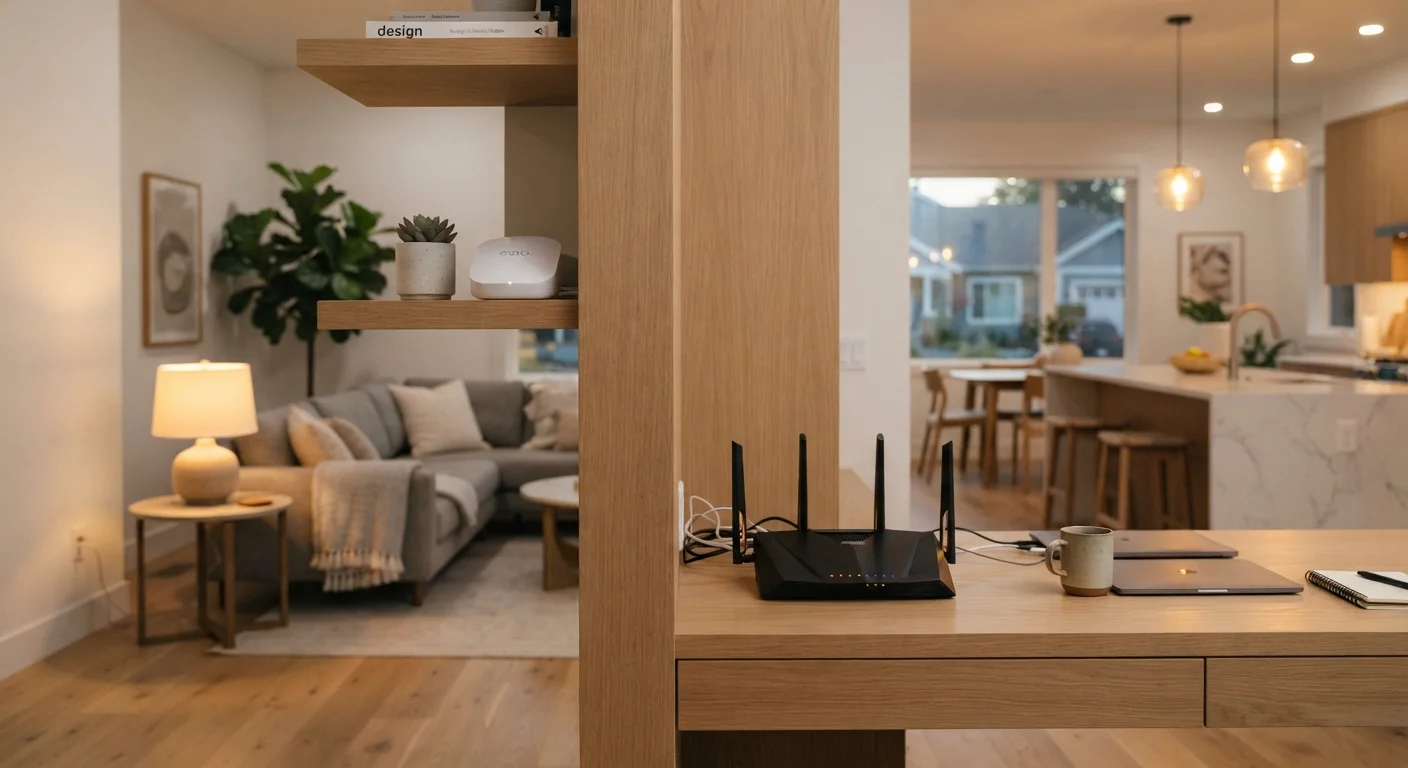
Photo credit: Telecom360.net | Connecting You To The Latest In Telecom
In this article
Compare mesh and traditional router setups across coverage, speed, cost, and management to decide what your home needs.
Key Takeaways
- Traditional routers cost less upfront but struggle to cover large or multi-story homes without dead zones.
- Mesh systems use multiple nodes to deliver consistent coverage across wider areas, at a higher price.
- Speed and latency differences between the two architectures depend heavily on home layout and node placement.
- Mesh setups are generally simpler to manage via app but offer fewer advanced configuration options than capable traditional routers.
- Security update consistency and network segmentation practices differ meaningfully between the two approaches.
How Each Architecture Works
A traditional router is a single device that connects to your modem and broadcasts a Wi-Fi signal outward in all directions. Signal strength attenuates with distance and degrades when passing through walls, floors, or dense materials. Range extenders can supplement coverage, but they typically create separate network names and introduce latency, since the extender must receive and re-transmit the signal.
A mesh Wi-Fi system replaces the single-router model with a primary node connected to the modem and one or more satellite nodes placed around the home. All nodes broadcast the same network name (SSID) and communicate with each other - either wirelessly via a dedicated backhaul band or, in higher-end configurations, over a wired Ethernet backhaul. Devices roam between nodes seamlessly without requiring manual reconnection.
For context on how these networks interact with the growing range of connected devices in modern homes, see our overview of smart home ecosystems.
Coverage, Speed, and Latency
Coverage is where the architectural difference becomes most tangible. A capable single router can reliably serve a one- or two-bedroom apartment - typically up to around 1,500 square feet with few structural obstructions. Beyond that, signal falloff becomes noticeable. Mesh systems, by distributing access points throughout a space, maintain stronger signal levels per room, which translates to more consistent throughput for devices far from the primary node.
Raw speed, however, is more nuanced. A high-end Wi-Fi 6 or Wi-Fi 6E traditional router can deliver exceptional peak throughput to nearby devices - often outperforming a mesh node at close range. Mesh systems with wireless backhaul sacrifice some bandwidth for node-to-node communication; wired backhaul eliminates this penalty but requires running Ethernet cable between nodes. Latency on wireless mesh systems is marginally higher than on a direct single-router connection, though in real-world use the difference is rarely perceptible for streaming or video calls.
| Traditional Router | Mesh System | |
|---|---|---|
| Upfront Cost | Lower ($50-$500) | Higher ($150-$500+) |
| Coverage Area | Best for smaller homes | Scales to large or multi-story homes |
| Peak Speed (near device) | High - no backhaul overhead | Slightly lower on wireless backhaul |
| Dead Zone Elimination | Limited without extenders | Strong via distributed nodes |
| Setup Simplicity | Moderate to complex | Generally app-guided and simple |
| Advanced Configuration | More options available | Limited on most platforms |
| Automatic Security Updates | Varies by manufacturer | Common on major platforms |
| Network Roaming | Manual if using extenders | Seamless across all nodes |
Cost and Setup Complexity
Entry-level traditional routers capable of handling a typical household start at roughly $50-$100, with premium Wi-Fi 6E models reaching $300-$500. Mesh systems carry a higher baseline cost - a two- or three-node kit typically ranges from $150 to $500 or more depending on Wi-Fi generation and backhaul design.
Setup complexity favors mesh systems for most users. Modern mesh kits configure through companion smartphone apps that walk through placement, speed testing, and network naming in minutes. Traditional routers expose a browser-based or app-based interface that is more capable but also more demanding - port forwarding, QoS tuning, and VLAN configuration require familiarity with networking concepts.
Placement Matters as Much as Hardware
For mesh systems, node placement significantly affects performance. Nodes should be positioned within a moderate range of each other - not too close (redundant) and not too far apart (weak backhaul signal). Many mesh apps include signal-strength indicators during setup; use them. For traditional routers, central placement in the home and elevation off the floor consistently improve coverage reach.
For a deeper look at how wired versus wireless connections affect reliability and latency in the home, the wired vs. wireless trade-offs guide provides useful framing.
Security and Long-Term Management
Security posture differs between the two approaches in meaningful ways. Mesh systems from major manufacturers tend to push automatic firmware updates, reducing the window of vulnerability for known exploits. Traditional routers vary widely - some update automatically, others require manual intervention that many users never perform.
Both architectures support guest network creation, but traditional routers with advanced firmware often allow more granular VLAN segmentation, letting users isolate IoT devices from primary computers and phones. This matters as the number of connected devices in a home grows. Our home network security guide covers practical segmentation strategies applicable to both router types.
Mesh systems generally log more behavioral data to cloud platforms to enable remote management features - users who prefer local-only control should review privacy policies before committing to a platform. Traditional routers, particularly those running open-source firmware, tend to give users greater control over what data leaves the device.

Author
Consumer Electronics Editorial Team
Consumer Electronics Editorial Team is the collective byline for our editorial team and contributor network. Articles published under this byline or an editorial pen name are researched, written, and reviewed according to our editorial standards for clarity, consistency, and independence before publication.
View all articles →