
Wired vs. Wireless Home Accessories: Understanding the Real Trade-offs
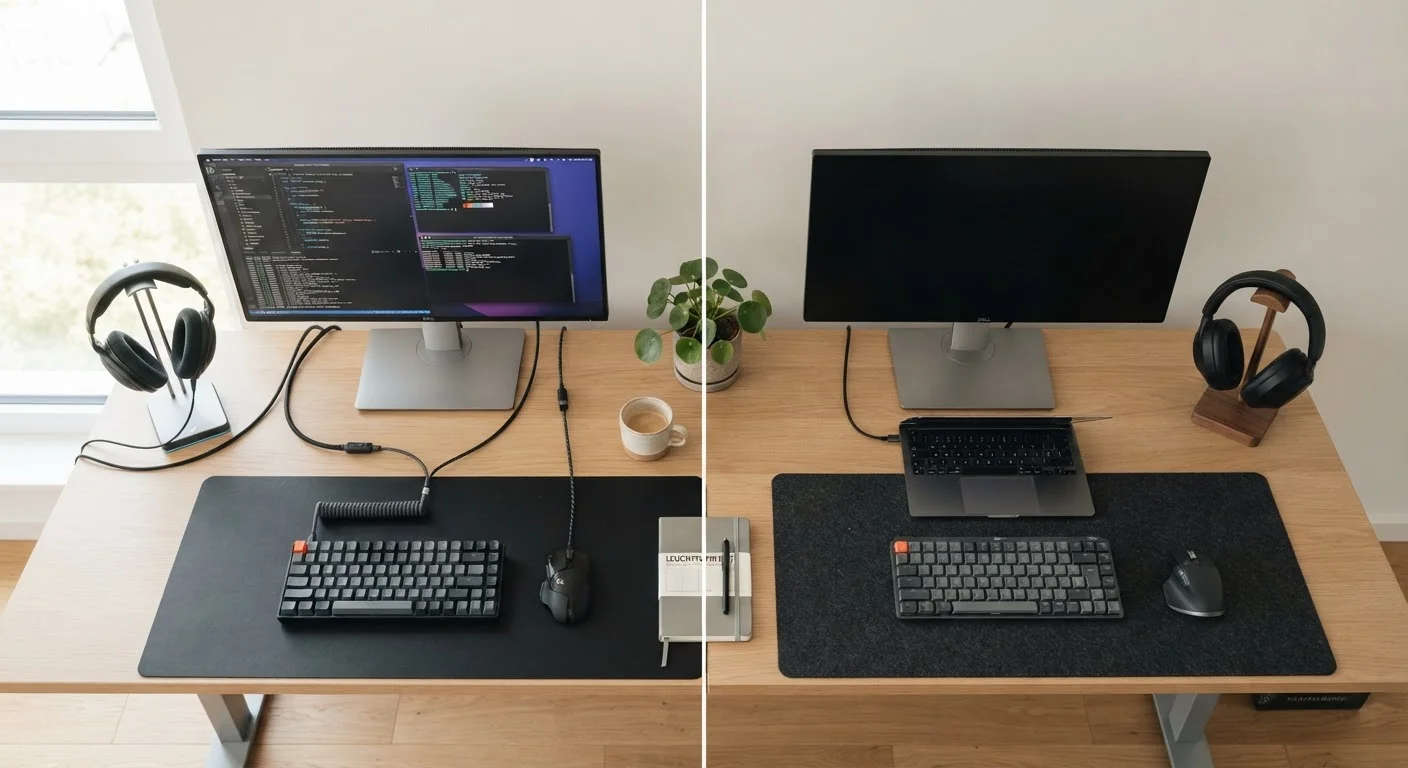
Photo credit: Telecom360.net | Connecting You To The Latest In Telecom
In this article
Latency, reliability, convenience — here's what actually separates wired and wireless home accessories in everyday use.
Key Takeaways
- Wired connections consistently deliver lower latency and more stable throughput than wireless alternatives.
- Wireless accessories eliminate cable clutter but introduce battery management and interference considerations.
- Security cameras, audio equipment, and smart displays each have different wired vs. wireless trade-off profiles.
- Wireless protocols like Wi-Fi, Zigbee, and Z-Wave vary significantly in range, bandwidth, and power use.
- Neither connection type is universally superior - the right choice depends on the specific accessory and use case.
What the Connection Type Actually Changes
The wired versus wireless decision in home accessories isn't simply about aesthetics or convenience - it directly affects how an accessory performs, how it fails, and what ongoing effort it requires from you. Understanding those underlying mechanisms makes the trade-offs concrete rather than abstract.
A wired connection - whether USB, Ethernet, or analog audio - creates a dedicated, interference-resistant signal path between two devices. Throughput is bounded by the cable standard and port spec, not by ambient radio conditions. A wireless connection, by contrast, competes for spectrum with neighboring networks, appliances, and building materials. That competition introduces variability in both latency and throughput that wired links largely avoid.
For context on how different wireless protocols manage that competition differently, see our reference on smart home communication protocols - Zigbee, Z-Wave, and Wi-Fi each make very different engineering choices around range, power, and bandwidth.
| Criterion | Wired | Wireless |
|---|---|---|
| Latency | Sub-millisecond (USB/Ethernet) | 10-250ms depending on protocol |
| Reliability | Consistent; physical failure points | Variable; affected by interference |
| Installation effort | Cable routing required | Minimal; placement flexible |
| Ongoing maintenance | Near-zero once installed | Battery or charging management |
| Portability | Fixed to cable length | Move freely within range |
| Signal interference risk | Very low | Moderate to high in dense RF environments |
| Security attack surface | Lower (no wireless exposure) | Higher (network-accessible endpoint) |
| Aesthetic impact | Cable management required | Clean, minimal cable footprint |
Latency, Reliability, and Security: The Hard Numbers
Latency is where wired connections hold their clearest advantage. A USB or Ethernet link typically operates with sub-millisecond signaling delays. Bluetooth audio connections, even with modern codecs like aptX Low Latency or LC3, introduce delays measured in the tens of milliseconds. For everyday music listening that's imperceptible, but for gaming or video production, it creates noticeable desync. For a deeper look at what codec specs actually mean in practice, our coverage of true wireless earbuds and spec sheet limitations breaks down how latency figures translate to real listening experiences.
Reliability diverges along different failure modes. Wired accessories fail at physical points - a frayed cable, a bent port connector, a damaged jacket. Those failures are usually visible and diagnosable. Wireless accessories can degrade invisibly: network congestion, RF interference from microwaves or neighboring networks, or a firmware-level protocol conflict can all cause intermittent drops that are genuinely difficult to trace.
Security is an underappreciated dimension. Wireless accessories expand a home network's attack surface. A poorly secured smart plug or wireless camera operates as a potential entry point. Wired devices typically expose fewer remote attack vectors, though they're not inherently immune - a wired device running outdated firmware on a local network remains exploitable.
~2.4 GHz
Primary wireless band for most home accessories
The 2.4 GHz band is used by Wi-Fi, Bluetooth, Zigbee, and many consumer wireless peripherals - creating measurable congestion in apartment buildings and dense neighborhoods.
30-70ms
Typical Bluetooth audio latency range
Standard Bluetooth audio latency ranges from around 30ms with low-latency codecs to over 200ms on older SBC implementations, according to published codec specification documents.
~100m
Maximum indoor PoE cable run (Cat5e/Cat6)
IEEE 802.3 Ethernet standards specify a 100-meter maximum segment length for Cat5e and Cat6 cabling, which covers the vast majority of residential security camera installation scenarios.
Accessory-by-Accessory Breakdown
Different accessory categories weight these trade-offs very differently.
Keyboards and mice: Wireless models using 2.4 GHz dongles - rather than Bluetooth - have largely closed the latency gap with wired equivalents for general use. High-refresh-rate competitive gaming still favors wired for deterministic input timing, but for productivity use the gap is negligible.
Security cameras: Wired PoE (Power over Ethernet) cameras avoid battery replacement and deliver continuous, higher-bitrate streams. Wireless cameras sacrifice some stream quality due to compression and are subject to Wi-Fi availability, but offer significantly easier installation - particularly in locations without cable runs.
Speakers and headphones: Wired audio delivers an uncompressed signal; wireless audio is always encoded and decoded through a codec, introducing some generational loss depending on the codec quality and implementation. This matters considerably more on high-resolution audio equipment than on casual consumer speakers. See also our analysis of active noise cancellation versus passive isolation for related audio trade-offs.
Smart home sensors and bulbs: These almost universally favor wireless. Running cable to every motion sensor, occupancy detector, or smart bulb location is impractical in most homes. Low-power protocols like Zigbee and Z-Wave are optimized precisely for this use case - battery life measured in months or years, with very modest bandwidth needs.
Hybrid Setups Are Common in Practice
Most well-configured homes don't commit entirely to one connection type. A common pattern is running Ethernet to media devices and computers while using Zigbee or Z-Wave for low-power sensors and smart bulbs. This hybrid approach is explicitly supported by modern smart home standards like Matter, which bridges multiple protocol types under a single application layer. Understanding the protocol layer helps clarify why certain accessories are better candidates for wireless deployment than others.
Making the Right Call for Your Setup
A useful decision framework: assess each accessory individually rather than picking a side globally. Ask what failure mode is more tolerable - a visible physical break, or an invisible wireless degradation? Ask whether the device needs to move or whether it lives permanently in one spot. Ask whether latency or battery management is the larger ongoing burden.
Your home network's existing condition also matters. A congested 2.4 GHz band - common in apartment buildings or dense neighborhoods - will compromise wireless accessory performance in ways that a dedicated Ethernet drop simply won't. Our comparison of mesh Wi-Fi versus traditional routers covers how network architecture choices affect the wireless environment your accessories operate in.
The most capable home setups often use both types deliberately: wired connections for latency-sensitive or high-bandwidth devices, wireless for sensors and accessories where flexibility outweighs performance requirements. That hybrid approach reflects how the technology actually performs, rather than treating either connection type as categorically superior.

Author
Consumer Electronics Editorial Team
Consumer Electronics Editorial Team is the collective byline for our editorial team and contributor network. Articles published under this byline or an editorial pen name are researched, written, and reviewed according to our editorial standards for clarity, consistency, and independence before publication.
View all articles →