
RAM in Smartphones: When More Memory Stops Making a Difference
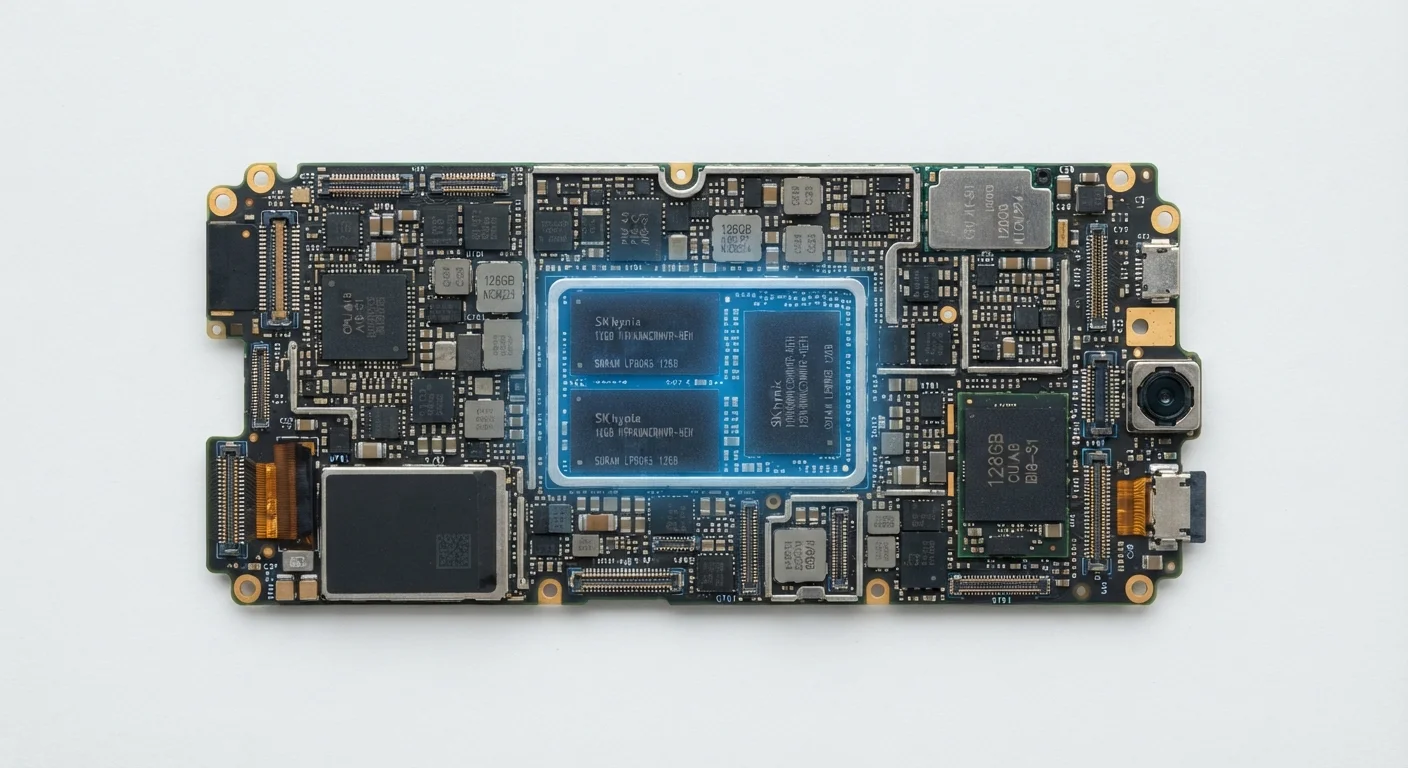
Photo credit: Telecom360.net | Connecting You To The Latest In Telecom
In this article
Understand how mobile RAM works, how much is actually useful, and why raw gigabyte counts can be misleading on Android and iOS.
Key Takeaways
- More RAM helps multitasking up to a practical ceiling - beyond that, gains become marginal for typical users.
- iOS and Android manage memory very differently, making raw GB comparisons across platforms misleading.
- The efficiency of the memory controller and RAM type (e.g., LPDDR5X) affects performance as much as capacity.
- Operating system overhead, background services, and manufacturer software all consume RAM before apps even open.
- For most users, 8 GB is a functional baseline; gains beyond 12 GB are rarely noticeable in everyday use.
What RAM Actually Does Inside a Phone
When you open an app, the phone loads its active data into RAM so the processor can work with it at high speed. Storage - even fast UFS flash - is orders of magnitude slower than RAM for this kind of real-time access. The more apps you have open simultaneously, the more RAM those processes collectively occupy.
Critically, RAM isn't just consumed by apps you're actively using. The operating system kernel, background services, security processes, and manufacturer-added software all claim a share before a single third-party app opens. On a device advertised with 8 GB of RAM, the actual available headroom for apps might be closer to 5-6 GB depending on the software layer.
For a deeper look at how this interacts with everyday speed, see our introduction to smartphone software performance.
~5-6 GB
RAM available to apps on an 8 GB Android device
OS overhead, manufacturer software, and background services typically consume 2-3 GB before user apps load.
LPDDR5X
Current high-end mobile RAM standard
LPDDR5X offers roughly 33% higher bandwidth than LPDDR5, improving data throughput between RAM and the processor.
4 GB
RAM threshold where multitasking noticeably degrades
Devices with 4 GB or less increasingly struggle as Android system requirements and app sizes have grown.
The Point of Diminishing Returns
There is a practical ceiling to how much RAM translates into a noticeable experience improvement. For the average user running a browser, a messaging app, a music player, and email in the background, 8 GB comfortably handles the load. Moving from 8 GB to 12 GB offers a modest benefit for heavy multitaskers - more apps stay cached, reducing reload delays. Moving from 12 GB to 16 GB or beyond, however, produces a difference that is genuinely difficult to detect without controlled testing.
This doesn't mean higher RAM counts are meaningless. Power users who routinely juggle many apps, use desktop-mode features, or run memory-intensive tools like video editors may find extra headroom valuable. For mainstream use cases, though, the spec functions more as a marketing signal than a functional differentiator.
Explore why RAM figures can be misleading when comparing devices across price tiers.
Look Beyond the GB Count When Comparing Devices
When evaluating a phone's memory specs, check the RAM type (LPDDR version) alongside the capacity figure. Also consider how much the manufacturer's software layer consumes at idle - heavily customized Android skins can absorb significantly more overhead than near-stock implementations, effectively reducing available headroom.
Platform Matters: iOS vs Android Memory Architecture
Comparing RAM across platforms using raw gigabytes is a common mistake. iOS and Android take fundamentally different approaches to memory management. Android keeps more app data resident in RAM to enable faster switching - a model that benefits from higher capacity. iOS relies on aggressive compression and a tightly optimized app lifecycle, suspending and resuming apps with considerably less physical RAM.
This is why an iOS device can deliver comparable or superior multitasking responsiveness with what appears on paper to be a lower RAM count. The comparison only makes sense within a platform, not across them.
See how Android and iOS handle RAM and background tasks differently for a detailed side-by-side breakdown.
Other Factors That Shape Real-World Memory Performance
RAM capacity is one variable in a larger system. The type of RAM - LPDDR4X versus LPDDR5X - affects bandwidth and power draw, which influences how quickly data moves between memory and the processor. A device with faster RAM but slightly less capacity can outperform a device with more, slower RAM in sustained workloads.
Storage speed also plays a role. When RAM is exhausted and the OS needs to swap app data, the speed of the underlying storage determines how quickly that reload happens. Understanding UFS, eMMC, and NVMe storage types adds important context here.
Finally, processor architecture shapes how efficiently available RAM is used. A well-designed memory controller can reduce latency and improve throughput independent of total capacity. How processor cores and clock speed interact with memory is a related dimension worth understanding when evaluating overall performance.
Virtual RAM Has Real Limitations
Several Android manufacturers offer 'virtual RAM' or 'RAM Plus' features that use a portion of internal storage as overflow memory. While this can reduce how often low-priority apps are terminated, flash storage is substantially slower than physical LPDDR RAM. It functions as a buffer against the worst-case reloading scenarios rather than a genuine upgrade to system performance.
Frequently Asked Questions

Author
Consumer Electronics Editorial Team
Consumer Electronics Editorial Team is the collective byline for our editorial team and contributor network. Articles published under this byline or an editorial pen name are researched, written, and reviewed according to our editorial standards for clarity, consistency, and independence before publication.
View all articles →