
RAM in Smartphones: Why More Isn't Always the Answer
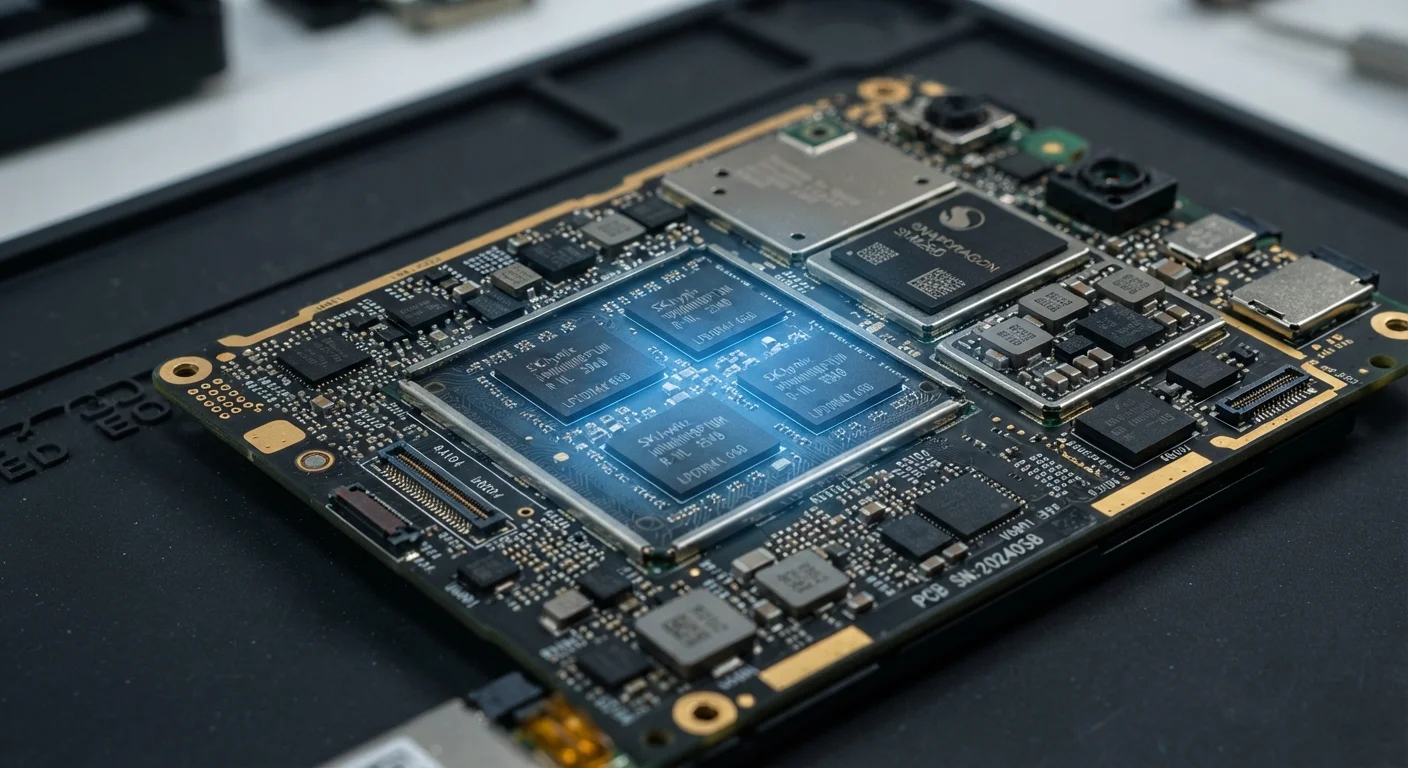
Photo credit: Telecom360.net | Connecting You To The Latest In Telecom
In this article
Smartphone RAM affects multitasking and app retention, but the relationship isn't linear. Learn what RAM figures actually signal about daily use.
Key Takeaways
- RAM determines how many apps remain loaded in the background without needing to reload.
- iOS and Android manage memory very differently, making direct RAM comparisons between platforms misleading.
- Beyond a certain threshold, additional RAM yields diminishing real-world performance returns.
- RAM speed and OS memory management matter as much as raw gigabyte count.
- Mid-range phones with efficient software can outperform spec-heavy rivals in everyday multitasking.
What RAM Actually Does in a Smartphone
When you open an app, the operating system loads its code, assets, and state into RAM so the processor can access them quickly. The more apps you have open simultaneously, the more RAM is consumed. When available RAM runs low, the OS begins evicting background apps - forcing a full reload the next time you return to them.
This cycle of loading and unloading is what most users experience as "lag" or "jank" when switching tasks. RAM doesn't make apps run faster once they're active - that's the processor's job - but it determines how many apps can remain on standby without penalty. Understanding this distinction is essential for evaluating specs honestly.
For a broader look at how software layers interact with memory, see our complete introduction to smartphone software performance.
LPDDR5X
Current flagship RAM standard
LPDDR5X offers roughly double the bandwidth of LPDDR4X, enabling faster data transfer between RAM and the processor in modern flagship smartphones.
6-8 GB
Practical RAM range for typical Android use
Industry analysts and device benchmark data consistently indicate that 6-8 GB covers the vast majority of everyday Android multitasking workloads without meaningful compromise.
~2-3 GB
Typical OS and UI overhead on Android
Android's base system and manufacturer UI layers can consume 2-3 GB of RAM before any user application launches, reducing effective headroom on lower-spec devices.
Why the Platform Changes Everything
Comparing RAM across Android and iOS devices is a common mistake. Apple's iOS is built around a unified memory architecture and highly controlled app ecosystem, which allows it to run efficiently on lower RAM figures. Android's open model supports a wider range of apps and background services, which typically require more headroom.
This doesn't make one platform superior - it reflects fundamentally different design philosophies. A current iOS device with 8 GB can deliver comparable or better multitasking retention than an Android device with 12 GB, depending on the apps involved and OS version.
See how Android and iOS each handle background tasks and app lifecycle for a detailed side-by-side breakdown.
Virtual RAM: A Software Supplement, Not a Substitute
Several Android manufacturers offer a virtual RAM feature that allocates a portion of internal storage as overflow memory. While this can reduce the frequency of app reloads under mild memory pressure, storage is considerably slower than physical LPDDR RAM. The benefit is real but limited, and its effectiveness depends on the speed of the device's internal storage.
The Diminishing Returns Above a Threshold
For most Android users, 8 GB of RAM covers the majority of real-world workloads comfortably. Moving from 8 GB to 12 GB produces a measurable improvement for heavy multitaskers - those juggling video editing apps, multiple browser tabs, and communication tools simultaneously. Moving from 12 GB to 16 GB, however, offers returns that are difficult to observe in typical daily use.
Manufacturers sometimes inflate RAM figures to win spec-sheet comparisons rather than to address genuine user needs. The quality and speed of the RAM - measured in LPDDR generation and bandwidth - and how well the OS leverages it matter as much as the headline gigabyte count.
This mirrors a broader pattern in smartphone hardware: battery mAh figures tell only part of the endurance story, and the same logic applies to memory. Raw numbers without context are incomplete specifications.
Check RAM Generation, Not Just Capacity
When comparing devices, look for the LPDDR generation alongside the gigabyte figure. LPDDR5X provides significantly higher bandwidth than LPDDR4X, which can matter in processor-intensive tasks. Manufacturer spec sheets don't always highlight this detail, so check third-party teardowns or technical reviews for confirmation.
RAM in Context: Storage, Software, and the Whole System
RAM doesn't operate in isolation. Internal storage speed affects how quickly evicted apps can reload - a phone with fast UFS 3.1 storage can restore a background app more quickly than one relying on slower eMMC, partially compensating for tighter RAM budgets. Learn how UFS, eMMC, and NVMe storage types differ in practice.
Software optimization is equally important. Manufacturer UI skins - such as those layered on top of Android by some OEMs - can consume significant RAM overhead before any user app launches. A cleaner software build on 8 GB may retain more apps than a heavily skinned device running 12 GB. Mid-range device performance under multitasking pressure illustrates exactly where these limits surface.
When evaluating a device, treat the RAM figure as one input among several. Ask what OS it runs, how the manufacturer handles memory management, and what storage technology backs it up. That complete picture is what predicts real-world performance.
Frequently Asked Questions

Author
Smartphones Editorial Team
Smartphones Editorial Team is the collective byline for our editorial team and contributor network. Articles published under this byline or an editorial pen name are researched, written, and reviewed according to our editorial standards for clarity, consistency, and independence before publication.
View all articles →