
The Warning Signs Hidden Inside a Phishing Email
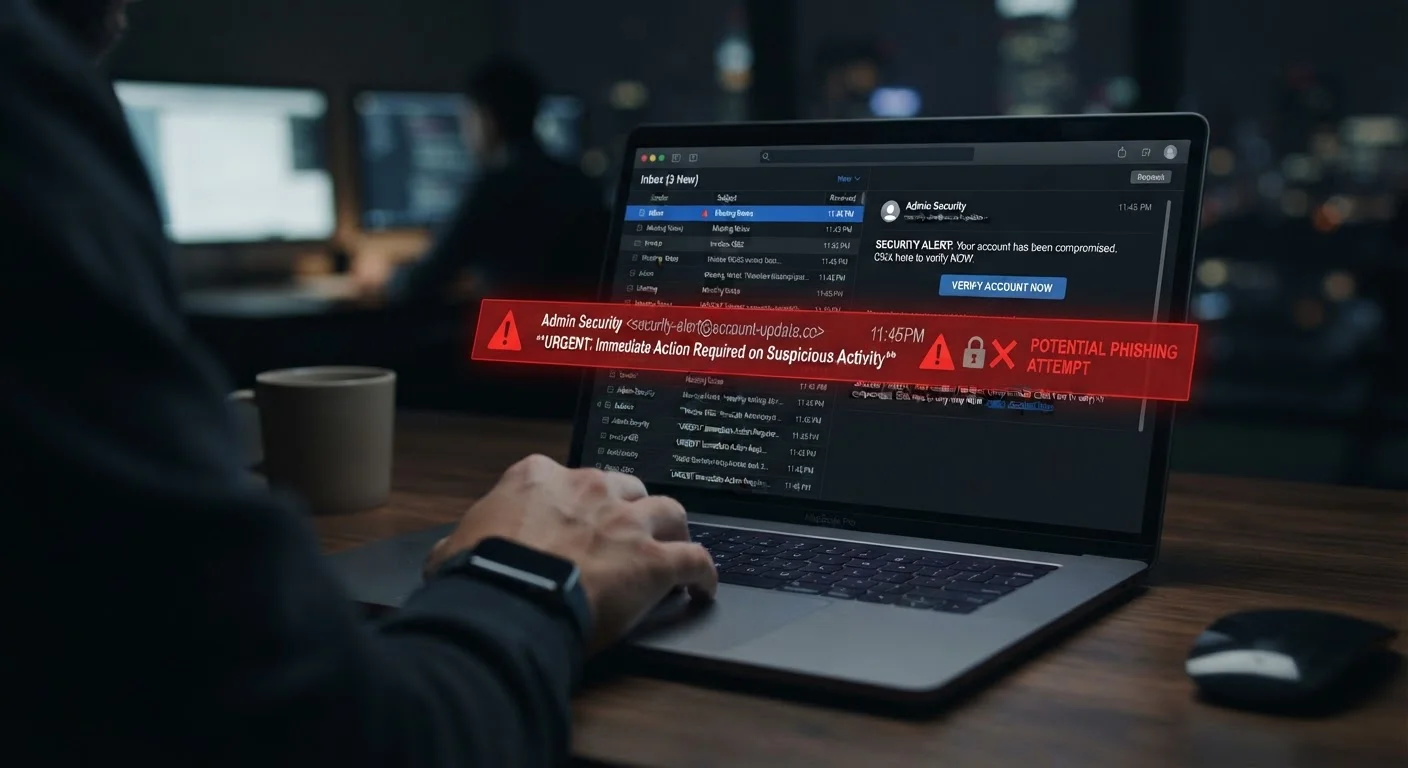
Photo credit: Telecom360.net | Connecting You To The Latest In Telecom
In this article
Sender addresses, urgent language, mismatched links — learn to read the subtle tells that separate a phishing email from a legitimate one.
What Makes Phishing Emails Hard to Spot
Phishing emails have grown more sophisticated over time. Today's attacks often replicate the exact logos, formatting, and tone of real organizations - banks, delivery services, government agencies, and workplace software platforms. The goal is to convince you to click a link, open an attachment, or surrender credentials before doubt sets in.
Understanding the anatomy of these messages is one of the most reliable defenses available. Unlike complex security software, this knowledge travels with you across every device and inbox. For a broader look at how phishing compares to SMS and voice-based attacks, see Phishing, Smishing, and Vishing: What Each Attack Actually Looks Like.
| Most common phishing lure | Impersonation of financial institutions and delivery services (Consistent pattern across major threat intelligence reports) |
| Primary warning signal | Sender address doesn't match the claimed organization's domain |
| High-risk attachment types | .exe, .zip, .docm, .xlsm, and macro-enabled Office files |
| Safest response to a suspicious email | Do not click - verify the sender through an independent channel |
The Red Flags Worth Examining Closely
Phishing emails share a recognizable set of structural weaknesses. Training yourself to notice these patterns takes only a few extra seconds per message.
Phishing
A cyberattack that uses deceptive emails to trick recipients into revealing sensitive information, clicking malicious links, or downloading harmful files. The name derives from 'fishing' - casting bait and waiting for a victim to take it.
Spoofing
The practice of disguising a communication's origin to make it appear to come from a trusted source. In email, this includes faking display names or forging domain addresses.
URL Inspection
The act of previewing a hyperlink's actual destination before clicking. On desktop browsers, hovering over a link reveals the true URL in the status bar.
Malicious Attachment
A file delivered via email that contains code designed to harm the recipient's device or steal data when opened. Common formats include executable files, macro-enabled Office documents, and compressed archives.
Social Engineering
Psychological manipulation techniques used to influence people into taking actions that benefit an attacker. Phishing relies heavily on social engineering - exploiting trust, urgency, or fear.
The Sender Address
The display name - the label your email client shows by default - can be set to anything. Always expand the full From field and read the actual email address. A message claiming to come from your bank but sent from a free webmail account, or from a domain with subtle misspellings (e.g., paypa1.com instead of paypal.com), is almost certainly fraudulent.
Urgency and Pressure Language
Phrases such as "Your account will be suspended in 24 hours" or "Immediate action required" are engineered to override careful thinking. Legitimate organizations rarely demand instant action through unsolicited email. Treat high-pressure language as a signal to slow down, not speed up.
Mismatched or Obscured Links
Before clicking any link, hover over it - or on mobile, press and hold - to preview the destination URL. Watch for domain names that don't match the claimed sender, long strings of random characters, or URL shorteners masking the true destination. A link labeled "Verify your account" that leads anywhere other than the organization's official domain is a strong indicator of fraud.
Generic Greetings and Impersonal Language
Many phishing campaigns are blasted to thousands of addresses simultaneously. Greetings like "Dear Customer" or "Hello User" - rather than your actual name - suggest the sender doesn't know who you are, which legitimate service providers typically do.
Unexpected Attachments
Attachments you didn't request, especially files ending in .exe, .zip, .docm, or .xlsm, carry elevated risk. Even PDF files can contain malicious embedded content. If an attachment arrives without prior context, verify the sender's identity through a separate channel before opening it.
What to Do When You Suspect a Phishing Email
If an email raises any of the flags described above, the safest immediate response is to do nothing within the email itself - no clicks, no replies, no attachment opens. Navigate directly to the organization's official website by typing the address manually into your browser, or call a verified phone number to confirm whether the communication is genuine.
When in Doubt, Go Directly to the Source
Never use contact information provided inside a suspicious email - phone numbers and links within the message may be controlled by the attacker. Instead, find the organization's official contact details from their verified website or a previous legitimate communication. This simple habit eliminates a large category of risk.
Most email platforms let you report suspected phishing with a single button, which helps providers improve filtering for everyone. If you've already clicked a suspicious link or submitted any information, acting promptly matters. The steps to take after a suspected phishing click guide covers the priority actions that can limit exposure.
Phishing is just one delivery method scammers use. For patterns that appear in text messages instead, Why Scam Texts Feel So Convincing Now examines what makes SMS-based attacks particularly persuasive.

Author
Cybersecurity Editorial Team
Cybersecurity Editorial Team is the collective byline for our editorial team and contributor network. Articles published under this byline or an editorial pen name are researched, written, and reviewed according to our editorial standards for clarity, consistency, and independence before publication.
View all articles →