
Android's Fragmentation Problem: What It Is and Why It Still Matters
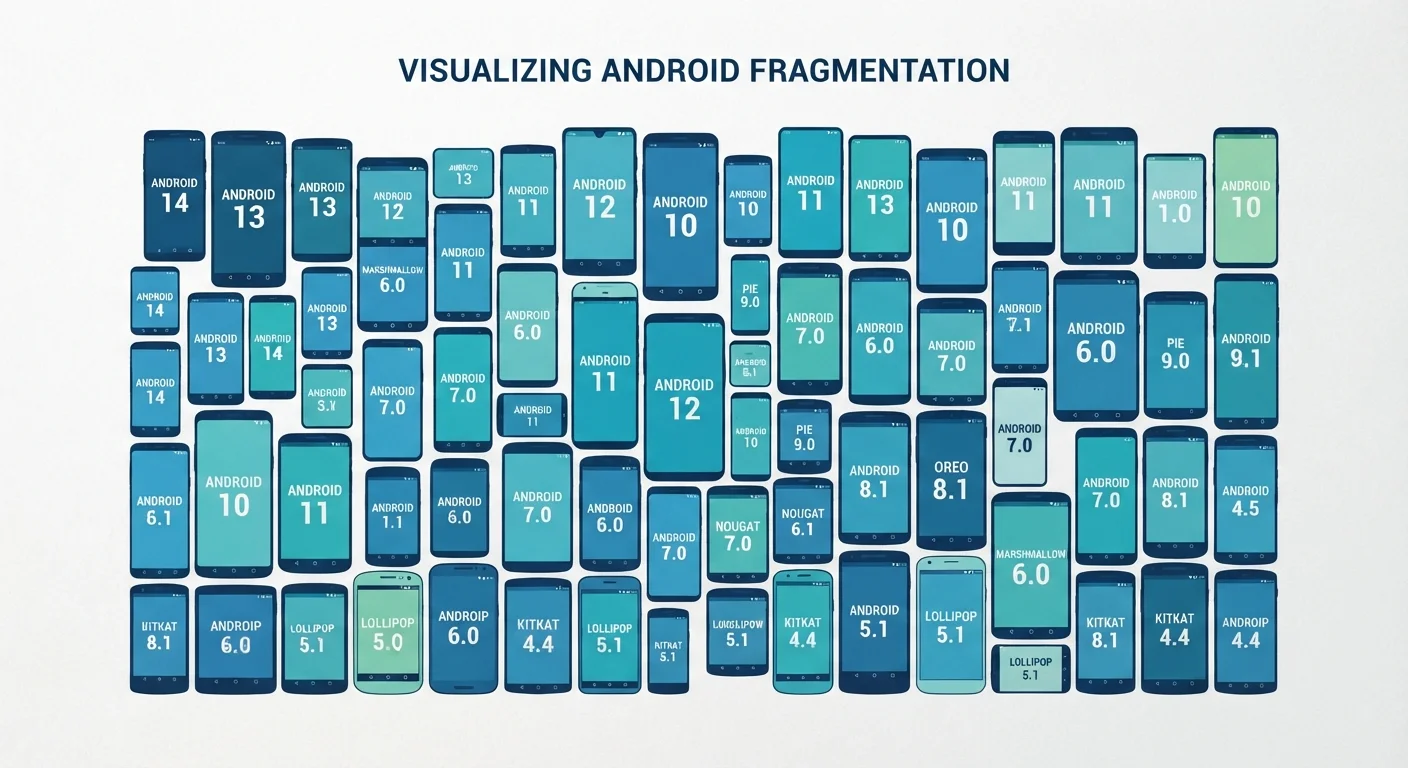
Photo credit: Telecom360.net | Connecting You To The Latest In Telecom
In this article
Android runs on thousands of devices from dozens of manufacturers. Here's what OS fragmentation means for updates, security, and usability.
Key Takeaways
- Android runs on thousands of device models from dozens of manufacturers, creating significant OS version dispersion.
- Manufacturers and carriers add delays between Google's OS releases and when updates reach end users.
- Older Android versions may lack critical security patches, creating real vulnerability exposure.
- App developers must test across many configurations, which can affect feature availability and performance.
- Google has partially addressed fragmentation through Project Mainline, which updates core components independently of full OS upgrades.
How Android's Open Licensing Model Creates Fragmentation
Unlike iOS - where Apple controls both the hardware and the operating system - Google makes Android available under an open-source license that any manufacturer can adopt, modify, and ship. This openness is central to Android's global reach, but it is also the root of fragmentation.
When a manufacturer like Samsung, Motorola, or OnePlus builds a phone, they take the Android Open Source Project (AOSP) code and layer their own user interface, pre-installed apps, and hardware-specific optimizations on top. The result is a device that runs Android but may look and behave quite differently from a Google Pixel - or from another manufacturer's phone on the same Android version. To understand what the OS is doing underneath all of those layers, our explainer on what a mobile OS actually does covers the core mechanics.
The practical consequence: at any moment, the Android ecosystem contains devices running several different major OS versions simultaneously. According to Android developer dashboard data, it routinely takes years for a majority of active devices to migrate to a new Android release - a pattern with no equivalent in the iOS world.
3-4 years
Typical Android version adoption lag
Android developer dashboard data consistently shows it takes multiple years for a majority of active devices to adopt a new major Android release.
~1,000+
Distinct Android device models on the market
Estimates from app compatibility testing firms indicate thousands of unique Android device-and-OS combinations are actively used at any given time.
2-3 months
Average manufacturer update delay
Independent security researchers tracking Android patch distribution have documented typical delays of two to three months between Google's release and manufacturer delivery.
The Update Pipeline: Why Your Phone Lags Behind
Even after Google releases a new Android version, reaching an end user's device involves multiple parties. Google ships the update to device manufacturers, who must then port it to each device model - adapting it to their custom software layer and testing for hardware compatibility. This process alone can take one to several months. Carrier-branded devices add yet another approval stage before the update is pushed over the air.
The financial reality compounds the problem. Manufacturers release new device models constantly, and engineering resources for software updates are finite. Budget and mid-range phones often receive fewer major OS upgrades than flagship models. Some devices ship with a version of Android that is already one generation behind the current release. How Android and iOS handle software upgrade cycles differently explores this pipeline in greater technical detail.
Check Your Security Patch Date, Not Just OS Version
Navigate to Settings > About Phone > Android Version to find both your OS version and your security patch level. The security patch date is often more informative: a device on Android 13 with a patch date from 12 months ago may carry more unaddressed vulnerabilities than a device on Android 12 with a recent patch. Prioritize devices from manufacturers with documented multi-year patch commitments.
Security, App Development, and the Real-World Impact
Fragmentation has tangible consequences that go beyond inconvenience. On the security front, devices stranded on older OS versions may miss patches for vulnerabilities that have since been publicly disclosed. This is a meaningful risk for users who keep phones for three or more years - a common pattern in a market where flagship devices cost over $1,000.
For developers, a fragmented ecosystem means an app intended for Android must account for differences in API availability, screen sizes, hardware capabilities, and manufacturer software behaviors. This raises testing costs and can lead to features being withheld from older API versions, or inconsistent performance across devices. If you've noticed the same app behaving differently on two Android phones, fragmentation is frequently a contributing factor - something our look at why apps feel different across platforms examines in depth.
Google's Project Mainline has meaningfully narrowed the security gap by decoupling critical OS components from full Android version upgrades. But core OS features, UI behaviors, and major API additions still depend on the full upgrade path - meaning fragmentation at the platform level persists. For a broader comparison of how Android and iOS approach these structural differences, see how their core architectures differ.
Frequently Asked Questions

Author
Smartphones Editorial Team
Smartphones Editorial Team is the collective byline for our editorial team and contributor network. Articles published under this byline or an editorial pen name are researched, written, and reviewed according to our editorial standards for clarity, consistency, and independence before publication.
View all articles →