
Cloud Storage vs. Local Storage: Understanding the Core Trade-offs
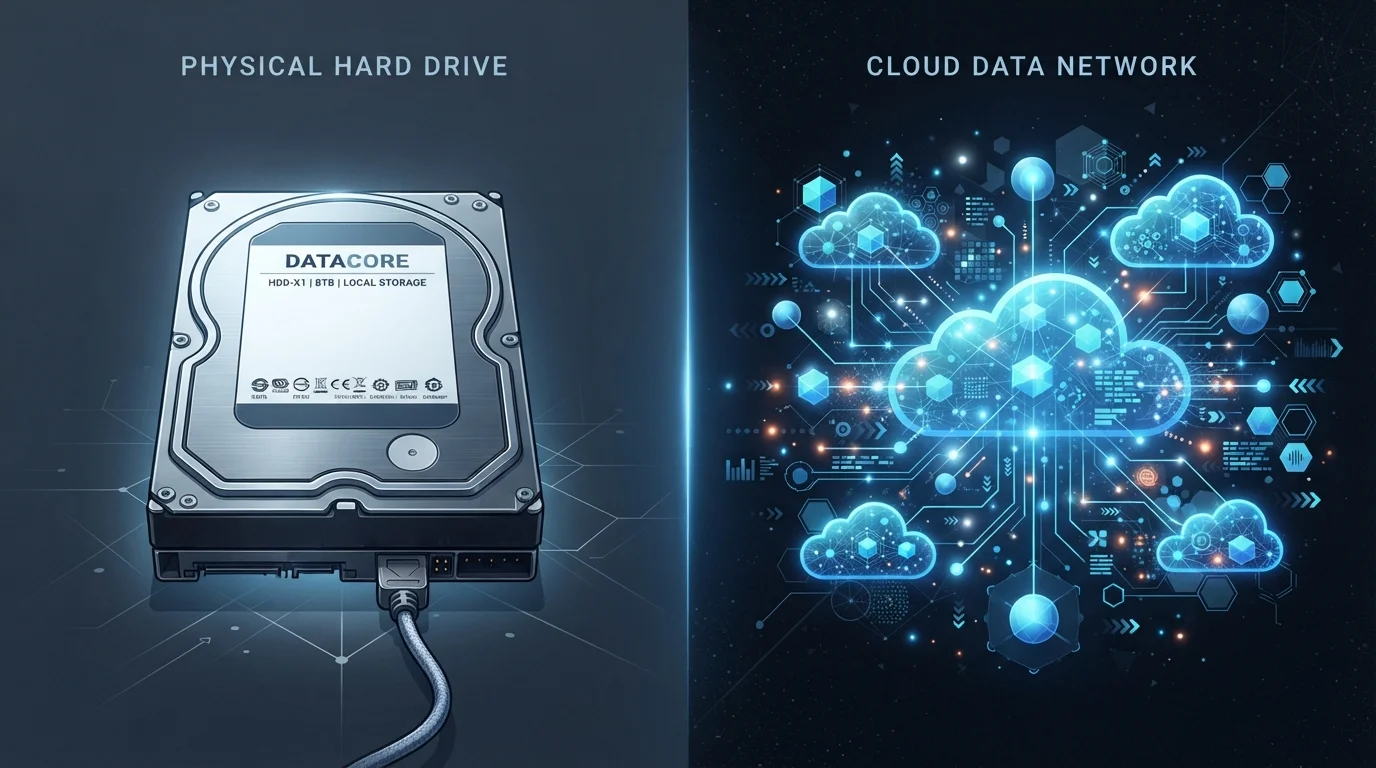
Photo credit: Telecom360.net | Connecting You To The Latest In Telecom
In this article
Storing files locally or in the cloud each has distinct advantages. Here's how to think through the choice clearly.
Key Takeaways
- Local storage offers faster access speeds and works without an internet connection.
- Cloud storage provides automatic off-site redundancy, reducing risk from device loss or damage.
- Long-term costs differ: local storage is a one-time hardware cost; cloud storage involves recurring fees.
- Privacy considerations vary - local data stays under your direct control; cloud data is managed by a third party.
- A hybrid approach - using both methods together - suits most households and businesses.
What Each Approach Actually Means
Local storage means files are saved directly to hardware you own - an internal drive inside a laptop or phone, an external hard drive, or a USB flash drive. The data lives on physical media in your possession.
Cloud storage means files are transmitted over the internet to servers operated by a third-party provider and stored in a remote data center. You access your files through an app or web browser rather than directly from hardware. For a deeper look at what happens the moment you hit upload, see how cloud storage actually works.
Neither method is inherently superior - each reflects a different set of priorities around speed, cost, accessibility, and risk.
Head-to-Head: Key Differences at a Glance
The table below contrasts cloud and local storage across the criteria most readers care about. Keep in mind that real-world performance varies depending on the specific hardware or service involved.
| Criterion | Local Storage | Cloud Storage |
|---|---|---|
| Access speed | Very fast (hardware-limited) | Dependent on internet speed |
| Offline access | Always available | Limited or unavailable |
| Cost model | One-time hardware purchase | Recurring subscription fee |
| Multi-device access | Requires manual transfer | Automatic, seamless syncing |
| Data redundancy | User-managed; single point of failure | Built-in, multi-location redundancy |
| Privacy control | Full ownership by user | Managed by third-party provider |
| Sharing files | Physical transfer or manual upload | Instant link sharing |
| Scalability | Requires hardware purchase | Adjustable on demand |
One nuance worth noting: cloud storage and cloud backup are related but distinct concepts. Syncing files to the cloud does not automatically create a versioned backup - cloud storage is not the same as a cloud backup, and confusing the two can leave you exposed to data loss.
Where Local Storage Has a Clear Edge
Local drives - particularly modern NVMe SSDs - deliver read and write speeds measured in gigabytes per second. That makes them the practical choice for editing high-resolution video, running large databases, or loading resource-intensive applications. Cloud connections, even on fast broadband, cannot match that throughput.
Local storage also functions without any internet connection. For users in areas with unreliable connectivity, or those who travel frequently, this independence is a meaningful advantage.
Finally, local storage involves a one-time hardware cost. A 2 TB external SSD purchased once may serve for years without any recurring fee, whereas equivalent cloud capacity typically requires a monthly or annual subscription.
Local Drives Fail Too
Hard disk drives (HDDs) have mechanical components that wear out over time; even solid-state drives (SSDs) have finite write cycles. Physical drives can also be lost to theft, fire, or flood. Treating a single local drive as your only copy is a meaningful risk - the same caution applies equally to relying solely on cloud storage without any local backup.
Where Cloud Storage Has a Clear Edge
The most obvious advantage of cloud storage is device independence. A file saved to a cloud folder on a work computer is immediately accessible on a phone during a commute or on a colleague's laptop across the country. This seamless availability is difficult to replicate with physical drives.
Cloud providers also handle redundancy automatically. Reputable services store multiple copies of your data across geographically separate data centers, so hardware failures that would destroy a local drive do not result in permanent loss. For a plain-language explanation of how that works, see how cloud providers keep data available.
Sharing is also far simpler. Rather than copying files to a drive and handing it to someone, you generate a link - and access can be revoked at any time. For practical scenarios where this matters, everyday cloud storage use cases are worth exploring.
Privacy, Security, and Control
With local storage, you are the sole custodian of your data. No third party can access, sell, or be compelled to hand over your files unless they have physical access to your device. This is why regulated industries - healthcare, legal, finance - often mandate on-premises storage for sensitive records.
Cloud storage introduces a dependency on a provider's security practices, legal jurisdiction, and business continuity. A provider's breach, acquisition, or shutdown can affect your data in ways a local drive cannot. That said, reputable providers invest heavily in encryption and access controls that exceed what most individuals can implement locally.
The honest answer is that both methods carry distinct risk profiles, not one universal answer. the case for and against keeping everything in the cloud explores this tension in more depth.
60%
Share of enterprise data stored in the cloud
Flexera's 2023 State of the Cloud report found that organizations store roughly 60% of their data in cloud environments, up from under 30% five years prior.
140 ZB
Global data created and replicated annually
IDC's Global DataSphere forecast projects the world will generate approximately 120-140 zettabytes of data per year by the mid-2020s, highlighting scale challenges for any single storage strategy.
Choosing a Practical Approach
For most individuals and small teams, the most resilient strategy is a hybrid model: primary files stored locally for speed and control, with automatic cloud syncing enabled for off-site protection and cross-device access. This mirrors the classic 3-2-1 backup principle - three copies, two media types, one off-site.
The right balance depends on your specific needs. A freelance video editor working with terabytes of raw footage will weight local performance heavily. A distributed team collaborating on shared documents will weight cloud accessibility. A small business handling sensitive client records may weight local control while using cloud services only for non-sensitive workflows.
If you're evaluating cloud storage beyond personal use, how personal and business cloud plans actually differ is a useful next step. And for a comprehensive reference that covers security, use cases, and practical guidance, see our full cloud storage reference.

Author
AI & Cloud Editorial Team
AI & Cloud Editorial Team is the collective byline for our editorial team and contributor network. Articles published under this byline or an editorial pen name are researched, written, and reviewed according to our editorial standards for clarity, consistency, and independence before publication.
View all articles →