
Why Cloud Storage Isn't the Same as a Cloud Backup
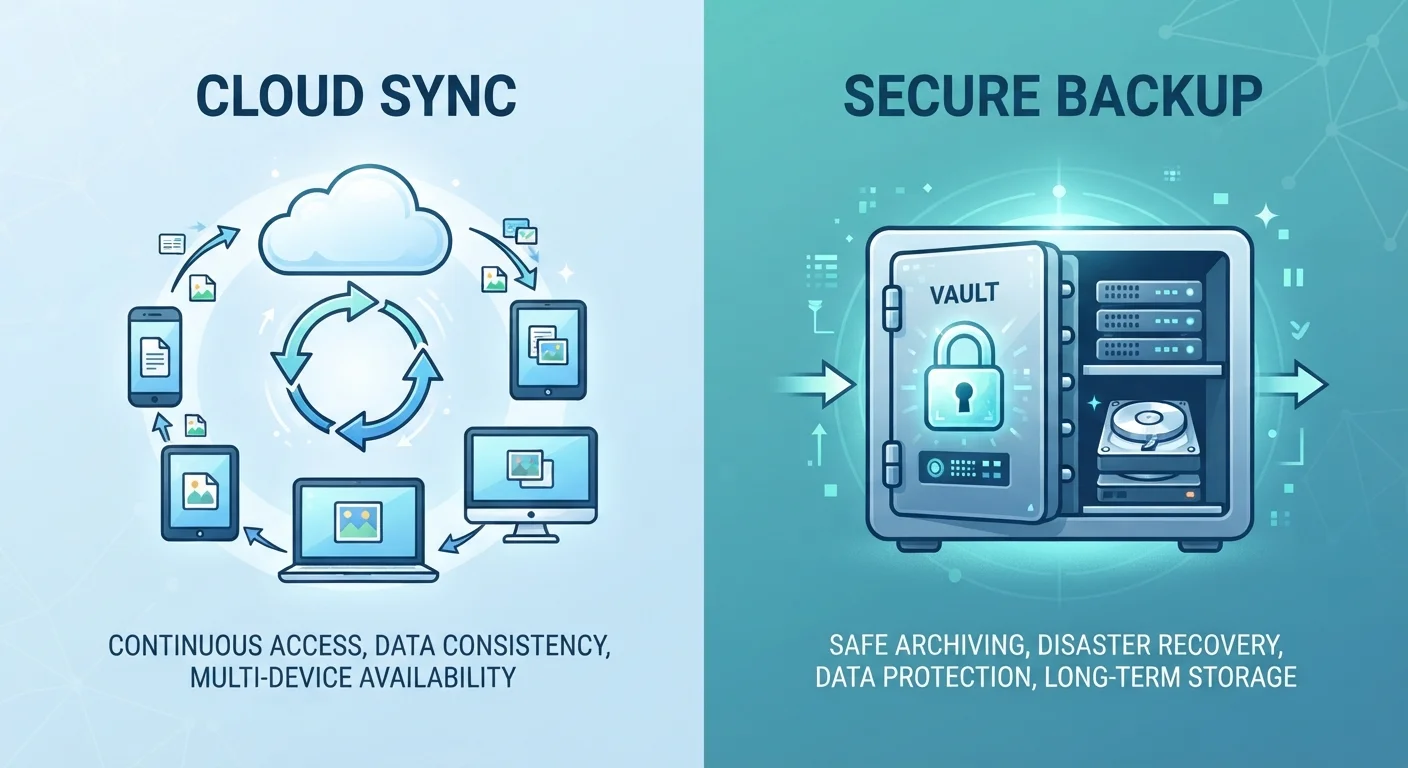
Photo credit: Telecom360.net | Connecting You To The Latest In Telecom
In this article
Many people assume syncing files to the cloud is a backup. It often isn't. Learn the critical difference before data loss occurs.
Key Takeaways
- Syncing files to cloud storage does not automatically create a protected backup copy.
- Deletions and corruptions made on one device propagate instantly to synced cloud copies.
- A true backup preserves versioned, recoverable snapshots that exist independently of your live files.
- The 3-2-1 rule - three copies, two media types, one offsite - remains a reliable data protection framework.
- Understanding this distinction before data loss occurs is far easier than recovering from it afterward.
The Confusion That Costs People Their Files
When people set up a cloud storage service and watch their folders sync, it feels like a safety net has appeared beneath their digital lives. Photos, documents, and project files are no longer trapped on a single device - they live in the cloud. That feeling of security is understandable, but it frequently leads to a dangerous assumption: that syncing equals backing up.
These are meaningfully different operations, and conflating them is one of the most common reasons people lose data they believed was protected. The mistakes that lead to regret often start here - not with a hardware failure, but with a misunderstanding of what a cloud service actually does with your files.
Myth
If my files are synced to the cloud, they are safely backed up and I can recover them anytime.
Fact
Sync mirrors your current file state - deletions, overwrites, and corruptions propagate to the cloud copy in real time.
Cloud sync services like those bundled with common consumer platforms are designed for accessibility, not preservation. When you delete a file locally, the sync client removes it from the cloud within moments. While some services offer a brief deletion window - often 30 days or less on free tiers - this is not the same as a structured backup with long-term version history. Relying on sync alone leaves you one accidental deletion away from permanent loss.
Myth
Because my files exist in two places (my device and the cloud), I have redundancy in case something goes wrong.
Fact
Two copies that change in lockstep offer no protection against the most common data-loss events.
Redundancy is meaningful only when the copies are independent. A synced cloud folder and a local folder share the same fate for events like accidental deletion, file corruption, ransomware, and account compromise. Genuine redundancy requires at least one copy that is isolated from live changes - either a versioned cloud backup or a disconnected local drive that is updated on a schedule.
Myth
Ransomware can't reach my cloud files because they're stored remotely.
Fact
Ransomware routinely encrypts files through sync clients, pushing the encrypted versions directly to the cloud.
Modern ransomware is designed with cloud sync clients in mind. Because the sync client treats the encryption event as a legitimate file change, it uploads the encrypted versions and overwrites the originals. If version history is disabled or the retention window is too short, recovery becomes impossible without a separate backup. This is one of the more severe real-world consequences of confusing sync with backup.
Myth
Cloud storage services are responsible for keeping my data safe, so I don't need to think about backup separately.
Fact
Cloud storage providers protect their infrastructure, not your individual file history or recovery from user-initiated changes.
Service agreements for cloud storage platforms typically include what the industry calls a shared responsibility model: the provider ensures the platform stays online and data is not lost due to their hardware failures, but recovering from user error, accidental deletion, or account-level events is largely the user's responsibility. Reading the terms of any service reveals how limited default recovery options often are - a worthwhile exercise before an emergency occurs.
What Sync Actually Does to Your Files
A sync service mirrors your current file state across devices and servers. The operative word is mirror. When a file changes on your laptop, that change propagates to the cloud and to every other connected device. This is enormously useful for access and collaboration - but it means the cloud copy is always a reflection of whatever exists locally right now.
Delete a file? The sync service deletes it everywhere. Overwrite a document with corrupted content? That corruption spreads. A ransomware attack that encrypts your local files will, in many cases, encrypt the synced cloud copies too, because the sync client dutifully mirrors every change. The cloud in this scenario is not a fallback - it is an extension of the same vulnerable file system.
Ransomware and Sync: A Dangerous Combination
If ransomware encrypts files on a device connected to a sync client, those encrypted files can propagate to the cloud before the attack is even detected. Unless versioned backup snapshots exist and are retained long enough, the cloud copies offer no path to recovery. Always verify that any backup solution you rely on stores versions independently of your live sync folder.
True backup software behaves differently. It takes periodic, independent snapshots of your data and stores them in a way that is isolated from live changes. Crucially, it retains older versions, so you can roll back to a file as it existed days or weeks ago. That versioning - and the separation from the live file system - is what gives backup its protective value. For a broader look at how these storage models compare, see cloud storage vs. local storage trade-offs.
Building a Reliable Data Protection Strategy
Information security professionals have long referenced the 3-2-1 rule as a practical framework: keep three copies of your data, on two different types of media, with one copy stored offsite. Cloud storage can fulfill the offsite role, but only if it is a genuine backup - not a sync folder that mirrors your current state.
~30 days
Typical deleted-file retention on free sync tiers
Many consumer cloud sync services offer only 30 days of deleted file recovery on free or basic plans, after which files are permanently removed.
3-2-1
Copies, media types, and offsite locations for resilience
The 3-2-1 backup rule is a widely cited framework in data protection: three total copies, two different storage types, one stored offsite and independent.
For most individuals, a layered approach works well: use cloud sync for convenient access and collaboration, and use a dedicated backup solution for recovery protection. Some backup services offer both functions, but it is worth verifying that version history is actually enabled and that deleted file retention extends beyond a short window. Business users face additional considerations around compliance and recovery time objectives - areas explored in personal vs. business cloud storage differences.
The practical takeaway is straightforward: before assuming you are protected, ask whether you could recover a file deleted three weeks ago, or restore a document to how it read yesterday morning. If the answer is uncertain, your current setup is storage - not backup.

Author
AI & Cloud Editorial Team
AI & Cloud Editorial Team is the collective byline for our editorial team and contributor network. Articles published under this byline or an editorial pen name are researched, written, and reviewed according to our editorial standards for clarity, consistency, and independence before publication.
View all articles →