
The Full Lifecycle of a Mobile App - From First Build to End of Support
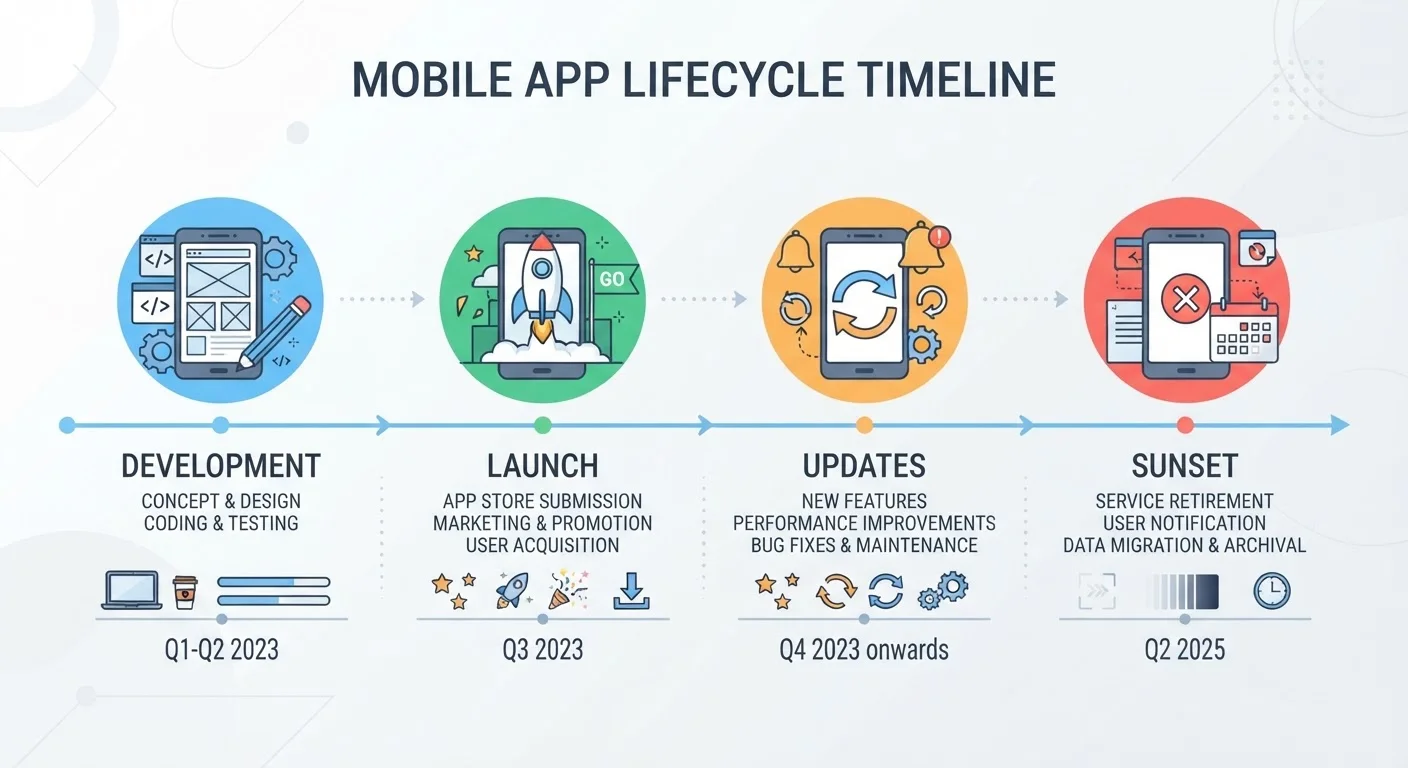
Photo credit: Telecom360.net | Connecting You To The Latest In Telecom
In this article
Apps are born, updated, and eventually abandoned. Understand the key stages of an app's life and what each phase means for users.
Key Takeaways
- Every app passes through distinct lifecycle phases: development, distribution, active maintenance, and eventual sunset.
- Store review processes on iOS and Android differ, affecting how quickly updates reach users.
- Active maintenance is where most of an app's real lifespan is spent - often years of iterative updates.
- End of support doesn't always mean the app stops working immediately, but security risks accumulate quickly.
- Understanding lifecycle phases helps users make smarter decisions about which apps to trust long-term.
What Is an App Lifecycle?
Every app on your phone - from a simple calculator to a complex productivity suite - follows a predictable arc. Developers build it, distribute it, maintain it, and eventually stop supporting it. Understanding this lifecycle helps you interpret what's happening when an app suddenly feels sluggish after an OS update, why an app you rely on hasn't shipped new features in months, or what it actually means when a company announces "end of support."
For a broader grounding in how apps function under the hood, see our guide to core app concepts. This article focuses specifically on the stages of an app's life - what happens at each phase and what it means for you as a user.
Phase 1: Development and Pre-Launch
Before any user touches an app, developers make foundational decisions that shape its entire future. The most significant is architecture: will this be a native app written specifically for iOS or Android, a web-based app wrapped in a browser shell, or a hybrid that blends both approaches? Each choice carries real performance and maintenance trade-offs. Native, web, and hybrid apps each have distinct characteristics that ripple through every subsequent lifecycle stage.
During development, teams build against a target OS version - typically the current release and one or two versions back. They run internal testing (called alpha testing) and then limited external testing (beta testing) before a public launch. Beta programs surface real-world bugs that controlled environments miss, which is why joining a beta often means accepting instability in exchange for early access.
Check the 'Last Updated' date on an app's store listing before installing it for any sensitive use - a gap of more than a year is worth investigating before you grant permissions.
Unmaintained apps may retain access to sensitive data while lacking patches for known vulnerabilities, creating a risk that isn't visible from the app's interface alone.
When joining a beta program, treat that install as separate from your production workflow - beta builds can introduce data-handling changes that persist even after you downgrade.
Beta apps sometimes migrate local data formats or account settings in ways that aren't reversible, which can disrupt your experience if you exit the beta program.
Phase 2: Distribution and Store Approval
Getting an app to users means passing through platform gatekeepers. Apple's App Store and Google Play both require developers to submit builds for review, but the processes differ meaningfully. Apple conducts a manual review that historically takes one to three days and enforces strict guidelines around privacy, content, and API usage. Google's review is more automated, though human review is applied to apps that trigger risk signals.
These review policies directly affect how quickly a critical bug fix reaches users - a reality that has real consequences when a security vulnerability is discovered. Google can generally push a patch faster than Apple's pipeline allows. This platform divergence is part of why the same app can behave differently on Android and iOS.
~1-3 days
Typical Apple App Store review time
Apple's developer documentation indicates most app reviews are completed within 24 to 48 hours, though complex submissions may take longer.
~50%
Apps abandoned within two years of launch
Industry analyses of app store data consistently suggest a large proportion of apps receive no updates after their first year or two of availability.
Phase 3: Active Maintenance and Updates
The active maintenance phase is where an app spends the majority of its life - often years. It encompasses bug fixes, performance improvements, new feature releases, and ongoing compatibility work as iOS and Android themselves evolve. Each major OS update can break existing behaviors, deprecate APIs (the programming interfaces apps use to access system features), or introduce new capabilities developers want to adopt.
From a user perspective, this phase manifests as a steady stream of App Store or Play Store updates. The changelog - often dismissed as "bug fixes and performance improvements" - represents genuine engineering work keeping the app functional on current hardware and OS versions. When that stream slows dramatically, it's often an early signal that the app is moving toward decline. For a reference on the technical terms involved in this process, our mobile OS and app glossary covers key concepts like APIs, sandboxing, and deprecation.
Read Changelogs as Health Signals
Even vague update notes like 'performance improvements' confirm that a developer is actively responding to real-world usage. An app with consistent - even minor - updates is more likely to remain compatible with future OS releases than one that hasn't shipped anything in six months. Make it a habit to glance at update frequency before relying on an app for anything important.
Phase 4: Decline and End of Support
Apps enter decline for a range of reasons: the developer runs out of funding, the product is superseded by a newer offering, the user base shrinks below a sustainable threshold, or a company is acquired and the acquirer deprioritizes the product. The observable signs include infrequent updates, unanswered support tickets, and documentation that goes stale.
End of support is a formal (or informal) decision to stop shipping updates. Some companies announce it clearly with a sunset date; others simply stop updating without public notice. The distinction matters for how users should respond.
Informal Sunsets Are Common and Risky
Many developers stop updating apps without any announcement, leaving users unaware they're running unsupported software. This is particularly common with apps from startups that quietly wound down or products acquired in acqui-hires. If an app's last update was more than a year ago and the developer's website or social presence has gone quiet, treat it as functionally unsupported regardless of what the store listing says.
What End of Support Means for Users
An unsupported app doesn't necessarily stop working the day support ends. In many cases, it continues functioning normally - until something changes in the environment around it. A new OS version may introduce incompatibilities; a back-end service the app depends on may go offline; a security vulnerability may be discovered with no patch forthcoming.
The security dimension is the most serious concern. Unpatched apps can expose users to known exploits, particularly if they handle sensitive data like financial accounts or health records. Users relying on apps for business workflows face similar risk - device lifecycle planning in enterprise contexts accounts for app support windows as a core variable.
The practical guidance: treat a lack of updates over six or more months as a flag worth investigating, especially for apps with access to sensitive permissions. Check the developer's official channels for any sunset announcement before the app becomes a liability rather than a tool.
Platform Removal Doesn't Delete Your Install
When a developer removes an app from the App Store or Google Play, existing installs continue to function on your device - you just can't download it fresh or receive future updates. This is worth knowing if an app you rely on disappears from search results; check your installed apps before assuming it's gone.

Author
Apps & Software Editorial Team
Apps & Software Editorial Team is the collective byline for our editorial team and contributor network. Articles published under this byline or an editorial pen name are researched, written, and reviewed according to our editorial standards for clarity, consistency, and independence before publication.
View all articles →