
ARM vs. x86 Processors in Business Devices: What the Architecture Shift Means for IT
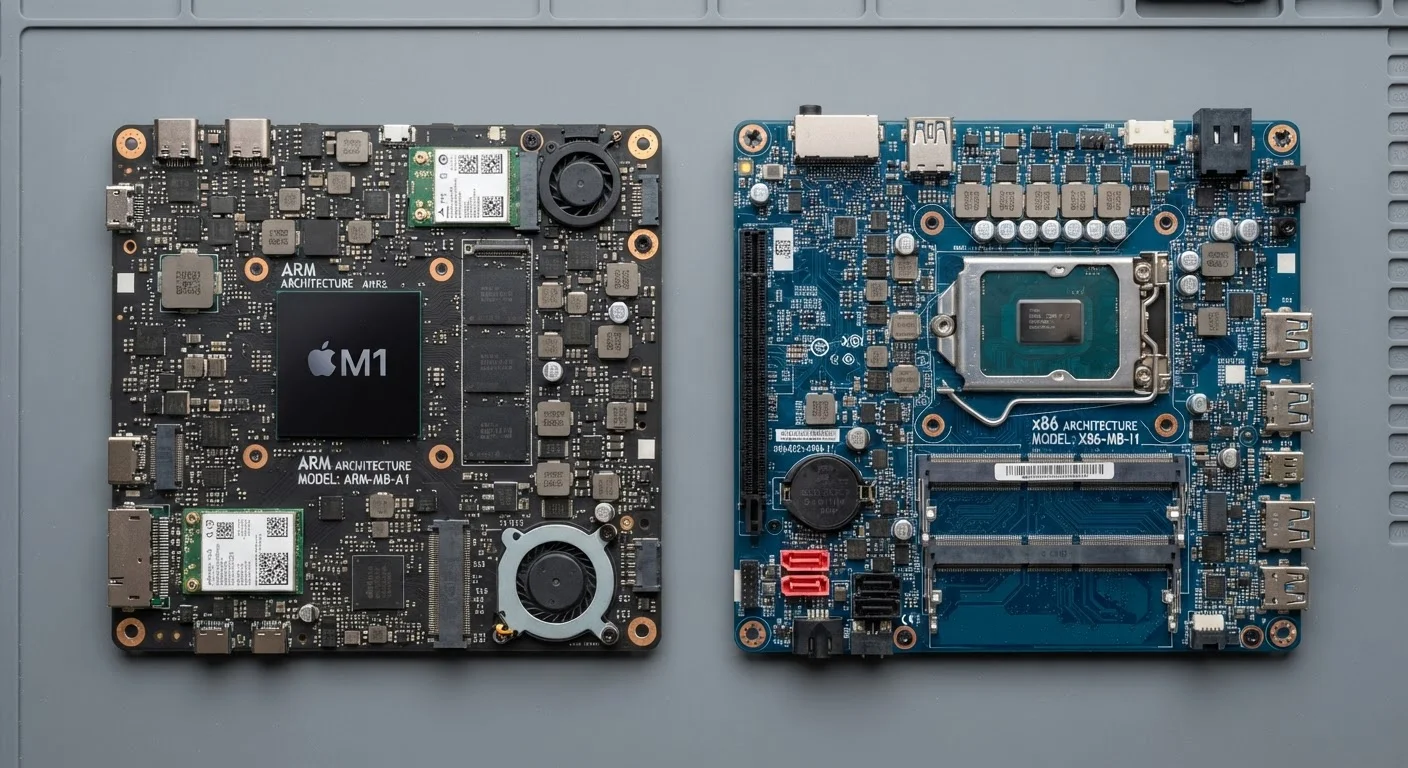
Photo credit: Telecom360.net | Connecting You To The Latest In Telecom
In this article
ARM chips are appearing in more business laptops. Here's what the architectural difference means for software compatibility and management.
Key Takeaways
- ARM chips offer superior power efficiency, while x86 processors have broader native software compatibility for legacy enterprise applications.
- Software emulation on ARM devices can close compatibility gaps but introduces measurable performance overhead for x86-native apps.
- Modern device management platforms such as Microsoft Intune and Jamf support both architectures, but ARM-specific agent versions must be verified.
- ARM processors increasingly integrate neural processing units (NPUs) relevant to AI-assisted enterprise workloads.
- IT procurement teams should audit software dependencies before transitioning any fleet to ARM-based devices.
- x86 remains the safer default for mixed-use enterprise environments with diverse legacy application portfolios.
The Architectural Divide: What Actually Differs
ARM (Advanced RISC Machine) and x86 represent fundamentally different design philosophies for processing instructions. x86, developed by Intel and extended by AMD, uses a CISC design that handles complex instructions directly in hardware - a legacy optimized for desktop and server workloads dating back decades. ARM uses a RISC approach, executing simpler instructions more efficiently, which traditionally translates to lower power draw and heat generation.
In practical enterprise terms, this distinction matters most in three areas: software compatibility, power consumption, and peripheral support. x86 chips run the vast majority of existing Windows enterprise software natively, including line-of-business applications, ERP clients, and specialized utilities that IT departments have standardized on for years. ARM processors, by contrast, require software to be compiled specifically for the ARM instruction set - or rely on emulation layers when native versions are unavailable.
For IT buyers evaluating business laptop options, understanding this architectural split is a prerequisite to any procurement decision.
| Criterion | ARM Processors | x86 Processors |
|---|---|---|
| Instruction Set Design | RISC - simpler, efficient instructions | CISC - complex, legacy-optimized instructions |
| Native Software Compatibility | Requires ARM64 builds or emulation | Broad native support across enterprise apps |
| Power Efficiency | High - extended battery life | Moderate - improving with newer generations |
| On-Device AI (NPU) | Integrated NPU in modern chips | NPU support varies; less standardized |
| Driver & Peripheral Support | Growing but gaps exist for niche hardware | Mature ecosystem, broad peripheral coverage |
| MDM/Endpoint Tool Support | Major platforms supported; verify agent versions | Full, long-established support |
| Typical Business Use Case | Cloud-native, mobile, AI-assisted workflows | Legacy apps, on-premises software, mixed fleets |
Software Compatibility: The Make-or-Break Factor
The most operationally significant challenge with ARM adoption in enterprise environments is software compatibility. Windows on ARM has matured considerably, and Microsoft's x86 emulation layer allows many x86 applications to run on ARM hardware - but not without trade-offs. Emulated x86 apps typically incur a performance penalty compared to native ARM binaries, and some low-level applications, kernel-mode drivers, and security tools may refuse to run under emulation entirely.
IT teams should conduct a thorough application audit before committing to ARM devices. Key questions include: Does the MDM agent have a native ARM64 build? Do endpoint detection and response (EDR) tools support ARM natively? Are VPN clients and printing drivers ARM-compatible? Many major vendors - including Microsoft, Google, and Adobe - now publish ARM-native versions of their core products, but the long tail of specialized enterprise software lags behind.
~30%
Performance overhead from x86 emulation on ARM
Independent benchmarks have generally found that emulated x86 applications run with a roughly 20-35% performance penalty compared to native ARM64 equivalents on the same hardware.
2×
Battery life advantage in ARM vs x86 business laptops
Comparative reviews of ARM-based business laptops versus equivalent x86 configurations have observed battery life advantages of up to double in real-world usage scenarios.
40%+
Of new Windows PCs projected to use ARM chips
Industry analyst projections, including estimates from firms such as Canalys, suggest ARM-based Windows PCs could represent a significant and growing share of new shipments within a few years.
The trajectory is clear: ARM software support is improving rapidly. However, organizations with heterogeneous software environments should treat compatibility verification as a hard prerequisite, not an afterthought. See the hardware procurement checklist for a structured approach to this audit process.
Performance, Power, and the AI Processing Dimension
On raw compute throughput for CPU-intensive tasks, modern x86 chips from Intel and AMD remain highly competitive. For workloads like video rendering, local database processing, or running complex simulations, x86 devices with discrete GPU options often retain an edge. However, for the typical knowledge worker running a browser, collaboration tools, and office productivity software, the performance difference between ARM and x86 is largely imperceptible in day-to-day use.
Where ARM has a structural advantage is power efficiency. Business laptops based on ARM architecture - including designs using Qualcomm Snapdragon X series chips and Apple Silicon - regularly demonstrate substantially longer battery life than comparable x86 configurations. For organizations equipping traveling employees or field teams, this is a material operational benefit, not merely a spec-sheet figure.
A newer dimension is on-device AI processing. ARM-based chips increasingly integrate dedicated NPU cores designed to accelerate machine learning inference locally. As AI-assisted features become standard in enterprise software - from real-time transcription to intelligent document processing - NPU capability is becoming a procurement criterion. This architectural consideration connects directly to how processor tiers affect real-world performance in modern devices.
Apple Silicon and the Cross-Architecture Precedent
Apple's transition from Intel x86 to its own ARM-based Apple Silicon chips - completed across its Mac lineup - provides a real-world case study in enterprise ARM migration. The transition demonstrated that Rosetta 2 emulation could handle most legacy x86 macOS applications acceptably, but also that some specialized tools required explicit vendor updates. Enterprises considering ARM Windows devices can draw lessons from how organizations managed Apple Silicon compatibility audits and vendor engagement timelines.
Fleet Management and IT Administration Considerations
Enterprise device management tools - Microsoft Intune, Jamf, VMware Workspace ONE - have broadly extended ARM support, but IT administrators should verify specific agent versions and feature parity before deploying ARM devices at scale. Some advanced features, including certain conditional access policies or endpoint analytics agents, may have ARM-specific release timelines that differ from x86 counterparts.
Driver support for peripherals and specialized hardware is another practical concern. Printers, docking stations, smart card readers, and biometric authentication devices all depend on driver availability. x86 has decades of driver ecosystem depth; ARM is catching up but gaps still exist for niche hardware. Organizations with standardized peripheral sets should verify ARM driver availability for every device in the stack.
For IT teams managing both architectures simultaneously - which is the likely near-term reality for most enterprises - maintaining clear documentation of which applications and tools are ARM-certified versus x86-only is essential to avoiding support escalations. This architectural awareness also applies beyond laptops; the same compatibility questions arise when evaluating enterprise smartphones with ARM-based chipsets running managed Android or iOS environments.

Author
Business Tech Editorial Team
Business Tech Editorial Team is the collective byline for our editorial team and contributor network. Articles published under this byline or an editorial pen name are researched, written, and reviewed according to our editorial standards for clarity, consistency, and independence before publication.
View all articles →