
The Case for and Against Smart Locks on Your Front Door
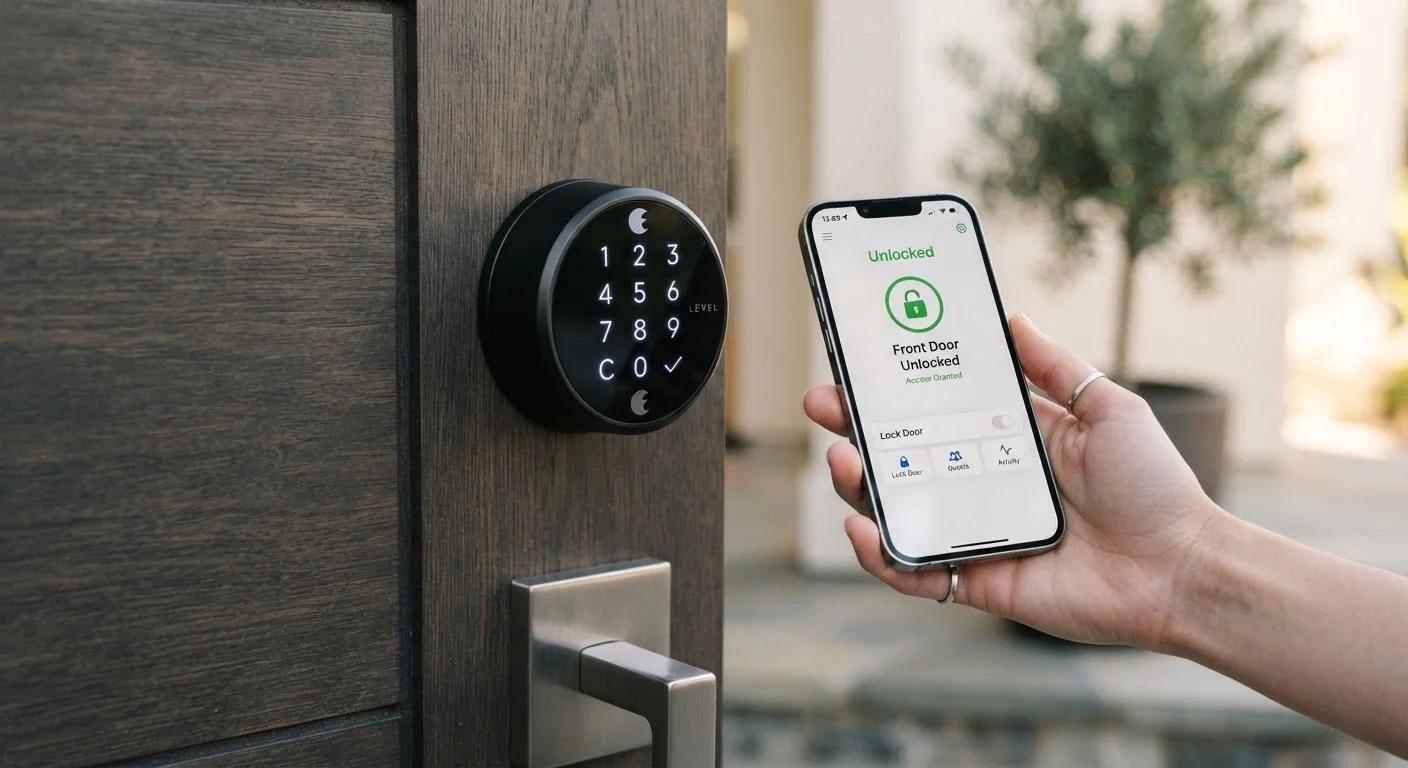
Photo credit: Telecom360.net | Connecting You To The Latest In Telecom
In this article
Smart locks offer real convenience but also introduce security and reliability questions worth understanding before installing one.
Key Takeaways
- Smart locks eliminate physical keys while adding remote access and activity logging.
- They introduce new attack surfaces including Wi-Fi vulnerabilities and software flaws.
- Power outages or connectivity failures can affect lock functionality depending on the model.
- Integration with smart home ecosystems is a genuine convenience with meaningful security implications.
- The right choice depends heavily on your household's technical comfort and threat model.
Keyless entry eliminates lost or copied key risk
Physical keys can be duplicated without the owner's knowledge; smart locks remove that attack vector by tying access to credentials that can be revoked remotely.
Granular, time-limited access for guests and services
Temporary codes or scheduled access windows let you grant entry to contractors, houseguests, or delivery services without duplicating a key or being physically present.
Remote locking and status monitoring
The ability to confirm a door is locked - or lock it - from a remote location addresses a common source of household anxiety and reduces unnecessary return trips home.
Activity logs create an entry audit trail
Timestamped records of who entered and when can be useful for both routine accountability and incident review if something goes wrong.
Integration with home automation ecosystems
Smart locks can trigger routines - turning on lights, adjusting a thermostat, or arming an alarm - creating a more cohesive connected home experience.
Expands digital attack surface on physical security
Wi-Fi or Bluetooth connectivity introduces vulnerabilities that purely mechanical locks do not have; a compromised home network can become a path to unauthorized entry.
Power and connectivity dependencies create failure risk
Battery depletion, Wi-Fi outages, or cloud service interruptions can impair functionality depending on the lock's design, leaving residents locked out or entry management unavailable.
Firmware and software require ongoing maintenance
Like any networked device, smart locks need regular updates to address security vulnerabilities - a maintenance burden physical locks never impose.
Cloud dependency raises long-term continuity questions
Models reliant on manufacturer cloud services may lose core functionality if the company discontinues the product line or its backend infrastructure, with no equivalent issue for mechanical locks.
Installation and compatibility constraints apply
Not all door types and deadbolt configurations support every smart lock design, and renters may face lease restrictions that prevent hardware modification entirely.
What Smart Locks Actually Do
A smart lock replaces or augments the mechanical deadbolt on your front door with an electronically controlled locking mechanism. Instead of - or in addition to - a physical key, entry is granted through a PIN keypad, a smartphone app over Bluetooth or Wi-Fi, a key fob, or biometric data such as a fingerprint. Many models also connect to broader smart home platforms, allowing voice assistant control and automation routines.
Most smart locks retain a physical key cylinder as a backup, though some do not. The defining capability is remote management: granting temporary access to a contractor, checking whether the door is locked from across town, or receiving an alert when a child arrives home. Before evaluating the trade-offs, it helps to understand that "smart lock" covers a wide range of designs with meaningfully different security architectures.
For context on broader device security thinking, device security strategies for connected hardware apply in relevant ways here too.
The Case For Smart Locks
The convenience argument for smart locks is genuine, not just marketing. Households with multiple residents, frequent guests, or service providers benefit measurably from granular access control that physical keys simply cannot offer.
Keyless entry eliminates lost or copied key risk
Physical keys can be duplicated without the owner's knowledge; smart locks remove that attack vector by tying access to credentials that can be revoked remotely.
Granular, time-limited access for guests and services
Temporary codes or scheduled access windows let you grant entry to contractors, houseguests, or delivery services without duplicating a key or being physically present.
Remote locking and status monitoring
The ability to confirm a door is locked - or lock it - from a remote location addresses a common source of household anxiety and reduces unnecessary return trips home.
Activity logs create an entry audit trail
Timestamped records of who entered and when can be useful for both routine accountability and incident review if something goes wrong.
Integration with home automation ecosystems
Smart locks can trigger routines - turning on lights, adjusting a thermostat, or arming an alarm - creating a more cohesive connected home experience.
~25%
US households with at least one smart home device
Statista consumer survey data from recent years places smart home device adoption among US households in roughly this range, reflecting broad but uneven uptake.
1 in 3
Smart lock owners citing convenience as primary motivation
Industry survey data consistently identifies keyless convenience and remote access - not security - as the leading reasons consumers adopt smart locks.
From a security standpoint, smart locks also remove the risk of lost or copied physical keys - a common source of unauthorized entry. Activity logs provide a timestamped record of every entry event, which has practical value for both security monitoring and accountability. Some insurance providers recognize smart security systems in their risk assessments, though policy terms vary widely.
The Case Against Smart Locks
The concerns surrounding smart locks are substantive and worth taking seriously - especially for anyone already attentive to home network security and IoT device risks.
Expands digital attack surface on physical security
Wi-Fi or Bluetooth connectivity introduces vulnerabilities that purely mechanical locks do not have; a compromised home network can become a path to unauthorized entry.
Power and connectivity dependencies create failure risk
Battery depletion, Wi-Fi outages, or cloud service interruptions can impair functionality depending on the lock's design, leaving residents locked out or entry management unavailable.
Firmware and software require ongoing maintenance
Like any networked device, smart locks need regular updates to address security vulnerabilities - a maintenance burden physical locks never impose.
Cloud dependency raises long-term continuity questions
Models reliant on manufacturer cloud services may lose core functionality if the company discontinues the product line or its backend infrastructure, with no equivalent issue for mechanical locks.
Installation and compatibility constraints apply
Not all door types and deadbolt configurations support every smart lock design, and renters may face lease restrictions that prevent hardware modification entirely.
Firmware vulnerabilities have affected multiple smart lock product lines over the years, with researchers demonstrating remote unlocking exploits in several published security audits. A lock connected to a poorly secured home network inherits that network's weaknesses. Additionally, cloud-dependent models raise questions about what happens when a manufacturer discontinues a product or shuts down its backend service - physical locks do not have end-of-life software problems.
Cloud-Connected vs. Local-Only Smart Locks
Some smart locks operate primarily over local Bluetooth or Z-Wave protocols without requiring a persistent cloud connection, while others are deeply integrated with manufacturer cloud platforms. Cloud-connected models typically offer richer remote features but carry greater dependency risk. Local-protocol models sacrifice some convenience but reduce exposure to remote software vulnerabilities and service discontinuation. Clarifying which architecture a given model uses before purchase is a meaningful part of the evaluation.
Key Questions Before Installing
The decision should start with your specific context. How technically willing is your household to maintain connected devices? Do you already run a segmented home network that isolates IoT devices? Are you in a rental or ownership situation that restricts hardware modifications?
Running through a smart home setup readiness checklist before installation is a practical step often skipped. Router placement, network segmentation, and app permission settings all affect how securely a smart lock operates in practice.
It's also worth considering the authentication model. The trade-offs between biometric entry versus PIN-based access are not settled - each has failure modes relevant to physical access control. A well-chosen PIN policy on a smart lock can be more resilient than a poorly implemented biometric system, and vice versa.
Finally, think about failure modes. What happens during a power outage? Does the lock have a mechanical override? How are firmware updates delivered and how often do they occur? These questions matter as much as any feature list.

Author
Consumer Electronics Editorial Team
Consumer Electronics Editorial Team is the collective byline for our editorial team and contributor network. Articles published under this byline or an editorial pen name are researched, written, and reviewed according to our editorial standards for clarity, consistency, and independence before publication.
View all articles →