
Night Mode Under the Hood: Exposure Stacking and What Your Camera Is Doing in the Dark
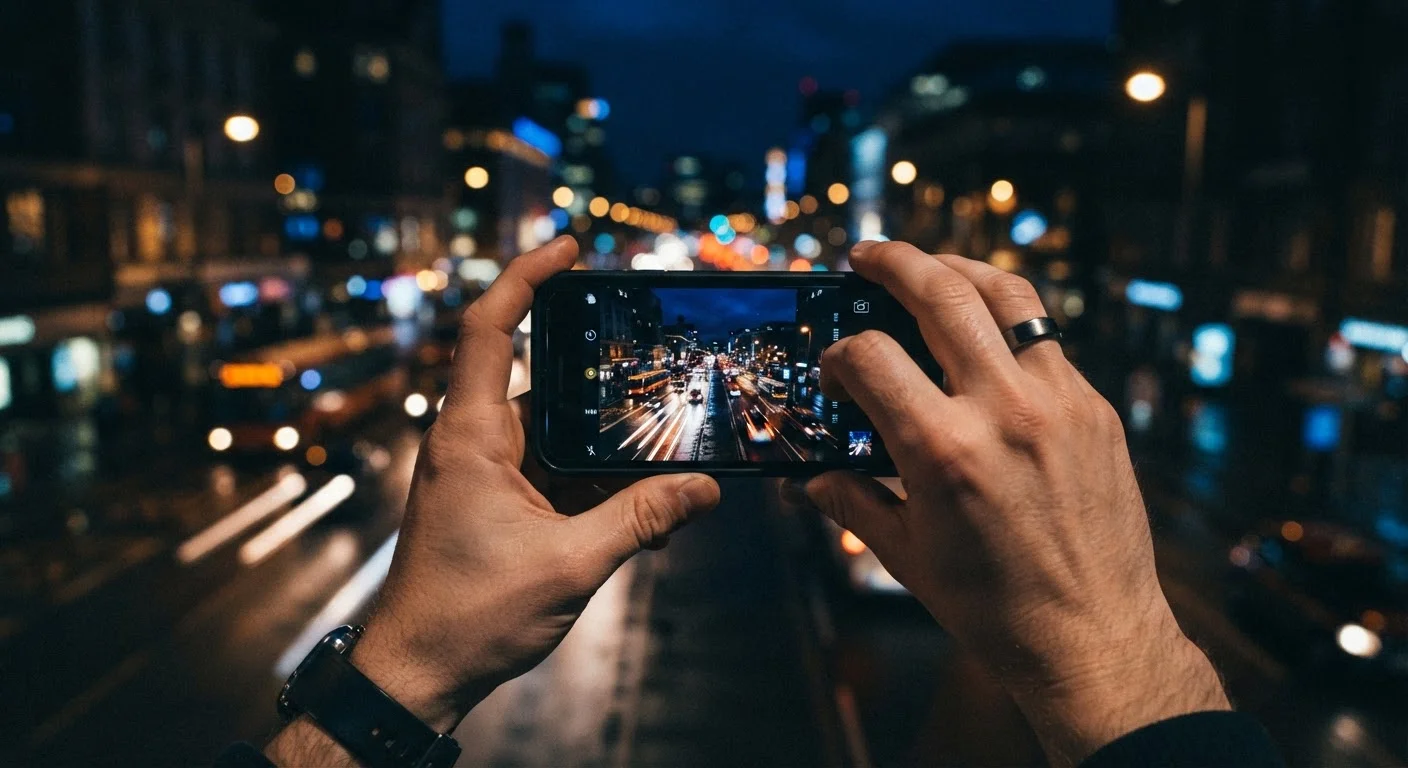
Photo credit: Telecom360.net | Connecting You To The Latest In Telecom
In this article
Night mode isn't just a brightness boost. Discover how multi-frame stacking and noise reduction work together for low-light shots.
Key Takeaways
- Night mode captures a burst of frames at different exposures, not a single long exposure.
- Frames are aligned and merged by on-device software to reduce noise and recover detail.
- A larger sensor physically gathers more light, giving night mode more signal to work with.
- Motion blur in night mode is caused by subject movement between captured frames.
- Understanding how night mode works helps you use it more deliberately in challenging light.
Why a Single Exposure Falls Short in Low Light
A camera sensor captures light by accumulating photons on millions of tiny photodiodes. In bright conditions, each photodiode fills quickly and the signal far exceeds the inherent electronic noise of the sensor. In darkness, the opposite is true: photodiodes collect very few photons, the signal is weak, and noise - random variation in electrical charge - overwhelms the image.
The traditional compensations are familiar: open the aperture wider, raise the ISO, or extend the shutter duration. On a smartphone, aperture is fixed, high ISO amplifies noise just as much as signal, and long exposures capture hand shake as blur. None of these alone produces a clean dark-environment image. That constraint is exactly what computational night mode was designed to solve.
Understanding the sensor physics helps frame what software is actually working against. For a deeper look at how sensor dimensions affect low-light performance, see our smartphone camera sensor explainer.
How Exposure Stacking Works
When you trigger night mode, the camera does not take one long exposure. Instead it fires a rapid burst - typically 4 to 15 frames - where individual exposures range from a fraction of a second up to several seconds total across the sequence. Some frames are intentionally short to freeze motion and anchor alignment; others are longer to pull in shadow detail.
The image signal processor (ISP) then performs three sequential operations:
- Alignment: Each frame is registered against a reference frame. Sub-pixel alignment corrects for hand movement between shots, ensuring edges snap together before merging begins.
- Weighting: Pixels are evaluated for exposure quality. Bright, noise-free regions are weighted heavily; underexposed or noisy pixels contribute less to the final composite. This is sometimes called Wiener filtering or variance-weighted fusion, depending on the implementation.
- Tone mapping: The merged high-dynamic-range composite is compressed back to the display range of the image file, preserving shadow detail without blowing out any bright highlights present in the scene.
4-15+
Frames captured per night mode shot
The exact count varies by manufacturer, scene brightness, and detected motion - the ISP selects frame count dynamically in most modern implementations.
~1-4 sec
Typical on-device processing time
Processing duration reflects the computational load of frame alignment, variance-weighted fusion, and neural denoising running on the device's ISP or AI accelerator.
2-3 stops
Effective exposure improvement over single frame
Multi-frame stacking can recover roughly two to three stops of dynamic range in dark scenes compared to a single auto-exposure capture, according to published computational photography research.
The entire pipeline runs on-device, typically on a dedicated neural processing unit or ISP, which is why newer silicon generally produces better night photos than the same camera hardware running older firmware. Computational photography broadly reshapes images in ways that optics alone cannot achieve.
The Role of AI and Noise Reduction
Modern night mode implementations increasingly use machine-learning models trained on millions of paired noisy-and-clean images. Rather than applying a fixed mathematical filter, these models learn what legitimate detail looks like versus what is random sensor noise, and they suppress the latter while preserving the former at a pixel level.
This AI-driven denoising operates either as a post-stack refinement pass or is woven into the weighting stage itself. The practical result is that shadow areas that would look speckled and smeared with classical filtering retain textural detail - fabric weave, foliage, facial features - more faithfully.
Keep the Phone Steady for Better Stacking
Frame alignment compensates for small hand movement, but it works best when motion is minimal. Bracing your elbows, using a surface, or holding your breath during the capture window gives the algorithm cleaner inputs, which translates directly to sharper shadow detail in the final merged image.
AI also contributes scene detection: the system may recognize that the scene contains a face, a landscape, or moving water, and adjust the number of frames or the aggressiveness of denoising accordingly. This is part of the broader computational photography pipeline described in our AI camera features explainer.
Practical Limits and What They Mean for Your Shots
Exposure stacking is not without trade-offs. The most visible limitation is motion: any subject that moves between the first and last captured frame will appear in slightly different positions across the stack. Alignment cannot fully compensate because the moving object genuinely occupies different coordinates. The result is ghosting or soft edges around people, vehicles, and foliage in wind.
A second limit is processing latency. The camera is unavailable for a second or more after night mode fires while the ISP completes its pipeline. In practice, this means missed follow-up shots.
A third consideration is that the algorithms make choices about what constitutes noise versus fine detail. Aggressive denoising can strip micro-texture, producing a slightly plastic or watercolor quality in shadow areas - especially visible in large prints or zoomed crops.
Knowing these boundaries helps you decide when night mode is the right tool. For full manual control over ISO, shutter speed, and how the sensor itself behaves, our manual controls guide covers how to dial in each parameter yourself.
Frequently Asked Questions

Author
Smartphones Editorial Team
Smartphones Editorial Team is the collective byline for our editorial team and contributor network. Articles published under this byline or an editorial pen name are researched, written, and reviewed according to our editorial standards for clarity, consistency, and independence before publication.
View all articles →