
Video Recording Formats on Smartphones: Codec, Bitrate, and File Size Trade-offs
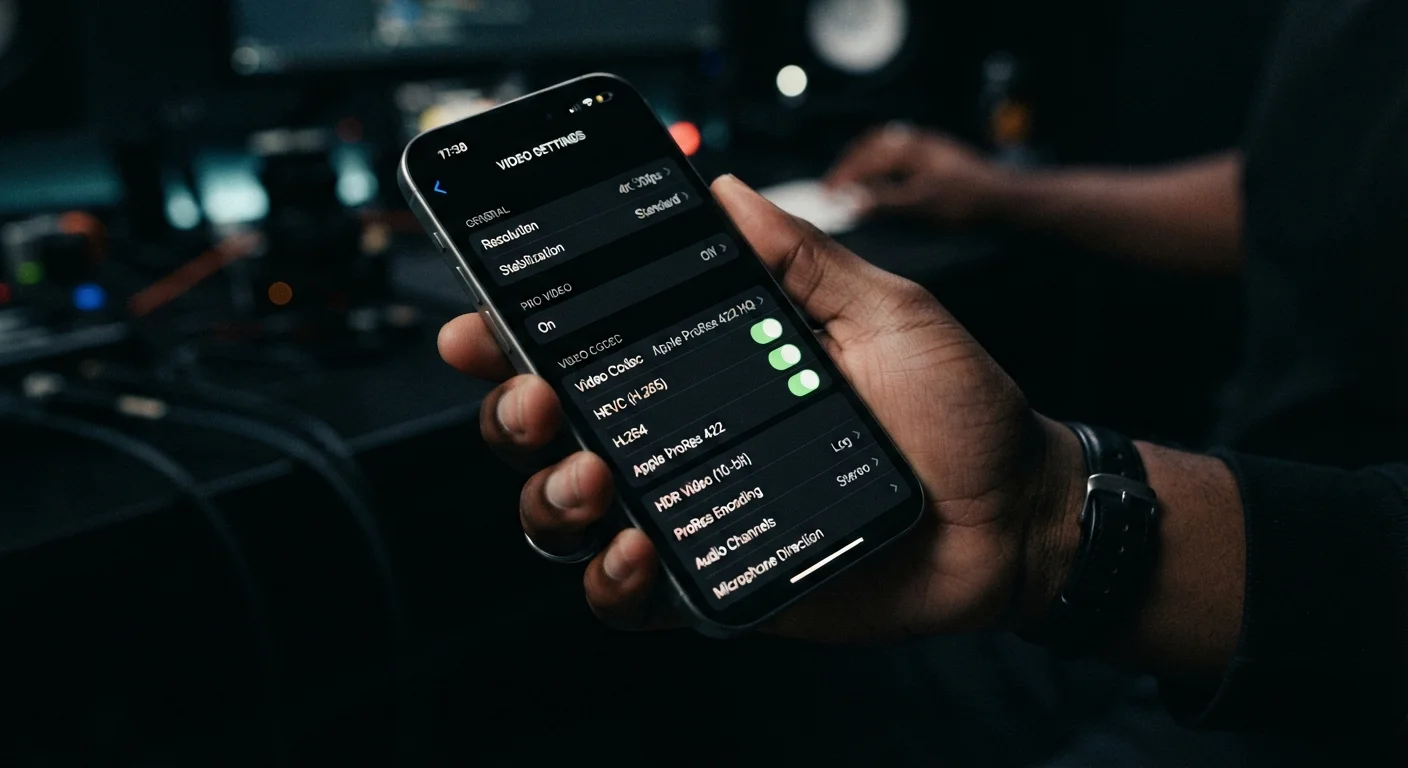
Photo credit: Telecom360.net | Connecting You To The Latest In Telecom
In this article
H.264, H.265, ProRes, Log — video format choices affect quality, compatibility, and storage. Here's what each one means in practice.
Key Takeaways
- H.264 offers the widest device compatibility but produces larger files than newer codecs at equivalent quality.
- H.265 (HEVC) delivers roughly 40% smaller file sizes than H.264 at comparable visual quality, but requires more processing power to decode.
- Apple ProRes and similar high-bitrate formats are engineered for post-production workflows, not casual sharing.
- Log profiles capture a wider dynamic range but require color grading - footage looks flat and desaturated straight from the camera.
- Bitrate, not just codec choice, is the primary driver of fine-detail retention in motion video.
What a Video Codec Actually Does
A video codec - short for coder-decoder - is an algorithm that compresses raw video data into a manageable file and then decompresses it for playback. Without compression, one minute of 4K footage would consume hundreds of gigabytes of storage. Codecs make storage and streaming practical, but every compression scheme involves trade-offs between file size, visual fidelity, and computational load.
On smartphones, the codec choice is typically surfaced in the camera's settings as a format option. The codec determines not just how large your files grow, but how well fine textures, motion, and color gradients are preserved - and critically, how widely compatible the output is across editing software and other devices. For a deeper look at how hardware choices shape the overall camera system, see our guide to smartphone camera sensors.
| H.264 (AVC) | H.265 (HEVC) | ProRes | Log Profile | |
|---|---|---|---|---|
| Compression efficiency | Moderate | High (~40-50% vs H.264) | Low (minimal compression) | Depends on codec used |
| Typical 4K bitrate | 50-100 Mbps | 40-80 Mbps | 400-800 Mbps | Varies by codec |
| Device compatibility | Universal | Modern devices, improving | Apple ecosystem only | Broad, output-dependent |
| Editing suitability | Good | Good | Excellent | Requires grading step |
| Direct sharing readiness | Excellent | Good | Poor - transcode first | Poor - grade first |
| Storage impact | Moderate-High | Moderate | Very High | Moderate-Very High |
H.264 vs. H.265: The Compression Efficiency Gap
H.264 (AVC) has been the dominant smartphone video standard for over a decade. Its widespread decoder support means footage plays back on virtually any device, browser, or editing application without conversion. The trade-off is efficiency: H.264 requires higher bitrates than newer codecs to achieve equivalent visual quality, so file sizes grow quickly at 4K resolutions.
H.265 (HEVC) uses more sophisticated prediction algorithms to encode the same visual information in roughly half the data. A 4K clip that occupies 6 GB in H.264 might require only 3.5 GB in H.265 at comparable quality. The cost is decode complexity - older CPUs and some streaming platforms still struggle with HEVC without hardware acceleration. Compatibility has improved substantially on recent hardware, but H.264 remains safer when files must reach the widest possible audience without transcoding.
Match Your Format to Your Destination
If footage goes directly to social media or messaging apps, H.264 or H.265 at standard bitrates is almost always the correct choice - those platforms re-encode uploads anyway, making ultra-high bitrates irrelevant at the delivery stage. Reserve ProRes and Log formats for projects where you control the full post-production pipeline, from ingestion through final export.
ProRes and High-Bitrate Formats: Built for Editors
Apple ProRes, available on certain iPhone models, is a high-bitrate, minimally compressed codec designed for professional post-production. Where H.265 at 4K might record at 60-80 Mbps, ProRes 4K can exceed 700 Mbps. That extreme data rate preserves fine gradients, prevents banding in color transitions, and gives color grading software more signal to work with - at the cost of extreme storage consumption. One minute of ProRes 4K can occupy 6 GB or more.
ProRes is not intended for direct sharing. It is a camera-original format meant to be ingested into a nonlinear editor, graded, and then exported to a delivery codec. Using it without a defined editing workflow wastes storage and offers no perceptible benefit on a standard display.
Similar high-bitrate philosophies appear on Android flagships through manufacturer-specific implementations, though the ProRes standard itself remains Apple-exclusive. The camera spec sheet breakdown explains how these format claims are typically presented in marketing materials.
Log Profiles: Dynamic Range Over Immediacy
Log (logarithmic) recording profiles don't define a codec - they define how tonal information is distributed within the signal. A standard video profile applies contrast and color in-camera, producing footage that looks finished immediately. A Log profile compresses highlights and shadows into a flatter, desaturated image that preserves a wider dynamic range across the luminance spectrum.
The practical benefit is headroom: footage recorded in Log retains detail in bright skies and deep shadows that a standard profile would clip. In post-production, a colorist can apply a LUT (look-up table) or manual grade to restore - and creatively shape - the image. Without that grading step, Log footage looks washed out and is unsuitable for direct delivery.
Log Footage Requires a Grading Step
Recording in a Log profile without a plan to color grade in post-production is a common mistake. The footage will appear desaturated and low-contrast, and most audiences will find it visually unappealing without correction. Ensure you have compatible software - such as DaVinci Resolve or Adobe Premiere Pro - and the relevant LUT for your device's Log profile before committing to this workflow.
Log formats pair with the codec layer rather than replacing it. You might record in H.265 with a Log profile applied, inheriting the compression characteristics of HEVC alongside the tonal latitude of Log. This combination is increasingly common on flagship Android devices and recent iPhones supporting Log video, and is closely analogous to the raw vs. processed trade-off covered in our guide to shooting RAW on a smartphone.
Bitrate: The Variable That Ties Everything Together
Codec selection sets the compression architecture; bitrate sets how aggressively that compression is applied. Bitrate - measured in megabits per second (Mbps) - controls how much data is allocated per unit of time. A high-motion scene encoded at 20 Mbps will show compression artifacts (blocky distortion, smeared edges) that the same codec at 100 Mbps would not.
~40%
File size reduction: H.265 vs. H.264
H.265 (HEVC) is designed to deliver comparable visual quality to H.264 at roughly 40-50% lower bitrate, according to the ITU-T H.265 standard specification.
700+ Mbps
Apple ProRes 4K maximum bitrate
Apple's ProRes 4444 codec can sustain bitrates exceeding 700 Mbps at 4K resolution, as documented in Apple's ProRes white paper.
Most smartphone camera apps don't expose bitrate as a user-adjustable parameter; they apply preset values tied to resolution and frame rate. Third-party apps such as Filmic Pro and Blackmagic Camera allow manual bitrate control, which is meaningful for users who shoot in challenging conditions - fast-moving subjects, complex textures, or high-contrast scenes where default presets may under-allocate data.
Understanding bitrate also clarifies why two phones recording "4K 30fps H.264" can produce visibly different results: the codec label is identical but the bitrate allocation may differ by a factor of two or more. For a broader framework on evaluating these specification claims, the Hardware & Specs hub provides additional context.

Author
Smartphones Editorial Team
Smartphones Editorial Team is the collective byline for our editorial team and contributor network. Articles published under this byline or an editorial pen name are researched, written, and reviewed according to our editorial standards for clarity, consistency, and independence before publication.
View all articles →