
Shooting RAW on a Smartphone: What You Gain and What You Give Up
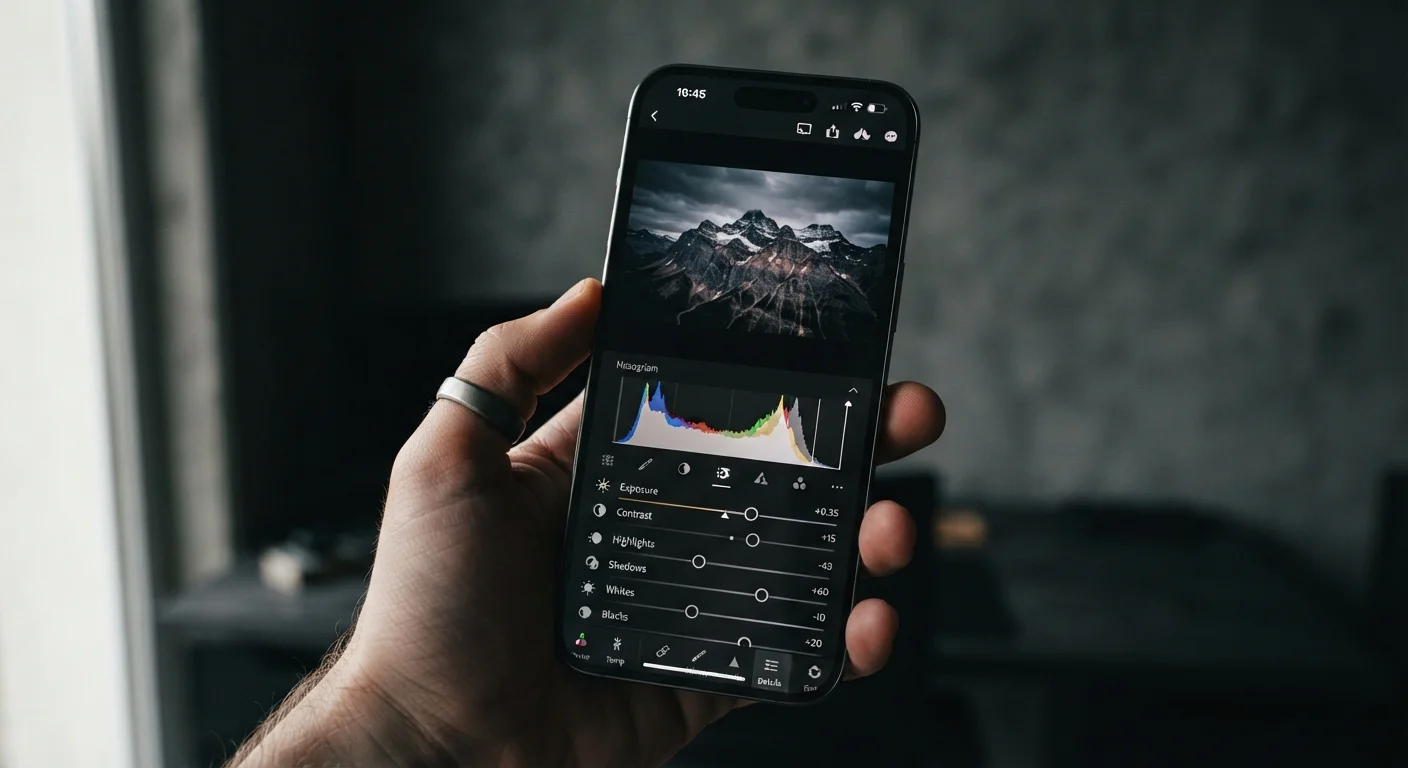
Photo credit: Telecom360.net | Connecting You To The Latest In Telecom
In this article
RAW files preserve more image data but demand more storage and editing time. Weigh the trade-offs before switching from JPEG.
Key Takeaways
- RAW files retain unprocessed sensor data, giving editors far more latitude to correct exposure and color after the shot.
- A single RAW file typically consumes three to five times more storage than an equivalent JPEG.
- Smartphone computational photography features - like HDR stacking and Night Mode - are usually disabled in RAW mode.
- Meaningful RAW editing requires dedicated software and a willingness to invest time in post-processing.
- JPEG remains the practical default for most shooting scenarios, with RAW best suited to controlled or deliberate work.
Significant highlight and shadow recovery in post
Higher bit depth (10-12 bits vs JPEG's 8 bits) means tonal data survives in areas that would be clipped in a JPEG, giving editors two or more stops of usable recovery range.
White balance fully adjustable after capture
Color temperature is stored as metadata rather than baked into pixel values, allowing precise adjustment without the quality loss that comes from correcting a JPEG.
Greater latitude for color grading
Broader tonal gradients in RAW files hold up better under aggressive color adjustments, making it easier to maintain smooth transitions in skies, skin tones, and other nuanced areas.
No lossy compression on the original capture
JPEG applies destructive compression at the point of saving; RAW preserves the sensor data intact, meaning you always have the unaltered capture available for re-editing.
File sizes three to five times larger than JPEG
A single DNG RAW file on a modern smartphone can range from 15 MB to over 30 MB, compared to 4-8 MB for an equivalent JPEG, rapidly consuming device and cloud storage.
Computational photography features largely disabled
Multi-frame HDR, Night Mode, and AI scene optimization rely on the phone's image processing pipeline, which is bypassed in RAW mode - often resulting in noisier low-light captures than the JPEG equivalent.
Mandatory post-processing step before images look finished
An unedited RAW appears flat and desaturated because the tonal rendering is deferred to software; unlike JPEG, there is no camera-ready output without editing.
Requires dedicated editing software and a learning curve
Applications capable of interpreting smartphone DNG files - such as Lightroom or Capture One - often carry subscription costs and require meaningful time to use effectively.
Slower burst rates and potential write lag on some devices
Writing large RAW files to storage takes longer than compressed JPEGs, which can reduce burst frame rates or introduce a noticeable delay between shots on certain hardware.
What RAW Actually Means on a Smartphone
Every smartphone camera captures light through a sensor, converts it to digital data, and then makes a decision: process that data into a finished JPEG immediately, or preserve it in a minimally processed container - a RAW file. On most devices, RAW files follow the DNG format, an open standard originally developed by Adobe, though some manufacturers use proprietary variants.
A JPEG is the phone's interpretation of the scene: the image signal processor (ISP) applies sharpening, noise reduction, white balance, and tone mapping before saving a compressed file. A RAW file skips most of that pipeline. What you receive is the sensor's linear light data - unsharpened, with minimal in-camera noise reduction, at a much higher bit depth (typically 10 or 12 bits versus JPEG's 8 bits). That additional bit depth is the primary source of RAW's flexibility. To understand why sensor data quality matters at the hardware level, see our sensor explainer.
The Advantages of Shooting RAW
The core benefit of RAW is editing headroom - particularly in exposure recovery. Because the data is linear and higher bit-depth, you can often recover two or more stops of detail in blown highlights or crushed shadows that a JPEG would render as pure white or black.
Significant highlight and shadow recovery in post
Higher bit depth (10-12 bits vs JPEG's 8 bits) means tonal data survives in areas that would be clipped in a JPEG, giving editors two or more stops of usable recovery range.
White balance fully adjustable after capture
Color temperature is stored as metadata rather than baked into pixel values, allowing precise adjustment without the quality loss that comes from correcting a JPEG.
Greater latitude for color grading
Broader tonal gradients in RAW files hold up better under aggressive color adjustments, making it easier to maintain smooth transitions in skies, skin tones, and other nuanced areas.
No lossy compression on the original capture
JPEG applies destructive compression at the point of saving; RAW preserves the sensor data intact, meaning you always have the unaltered capture available for re-editing.
White balance is another area where RAW shines. Since the color temperature is recorded as metadata rather than baked into pixel values, you can shift white balance freely in post without the green or magenta fringing that can appear when correcting a JPEG. For portraits shot under mixed artificial lighting, this alone can justify the format.
Color grading also benefits. The wider tonal range means gradients - think blue-hour skies or skin tones in harsh sunlight - retain more nuance, making it easier to achieve consistent results when processing multiple images from the same shoot.
What You Give Up When You Switch to RAW
The trade-offs are substantial, and dismissing them would give readers a distorted picture.
File sizes three to five times larger than JPEG
A single DNG RAW file on a modern smartphone can range from 15 MB to over 30 MB, compared to 4-8 MB for an equivalent JPEG, rapidly consuming device and cloud storage.
Computational photography features largely disabled
Multi-frame HDR, Night Mode, and AI scene optimization rely on the phone's image processing pipeline, which is bypassed in RAW mode - often resulting in noisier low-light captures than the JPEG equivalent.
Mandatory post-processing step before images look finished
An unedited RAW appears flat and desaturated because the tonal rendering is deferred to software; unlike JPEG, there is no camera-ready output without editing.
Requires dedicated editing software and a learning curve
Applications capable of interpreting smartphone DNG files - such as Lightroom or Capture One - often carry subscription costs and require meaningful time to use effectively.
Slower burst rates and potential write lag on some devices
Writing large RAW files to storage takes longer than compressed JPEGs, which can reduce burst frame rates or introduce a noticeable delay between shots on certain hardware.
Perhaps the least obvious cost is the loss of computational photography. Features like multi-frame HDR, Night Mode, and AI-driven scene optimization typically operate on processed image streams - not raw sensor output. When you shoot RAW, these algorithms are either disabled or produce a separate JPEG alongside the RAW file. The phone's software pipeline, which shapes modern smartphone images as much as optics do, is largely bypassed. That means you may actually get noisier or less detailed results in low light compared to a well-optimized JPEG from the same device.
Storage, Workflow, and Software Requirements
10-12 bit
Typical RAW bit depth vs. JPEG's 8 bit
The higher bit depth of RAW captures is what creates expanded highlight and shadow recovery that JPEG compression permanently discards.
3-5×
Storage multiplier: RAW vs. JPEG per shot
A smartphone DNG RAW file commonly ranges from 15 MB to 30+ MB depending on sensor resolution, versus 4-8 MB for a standard JPEG from the same device.
RAW shooting demands a desktop or mobile editing application that can interpret the format. Adobe Lightroom (mobile and desktop), Capture One, and Darkroom are widely used options, but each involves a learning curve and, in many cases, a subscription. Editing a RAW file is not optional - an unedited RAW will look flat and desaturated compared to the phone's native JPEG, because it hasn't yet received the processing that makes a JPEG look finished.
Workflow time compounds the storage cost. If you shoot 200 frames at a weekend event, culling and developing 200 RAW files is a meaningful time investment. For anyone who shoots casually or needs images ready to share immediately, that friction is a real barrier. If you want to understand the manual controls that complement a RAW workflow, manual camera controls explained is a useful companion read.
Simultaneous RAW + JPEG: A Middle Ground
Many smartphones allow you to capture both a RAW file and a processed JPEG simultaneously. This lets you share or use the JPEG immediately while retaining the RAW for more involved editing later. The trade-off is that you consume roughly double the storage per shot compared to JPEG-only shooting, but you avoid committing entirely to one format before knowing how important the image will be.
RAW file handling also varies by device. Some phones write DNG files quickly with minimal impact on burst speed; others introduce a noticeable lag between frames. Check your device's specific behavior before committing to RAW for action or event shooting.
When RAW Makes Sense - and When It Doesn't
RAW is well-matched to deliberate, controlled shooting: studio setups, architectural work, landscapes where you know you'll invest editing time, or situations where preserving the maximum tonal data from a once-in-a-day scene justifies the overhead. It's also valuable when you anticipate significant color grading - matching footage tone, for instance, or producing images for print.
It's a poor fit for spontaneous shooting, large-volume events, or any scenario where computational enhancements (especially Night Mode) would meaningfully improve the capture. It's also a consideration worth skipping if you don't have an established editing workflow; a well-processed JPEG will consistently outperform an unedited RAW in those circumstances.
The format question parallels decisions in video capture. Video codec and bitrate trade-offs follow a nearly identical logic: higher fidelity costs storage and demands more capable playback and editing infrastructure. Readers evaluating RAW may find those trade-offs instructive context.

Author
Smartphones Editorial Team
Smartphones Editorial Team is the collective byline for our editorial team and contributor network. Articles published under this byline or an editorial pen name are researched, written, and reviewed according to our editorial standards for clarity, consistency, and independence before publication.
View all articles →