
Sideloading Apps: What It Is, How It Works, and the Real Risks Involved
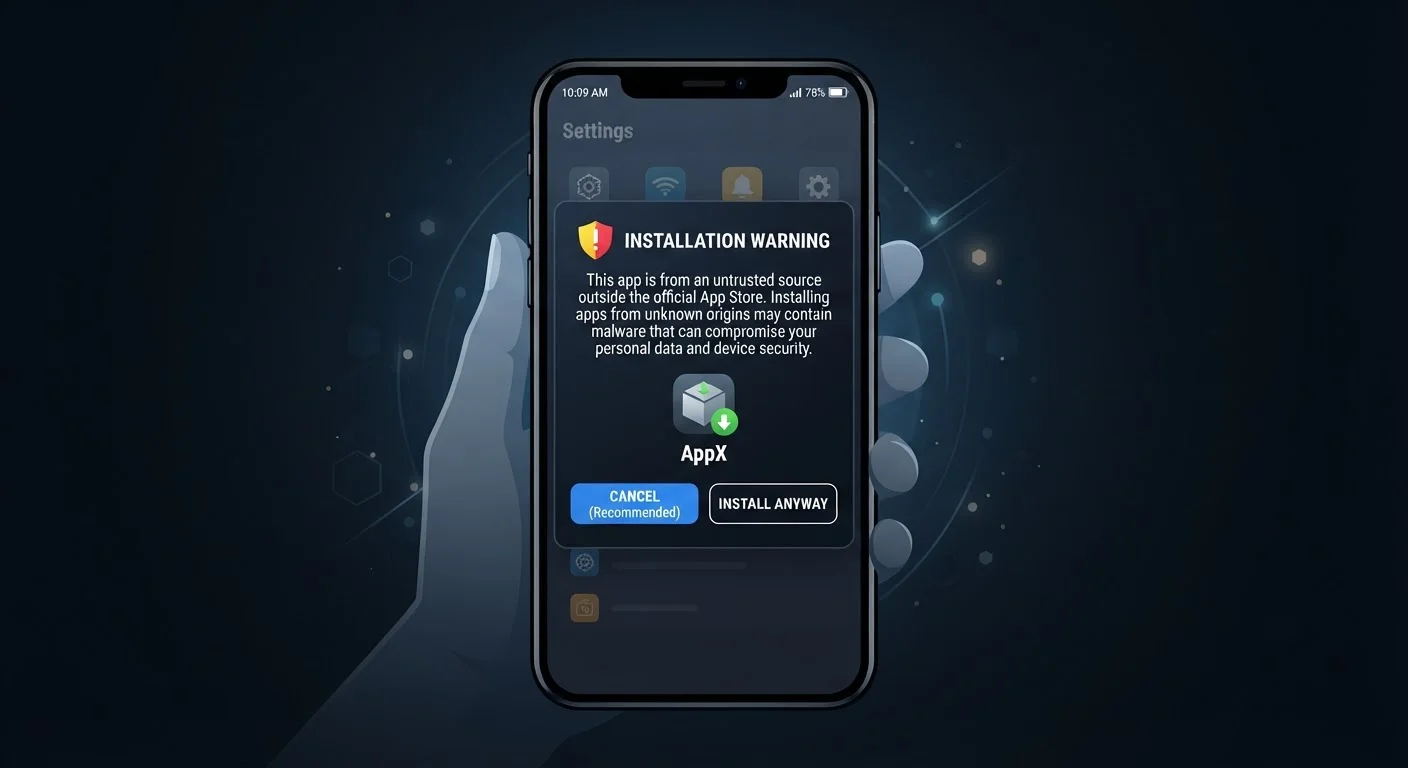
Photo credit: Telecom360.net | Connecting You To The Latest In Telecom
In this article
Sideloading lets you install apps outside official stores. Understand the technical process, legitimate uses, and genuine security concerns.
Key Takeaways
- Sideloading means installing apps from sources outside official stores like Google Play or the App Store.
- Android permits sideloading by default with a settings toggle; iOS has historically restricted it more tightly.
- Legitimate uses include developer testing, enterprise apps, and accessing software unavailable in your region.
- Sideloaded apps skip the security review process that official stores apply to submissions.
- The risk level depends heavily on where you obtain the app file and whether you can verify its authenticity.
How Sideloading Works on Android and iOS
Understanding sideloading requires a brief look at how app installation normally works. When you download an app through an official store, the platform has already screened it for malware, confirmed the developer's identity, and sandboxed what the app can access. Sideloading removes that intermediary step entirely - you are instructing the device to install software it has not seen vetted.
On Android, the process is relatively straightforward. Android is an open platform by design, and Google allows users to enable installation from "unknown sources" through the device settings. Once enabled, you locate an APK file - typically downloaded from a website or transferred from another device - and tap to install it. The operating system presents a warning that the app comes from an external source, but ultimately defers to the user's decision. To understand what the device is actually doing during this process, see what happens behind the scenes when you install any app.
On iOS, Apple has historically enforced a walled-garden model. Standard users cannot install arbitrary IPA (iOS App Archive) files. Exceptions exist: developers can install apps on test devices using Apple's developer tools, and enterprises can distribute in-house apps via configuration profiles. Following the EU's Digital Markets Act, Apple now permits alternative marketplaces in Europe - but this is a regulatory exception, not a global policy change.
Platform Policies Continue to Evolve
Regulatory pressure - particularly the EU's Digital Markets Act - is pushing Apple and Google to loosen some restrictions around third-party app distribution. The rules governing what is and is not permissible for sideloading are actively changing in some jurisdictions. Checking the current policies for your specific device platform and region before proceeding is advisable, as the landscape may look different depending on where you are located.
Legitimate Reasons to Sideload
Sideloading carries a reputation for being a tool of piracy, but there are entirely legitimate and practical reasons to use it.
- Developer testing: App developers routinely sideload builds onto physical devices to test behavior before submitting to an official store. This is a standard part of the development workflow.
- Enterprise software: Large organizations sometimes distribute proprietary internal apps - HR tools, inventory systems, field service applications - directly to employee devices rather than publishing them publicly on a store.
- Regional availability gaps: Some apps are published in certain countries but not others due to licensing or distribution agreements. A user with legitimate need may sideload a version not available in their store region.
- Older or discontinued apps: When a developer removes an app from the store, users who relied on it may seek archived APKs to continue using the software.
- Open-source and F-Droid apps: Platforms like F-Droid distribute open-source Android apps that are not listed on Google Play, offering a curated alternative for privacy-conscious users.
These use cases are real, but they do not eliminate risk - they simply shift the responsibility for vetting the software onto the user. Explore the full trade-offs of sideloading in detail before deciding whether it suits your situation.
~50%
Android apps installed outside Play Store globally
A 2023 analysis by app intelligence firm data.ai estimated that roughly half of Android app installs worldwide occur outside the Google Play Store, driven largely by markets where alternative stores are dominant.
1 in 5
Mobile malware samples delivered via sideloading
Security researchers at Kaspersky have consistently noted that apps installed from unofficial sources represent a disproportionate share of mobile malware detections compared to store-distributed apps.
The Real Security Risks
The security concerns around sideloading are genuine and worth examining carefully - not to discourage the practice outright, but to ensure users make informed decisions.
No Mandatory Review Process
Official app stores, despite their imperfections, apply automated scanning and human review to app submissions. Sideloaded apps receive no equivalent scrutiny. A malicious actor can package spyware, adware, or credential-harvesting code inside an APK that looks identical to a legitimate app. Learn the signals that distinguish fake apps from genuine ones before granting any app access to your device.
Tampered or Repackaged Files
Even when an app originates legitimately, a version obtained from a third-party mirror site may have been modified. Attackers repackage popular apps - injecting malicious code - and redistribute them through unofficial channels. Verifying a file's cryptographic hash against a value published by the developer is one way to reduce this risk, though most users do not take this step.
No Automatic Security Updates
Because sideloaded apps exist outside the store ecosystem, they do not receive automatic security patches. A vulnerability discovered in the app after your installation may never reach you unless you manually seek out an update. This is a persistent, ongoing risk rather than a one-time concern.
Elevated Permission Requests
Some sideloaded apps - particularly repackaged or cracked versions - request broader permissions than the original requires. Granting excessive permissions can expose contacts, location data, microphone access, or stored credentials. Before installing anything outside an official store, reviewing permission requests critically is essential. The app permission and privacy checklist outlines exactly what to look for.
Reduce Risk: Download from the Developer Directly
If you choose to sideload, prioritize obtaining the app file from the software developer's own official website rather than a third-party mirror or file-sharing site. Check whether the developer publishes a SHA-256 or MD5 hash for their download so you can verify the file has not been modified in transit. This single step significantly narrows the attack surface compared to downloading from unverified repositories.
The overall risk profile of sideloading depends heavily on the source. Downloading directly from a known developer's official website is materially different from downloading from an anonymous file-sharing forum. That distinction matters more than sideloading itself. For a structured comparison of the trade-offs, see the security trade-offs of sideloading outside official stores.
Frequently Asked Questions

Author
Smartphones Editorial Team
Smartphones Editorial Team is the collective byline for our editorial team and contributor network. Articles published under this byline or an editorial pen name are researched, written, and reviewed according to our editorial standards for clarity, consistency, and independence before publication.
View all articles →